Become a MacRumors Supporter for $50/year with no ads, ability to filter front page stories, and private forums.

MacRumors

macrumors bot
Original poster
Apr 12, 2001
70,281
41,890


In the initial version of iOS 26, Apple removed Slide Over and Split View multitasking in favor of a new window-based multitasking system. A replacement for Split View was available in an added tiled mode, but Slide Over was entirely gone.
ipados-26-1-slide-over.jpg

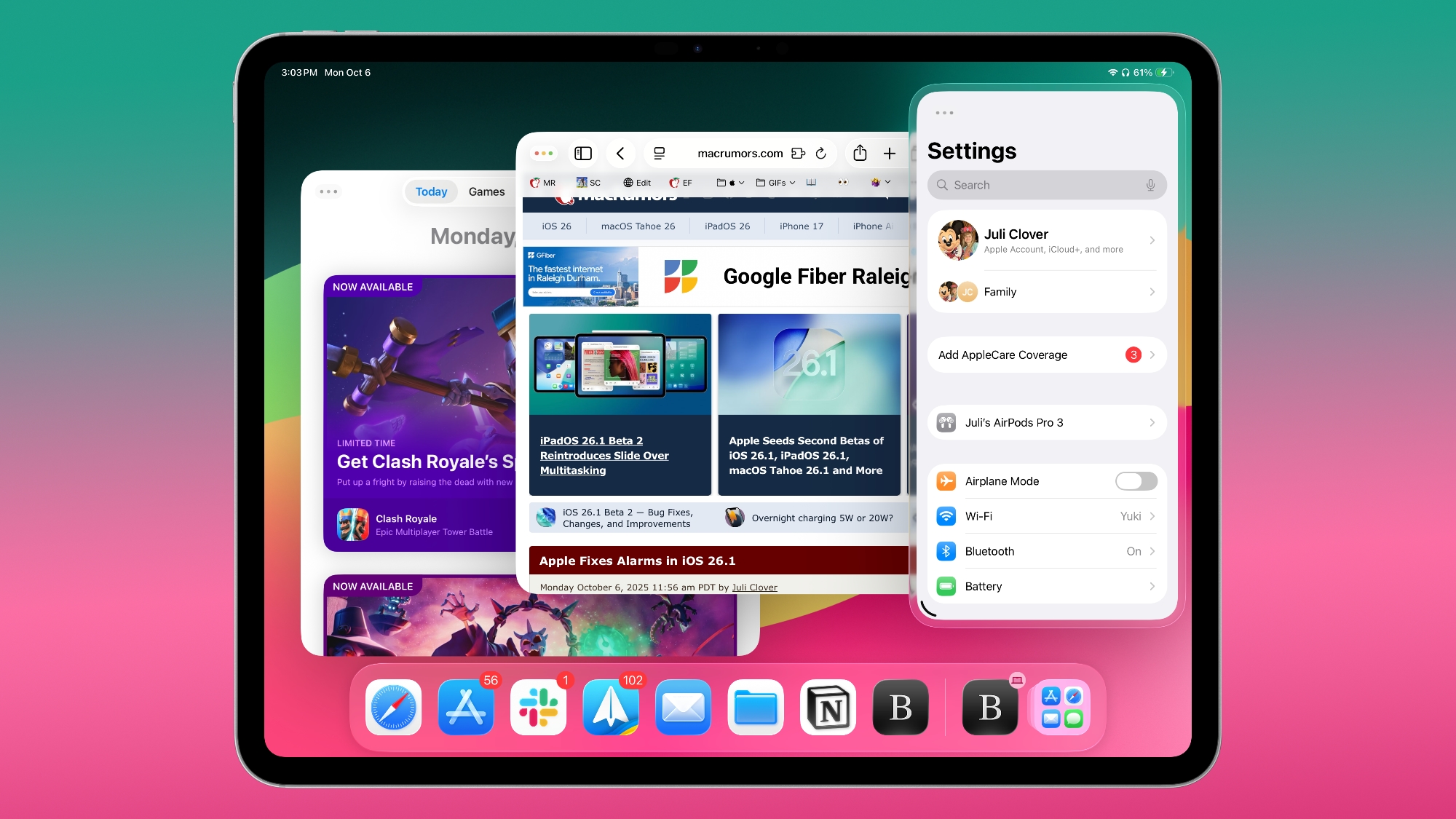
iPad users missed Slide Over, so Apple brought basic Slide Over functionality back in iPadOS 26.1. In the latest beta of iOS 26.2, Apple is further tweaking Slide Over to make it work more like it did in iPadOS 18.

As long as you have at least one app open on the Home Screen, you can drag and drop other apps into various multitasking views, including Slide Over. You can drag an app from the Dock, Spotlight search, or the App Library to the far left or far right of the display to enter Slide Over mode, or to the left or right sides to enter a tiled view that's similar to Split View. You can also drag an app to the middle to open up a bigger or smaller window. There are visual indications that let you know when an app is in a left, right, or Slide Over position.

If you already have an app open in Slide Over or two apps in a tiled view, you can drag an app over the top of one of the existing apps to put the new app in its position. Unlike iPadOS 18, the prior app stays open so you can go back to it if you close the new app.

iPadOS 26 users who missed how multitasking worked in iPadOS 18 will now have options to use the iPad in much the same way. iPadOS 26.2 is expected to launch to the public this December.

Article Link: iPadOS 26.2 Beta 3 Adds New Drag and Drop Multitasking Functionality
 
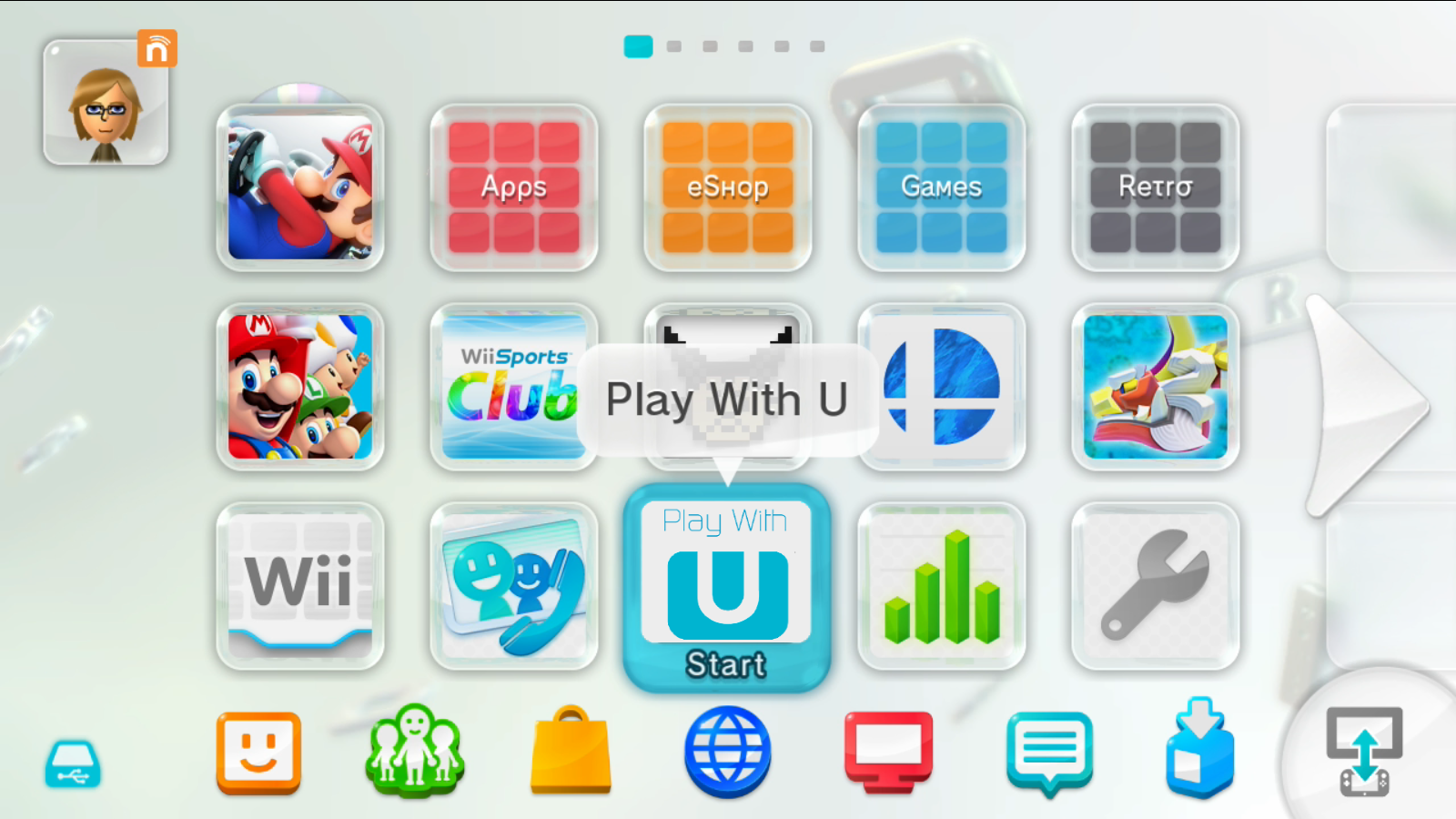
I have not been a huge fan on liquid glass but seeing the lg as a frame/border around the settings app looks really cool and reminds me of the Wii U main menu icons

Wii_U_Menu.png
 
  • Like
Reactions: woerden and jchap
I didn’t like this style of multitasking on my 11-inch iPad Air M3. Maybe if I had a 13-inch, my experience would be better. I just prefer the old-style split-screen method.
Yeah, me too, at least when it’s not plugged into the external monitor. Let’s hope they finally include a legacy mode with just the same behavior it had on iPadOS 18.
 
As long as you have at least one app open on the Home Screen, you can drag and drop other apps into various multitasking views, including Slide Over.
That’s a pretty horrible description of it. As long as you have at least one app open and have enabled Windowed Apps or Stage Manager…

One of the most awkward things about Slide Over in 26.1 is that you can’t use it when Full-Screen Apps is enabled. Apple is far too literal by not allowing Slide Over in that mode.
 
Last edited:
I just want split view
IT’s still there, and actually more flexible because you can split the screen between more apps, screen size permitting.

I suggest selecting Windowed Apps in multitasking settings, or adding its toggle to Control Centre if you only need it occasionally. When you need to split the screen, slightly drag the resize control at bottom right of an app, then long press the traffic light buttons and tap the half of the screen you want it in. Yeah, it’s annoying that control isn’t accessible without downsizing an app first.

Drag another app on screen. Then repeat the long press on its traffic light buttons.
 
IT’s still there, and actually more flexible because you can split the screen between more apps, screen size permitting.

I suggest selecting Windowed Apps in multitasking settings, or adding its toggle to Control Centre if you only need it occasionally. When you need to split the screen, slightly drag the resize control at bottom right of an app, then long press the traffic light buttons and tap the half of the screen you want it in. Yeah, it’s annoying that control isn’t accessible without downsizing an app first.

Drag another app on screen. Then repeat the long press on its traffic light buttons.
I think you just described how it’s not there in any convenient way.
 
If this works like it used to, I'll be super excited. Dragging apps from a spotlight search into split view or slideover was THE way i used to multi-task on iOS 18 and prior. The new windowing mode is nice, but doesn't make as much sense on the 11". Very happy that Apple is continuing to refine multi-tasking options in these .1 and .2 updates. In previous years, they would wait until next WWDC.

Looks like i'm getting back on the beta train for another month.

Update: Just tried it and it's pretty good. Feels a little different with how it visually represents the split screen, and maybe a touch too aggressive with the swiping gesture for when an app leaves the screen. But way way better in terms of putting an app into the newly returned slide-over mode.
 
Last edited:
I think you just described how it’s not there in any convenient way.
Yep. The first time I did this in the beta I rolled back to iOS 18 and haven’t been tempted to ‘upgrade’ since. Sounds like they’ll finally be back to how it was working in another couple of points releases! 👍
 
  • Haha
Reactions: kakaluma83
A Slide Over window hidden off to the right side of the display interferes with the vertical scroll bar in a full screen app.

For example I have Safari full screen, open calculator in Slide Over, hide it off the right, nudge the Safari page to make the scroll bar appear, grab the scroll bar and as soon as I drag the scroll bar, the Slide Over calculator app starts sliding in instead of Safari scrolling rapidly.

Only left-side Slide Over doesn’t interfere.
 
  • Like
Reactions: Unregistered 4U
The problem for Apple is that, when they listen to user feedback and then respond to that user feedback by giving users what they wanted, there’s always a cohort who resent this, because it makes that cohort to have to expend some effort to find something new to b**ch and moan about.

„ Oh no, they gave me what I asked for, how dare they!!???!!!”
 
Last edited:
  • Haha
Reactions: aParkerMusic
IT’s still there, and actually more flexible because you can split the screen between more apps, screen size permitting.

I suggest selecting Windowed Apps in multitasking settings, or adding its toggle to Control Centre if you only need it occasionally. When you need to split the screen, slightly drag the resize control at bottom right of an app, then long press the traffic light buttons and tap the half of the screen you want it in. Yeah, it’s annoying that control isn’t accessible without downsizing an app first.

Drag another app on screen. Then repeat the long press on its traffic light buttons.
You can just drag an app from the dock now. Previously what I used to to do was pull 2 apps in minimized view and used the fill and arrange button to fill the windows out for me instead

 
Last edited:
A Slide Over window hidden off to the right side of the display interferes with the vertical scroll bar in a full screen app.

For example I have Safari full screen, open calculator in Slide Over, hide it off the right, nudge the Safari page to make the scroll bar appear, grab the scroll bar and as soon as I drag the scroll bar, the Slide Over calculator app starts sliding in instead of Safari scrolling rapidly.

Only left-side Slide Over doesn’t interfere.
You drag the scroll bar pill thing????? That is like turbo scrolling speed. You need to scroll that fast most of the time? Why not just scroll anywhere in the screen? Even just like half an inch inward? Trying to grab that little UI element seems so tedious.
 
  • Like
Reactions: aParkerMusic
You drag the scroll bar pill thing????? That is like turbo scrolling speed. You need to scroll that fast most of the time? Why not just scroll anywhere in the screen? Even just like half an inch inward? Trying to grab that little UI element seems so tedious.
If tedious if your only complaint, then count yourself lucky in life.
 
You drag the scroll bar pill thing????? That is like turbo scrolling speed. You need to scroll that fast most of the time? Why not just scroll anywhere in the screen? Even just like half an inch inward? Trying to grab that little UI element seems so tedious.
It’s not my primary means of scrolling but sometimes, on very tall pages or apps it’s more efficient than repeatedly momentum-scrolling or tapping the status bar to go all the way to the top.

The two UI controls certainly shouldn’t conflict, I don’t use a mouse or trackpad with my iPad so don’t know if Slide Over interferes with that input.
 
It’s not my primary means of scrolling but sometimes, on very tall pages or apps it’s more efficient than repeatedly momentum-scrolling or tapping the status bar to go all the way to the top.

The two UI controls certainly shouldn’t conflict, I don’t use a mouse or trackpad with my iPad so don’t know if Slide Over interferes with that input.
I see. To each their own. I barely even thought to try it, but I understand how it could be useful in certain situations.

I do agree that it's almost impossible to use with a slide-over app in place. I suppose they could move the scrolling pill to the left side of the screen when slide-over is on, but the swipe-back gesture could conflict with that. These are the challenges of UI design I guess.
 
The problem for Apple is that, when they listen to user feedback and then respond to that user feedback by giving users what they wanted, there’s always a cohort who resent this, because it makes that cohort to have to expend some effort to find something new to b**ch and mean about.

„ Oh no, they gave me what I asked for, how dare they!!???!!!”
I think they call it the innovator's dilemma. Same thing Microsoft and other long-standing tech companies have to contend with. You're constrained by your own success.

Oh, and instead of tedious, maybe fiddly is a better word for my previous comment.
 
Yeah, me too, at least when it’s not plugged into the external monitor. Let’s hope they finally include a legacy mode with just the same behavior it had on iPadOS 18.
Haven’t had an opportunity to download it yet, but my expectation is that this isn’t responding to feedback. Apple said they had to rewrite the windowing system and the first iteration they released was for the majority of their users. Then, they added back Slide Over, but in a way that’s supported by the new windowing system, and now Split View which, I’m guessing, is also in a way that’s supported by the new windowing system and unlike the prior system.

Anyone that thinks this is about Apple listening and responding to feedback doesn’t really understand what the fans of those features want returned from iOS 18. Compared to iOS 18, they’re Slide Over and Split View in name only.
 
Last edited:
  • Like
Reactions: Populus
Register on MacRumors! This sidebar will go away, and you'll see fewer ads.