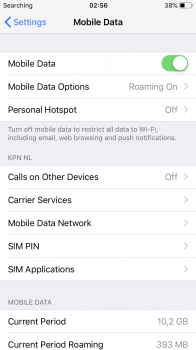
if you are referring to the upper left "Searching" and "No Service", these are not related (at first) to whether or not you have turned on Mobile Data.
These two terms are caused by your device not being able to connect to a network - meaning Cellular network.
Even if you
turn off Mobile Data, if your phone were connected to a Celluar network it would indicate that instead of seeing these two terms. (with Mobile Data off, but connected to a Celluar network you wouldn't be able to do anything except call out and receive calls, however).
so the first problem is to find out why you are not connecting to any cellular network.
this could be for anyone of a number of reasons.
some standard things to do in this case would be:
1 turn off phone and turn back on
2 take out SIM card and put it back in
3 make sure yr Cellular company's service plan is valid
4 Reset Network (found in Settings / General / Reset)
i assume you are not roaming. which would call for other things to do as well.