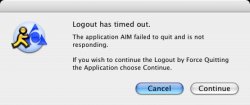
How do I get OS X to behave normally instead of like Microsoft Windows when I tell it to log out? OS X doesn't seem to understand that if I ask it to log out, I want it to immediately close all running processes and return to the login window. What it does appears to be this:
Send Quit command to all applications;
Wait for normal program exit;
If any program does not Quit, cancel logout.
I told it to log out yesterday and came back later to find that my system was not secure because:
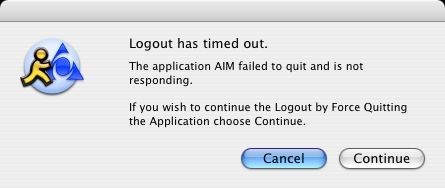
The Terminal window also disables the logout function:
"Closing this window will terminate the following processes inside it: Folding..."
X11 displays a similar dialog box.
When I ask for a logout, I want it now. That means issuing the Kill command to all user processes! I don't care which programs are running or what they are doing. I was trying to avoid a power cut due to a storm a few months ago, while I had Folding running in Terminal and OpenOffice.org running through X11. I saved my open document and went to log out, temporarily forgetting about this OS X problem and going to check the status of another system. Both Terminal and X11 popped up with their error messages. After running back to the Mac and clicking through the dialog boxes, it took too long to get to the login screen. It didn't happen quickly enough before the power was cut. Is there an option to get OS X to Kill instead of Quit applications when logging out?
Send Quit command to all applications;
Wait for normal program exit;
If any program does not Quit, cancel logout.
I told it to log out yesterday and came back later to find that my system was not secure because:
The Terminal window also disables the logout function:
"Closing this window will terminate the following processes inside it: Folding..."
X11 displays a similar dialog box.
When I ask for a logout, I want it now. That means issuing the Kill command to all user processes! I don't care which programs are running or what they are doing. I was trying to avoid a power cut due to a storm a few months ago, while I had Folding running in Terminal and OpenOffice.org running through X11. I saved my open document and went to log out, temporarily forgetting about this OS X problem and going to check the status of another system. Both Terminal and X11 popped up with their error messages. After running back to the Mac and clicking through the dialog boxes, it took too long to get to the login screen. It didn't happen quickly enough before the power was cut. Is there an option to get OS X to Kill instead of Quit applications when logging out?