
Become a MacRumors Supporter for $50/year with no ads, ability to filter front page stories, and private forums.

modit

macrumors 6502
Original poster
Apr 8, 2008
340
37
Canada
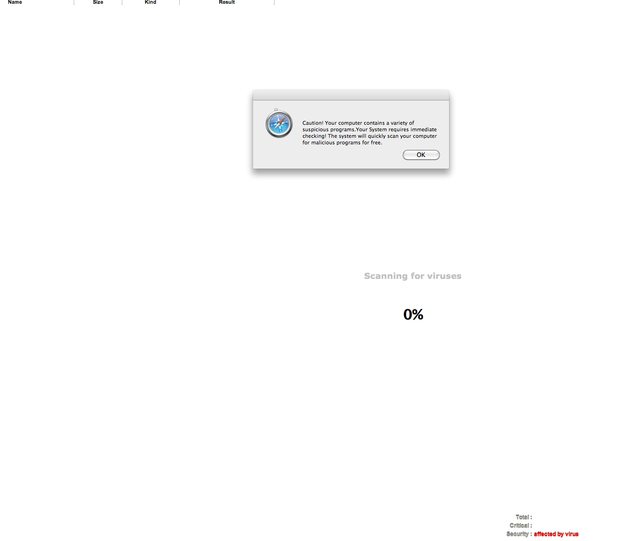
So I clicked on an image in Google search and was brought to the infamous Mac Defender scan website...

My screenshot...
7DrWQl.png


I force quit Safari and reset my cache so I'm safe I'd assume. The site showed my IP address but is that a security issue?

I'm running 10.6.7 and I'll update to 10.6.8 which "identifies and remove known variants of Mac Defender"

I guess I'm lucky by visiting MacRumors alot 😀
 
So I clicked on an image in Google search and was brought to the infamous Mac Defender scan website...

My screenshot...

Image

I force quit Safari and reset my cache so I'm safe I'd assume. The site showed my IP address but is that a security issue?

I'm running 10.6.7 and I'll update to 10.6.8 which "identifies and remove known variants of Mac Defender"

I guess I'm lucky by visiting MacRumors alot 😀

Every remote server knows what ip addresses connect to it, your fine. As long as you didn't put in your admin password it can't do anything.
 
So I clicked on an image in Google search and was brought to the infamous Mac Defender scan website...

I force quit Safari and reset my cache so I'm safe I'd assume. The site showed my IP address but is that a security issue?
Your IP address is public. Any site you visit has access to it, such as http://whatismyipaddress.com

The first section of that link deals specifically with the MacDefender/MacSecurity/MacProtector/MacGuard issue. I encourage you to read it.
 
Register on MacRumors! This sidebar will go away, and you'll see fewer ads.