Become a MacRumors Supporter for $50/year with no ads, ability to filter front page stories, and private forums.

Rithem

macrumors 6502
Original poster
Jun 29, 2008
454
0
Hey guys. My macbook hdd crashed and I just had some questions. This is still in the middle of the quarter and thankfully my midterms are already over so I'm free till finals, besides papers. The problem is I was walking around my apartment and tripped over my chair, which caused the macbook to fall and the hdd to fail. I took it over to the bookstore for them to check it out and they said they could see the hdd but not the partition. I'm not exactly sure what this means but I need 3-5 folders out of my documents folder and the entirety of my pictures folder (completely forgot to back it up). I also needs my bookmarks from firefox and calendar/mail stuff (not sure if that's possible) What are the chances of this happening?

I'm giving my mac to a buddy of mine who has a good friend that's a genius at the apple store in OC. I'm just wondering if I can get my information back... or I'm screwed for finals pretty much?

On a side note I did order a new MBP so I guess I'll have half the quarter's notes :confused:
 
All you have to do to get this mac in working condition is remove the battery, remove 3 screws and slide out the old drive then slide in the new. Seems a bit little effort is needed to save a machine worth a lot of cash. Hell, it's worth a lot in its present condition, if it's only the hard drive.

If your hard drive crashed, the only way you're getting information off of it is spending hundreds of dollars to a data recovery center.

Time Machine is free, but the time for that has passed =\
 
Yeah, I tried backing it up with Time Machine yesterday it kept failing... like 4 times.
 
Um...you mean you tried to RESTORE with Time Machine? On the same dead drive? Once your drive is dead, it's dead.

If you have been using Time Machine, then simply put in a new hard drive, install MacOS X, then restore with Time Machine. All of your information and settings will be exactly as you left them.
 
Um...you mean you tried to RESTORE with Time Machine? On the same dead drive? Once your drive is dead, it's dead.

If you have been using Time Machine, then simply put in a new hard drive, install MacOS X, then restore with Time Machine. All of your information and settings will be exactly as you left them.

No... I tried to back it with Time Machine. Didn't try to restore since I couldn't even back it up.
 
How....how could you even boot into MacOS X to perform a backup with a dead drive?

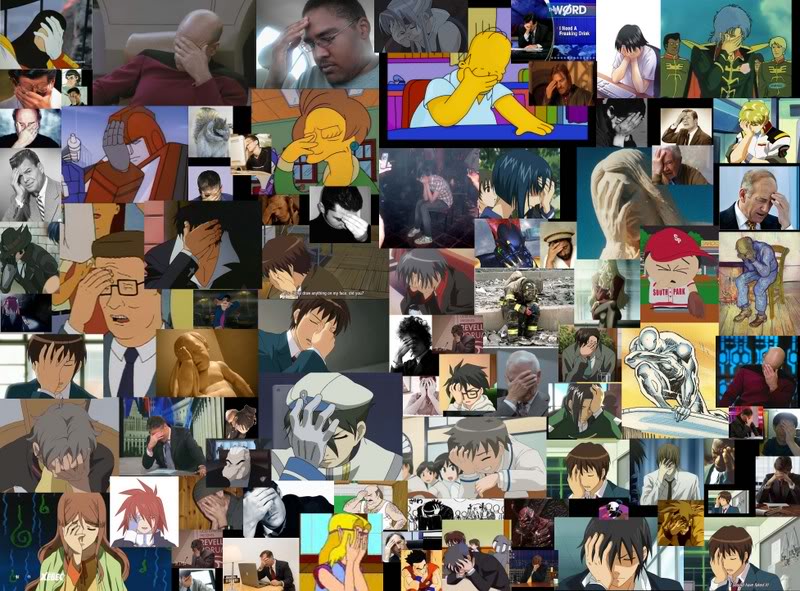
facepalm.jpg
 
Maybe you misunderstood... I'm not retarded. I was trying to back it up before it died. It died this morning. I was trying to back it up yesterday night.
 
So the backup process failed? Are there any files written to the Time Machine drive at all? Of course, you'll only be able to access these from a mac.
 
Hilarious!

How....how could you even boot into MacOS X to perform a backup with a dead drive?

facepalm.jpg

Good job on one of the best face palm collages I've seen! It even has Code Geass in there!

Sorry to hear about your HDD buddy, but if your HDD is broken, why would you expect that you could back it up? lol. Laughing aside, I sincerely hope you can retrieve your necessary info from it. Good luck man.
 
So the backup process failed? Are there any files written to the Time Machine drive at all? Of course, you'll only be able to access these from a mac.[/QUOTE

completely failed, no files at all :(

Good job on one of the best face palm collages I've seen! It even has Code Geass in there!

Sorry to hear about your HDD buddy, but if your HDD is broken, why would you expect that you could back it up? lol. Laughing aside, I sincerely hope you can retrieve your necessary info from it. Good luck man.

Yeah it was a pretty sweet face palm collage. [

Thanks dude. I might send it to a hdd recovery person. I REALLY need my notes for the finals.
 
Wow, it's THAT important that you are fine spending hundreds on a potentially long procedure.

Check out the bottom links on this page. These are temporary, but may allow you just enough time to get your info and run.
 
Wow, it's THAT important that you are fine spending hundreds on a potentially long procedure.

Check out the bottom links on this page. These are temporary, but may allow you just enough time to get your info and run.

Hmm. Not sure how much it's worth it to me... but it's a good amount. I guess I can scrap the notes from my friends... if I knew anyone that took notes :mad:
 
Depending on what is actually wrong with the drive there are plenty of things you can try before you send it off to a data recovery specialist.
 
Um...you mean you tried to RESTORE with Time Machine? On the same dead drive? Once your drive is dead, it's dead.

If you have been using Time Machine, then simply put in a new hard drive, install MacOS X, then restore with Time Machine. All of your information and settings will be exactly as you left them.

Ok, I'm not hardware savy so maybe I'm misunderstanding something here. Maybe I don't realize the nature of hte crash. Cause I've gotten info off of hard drives that crashed enough you could not start up from them.

Of course you do have to have a startup CD and another hard drive to connect. And the hard drive still has to have some functionality, enough that the computer can recognize it is there as a second drive.

My last hard drive (in my Macbook, only a year old and it had Tiger so no Time Machine:mad:) started crashing and would not start up my computer. But when I used my install CDs to startup the computer and use the hardware restore software, they recognized the hard drive. They could not back it up cause they kept hitting some info error or something. Which frustrated me cause I'm used to OS 9 and before where the install CDs just opened you up to the desktop and you saw your old hard drive as a disk (at least that's the last time I had to deal with a breaking hard drive). Where this forced you to immediately startup in disk repair software so from what I saw no way to actually just browse the HD.

Til the Mac genius mentioned to me I can go through a Unix shell in that software and use Unix commands to physically explore the drive. Which meant I could copy things individually, or tell it to copy everythign it can and ignore any files too corrupt to copy (the stupid software they provided would hit a corrupt file and refuse to copy anything and quit). I managed to save *all* my important info save my Calendar and Contacts (mainly cause I didn't know how to look for that info. The stupid software had totally renamed all the files to random gibberish and completely disarranged stuff so I had to go through each file to find out which ones were ones I was looking for).

(Ironically this was abotu the time mom gave me money for my bday to buy a backup hard drive and was planning on it but hadn't yet).

And yeah, I have all my info I care about (save a few poems) from back when I had a Mac Performa (through stuff I got through my PC and my G4). And my Performa had a hard drive crash as well that I managed to save my info from after the fact (as well as the PC but that I managed to backup before it died so badly it wouldn't even startup the computer). Actually, it had two. The last one happened right after I was backing my info so I could clear the hard drive and let my friend use it. Died right before I got the last bit of info I wanted (some poems). I still think if I could have started up the Computer with a CD I could have gotten that even (but the CD drive had died before that so wasn't possible).
 
Well from what the Apple guys at the bookstore said they can see the hdd using some software, but they can't see the partition. I'm just going to see my buddy who's going to give it to a Mac Genius and I'm gonna see what he can do.
 
Register on MacRumors! This sidebar will go away, and you'll see fewer ads.