


Become a MacRumors Supporter for $50/year with no ads, ability to filter front page stories, and private forums.

MacRumors

macrumors bot
Original poster
Apr 12, 2001
70,385
42,002


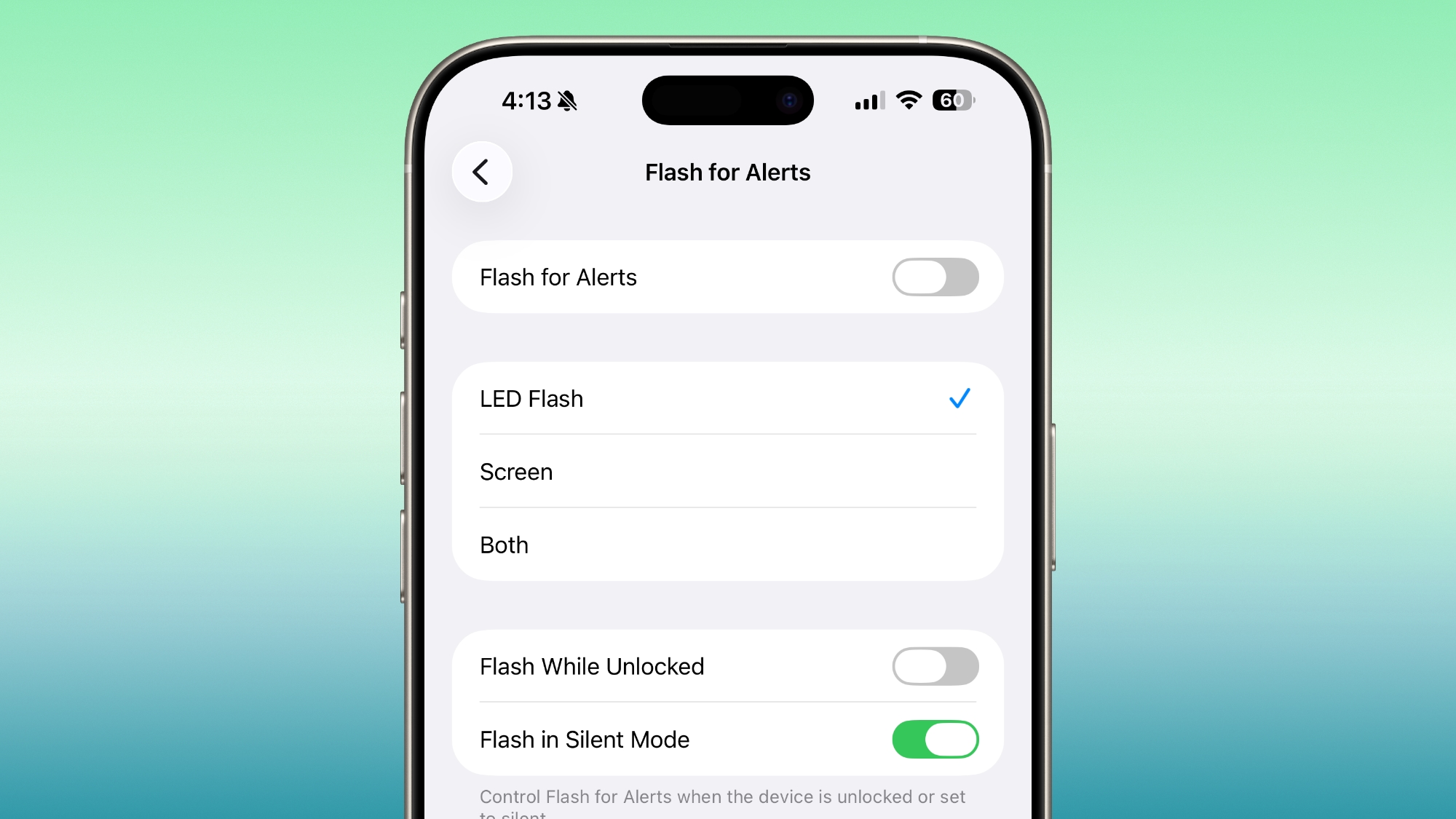
Unlike some Android phones, iPhones don't have a dedicated notification LED that lights up when you get a call, text, or other alert. What iPhones do include is an optional Accessibility feature for the deaf and hard of hearing that blinks the rear camera flash and provides a visual cue for incoming notifications. And in iOS 26.2, Apple has added the ability to flash the front display, too.
ios-26-2-flash-alert.jpg

Even if your hearing is fine, having a visual cue for incoming alerts can be handy to have if, say, you're in a quiet environment like a library and don't want to create a disturbance. What's more, in iOS 26.2, you can choose for both the display and the camera LED to flash. That way, you'll see the alert flash whichever way your iPhone is lying on a table.

How to Enable Flash for Alerts

Follow the steps below to turn on screen flash for alerts on your ‌iPhone‌ running iOS 26.2.
  1. Open the Settings app on your iPhone, then tap Accessibility.
  2. Under "Hearing," tap Audio & Visual.
  3. Scroll to the bottom and tap Flash for Alerts.
  4. Toggle on Flash for Alerts, then tap LED Flash, Screen, or Both.
You'll see that the last menu includes toggle switches so that you can control whether the flash happens when your device is unlocked, as well as if it should flash when in silent mode.

Article Link: Make Your iPhone Display Flash for Alerts
 
no thanks.

people who have their camera flash every time they get a message are so annoying.

if you're disabled i get it but c'mon. can't wait to see how it takes before their entire phone, front and back, starts lighting up to let everyone in the room know they got a message.
 
Flashing the camera flash for alerts has been there since iPhone 4 by the way.

no thanks.

people who have their camera flash every time they get a message are so annoying.

if you're disabled i get it but c'mon. can't wait to see how it takes before their entire phone, front and back, starts lighting up to let everyone in the room know they got a message.
This is one aspect of Android phones having a small subtle notification LED in the front that I like.
 
I’ve turned this on because i thought would be less than the flashing on the back. I now seem to have a problem when I notice it and pick it up that the brightness of the screen goes way down. Then I either have to wait for it to slowly come back or do it manually. Not in love with the feature yet.
 
  • Like
Reactions: Stormshadow
I’ve turned this on because i thought would be less than the flashing on the back. I now seem to have a problem when I notice it and pick it up that the brightness of the screen goes way down. Then I either have to wait for it to slowly come back or do it manually. Not in love with the feature yet.
I turned it on back when I installed 26.2 on Friday and just realized I haven't seen the screen flash even once!
 
Register on MacRumors! This sidebar will go away, and you'll see fewer ads.