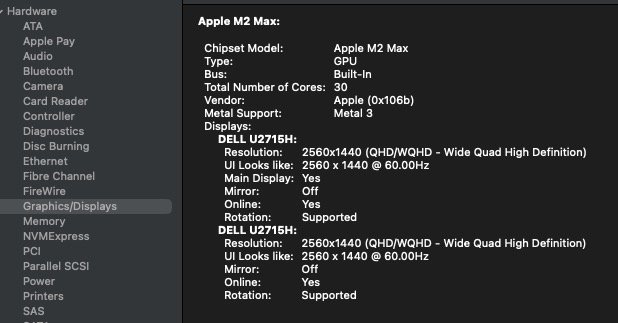
Ok, I need help please.......nightmare alert.
So, i switched from my M4mini thru a timemachine backup (taken bevore the switch), Sequoia 15.3, two Displays, to my M4Studiomax. Same two displays, same 15.3 sequoia.
This setup was working flawlessly on my M4mini. My main screen is a TV. The 2nd screen is set up as a extended display. (that´ß on the M4mini)
On my M4studio, again: same setup, same Sequoia 15.3, do i not even have an option to setup a 2nd display !
As soon as i connect my 2nd display to my M4studio, is it stealing the "main screen" feature, AND: i have no chance to move my mouse pointer to my -should be- first screen.
If i only connect my originally main Display, a TV, are things working, but i can´t chose it as a "main display" . No such setting available.
This is nolonger there !!! But it is there on my M4mini, same 15.3 sequoia.
What the hell is going on here ?
How can i make even just two displays work on my M4studio ?
Waht´s different with that M4studio vs. a M4mini ?
this all makes no sense to me
connections:
both displays run a HDMI cable.
On the macs end do i have a TB4 dock.
and i have two HDMI to TB4, respectivly USB-3 adpaters.
I tryed all combinations.
I am not able to run both displays at the ame time, regardless if mirrored (the best i can have) is chosen or not. I cannot move my mouse pointer to that -my main- display ( a TV).
i have no display port cable. (i just moved flat a few months ago. All i have is HDMI on the displays end.
Why is OS SEquoia here different ?
why can´t i chose one display as a main display ?
This setting is not there.
What can i do ?
depnds on how i dis- and re- connect my displays can it happen that i get to see a black screen on my -should be- main display.
with a prompt telling me i should open the display dialog and set the display to mode: mirror.
BUT: then, at this stage do i not have any access to that display with my mouse pointer.
While on the other display, do i jhave only the option to chose one display, that one.
In other words, whne i get to see that black screen with that message, can i not chose that display anywhere. i have then no access to it,....but i´m asked to set that setting.
this is so f.cked up, i can´t belive it.
where can i find here the key to chnage that situation ?
( i´d prefer to NOT update to sequoia 15.4 at this point. It´s a professional music PC)
So, i switched from my M4mini thru a timemachine backup (taken bevore the switch), Sequoia 15.3, two Displays, to my M4Studiomax. Same two displays, same 15.3 sequoia.
This setup was working flawlessly on my M4mini. My main screen is a TV. The 2nd screen is set up as a extended display. (that´ß on the M4mini)
On my M4studio, again: same setup, same Sequoia 15.3, do i not even have an option to setup a 2nd display !
As soon as i connect my 2nd display to my M4studio, is it stealing the "main screen" feature, AND: i have no chance to move my mouse pointer to my -should be- first screen.
If i only connect my originally main Display, a TV, are things working, but i can´t chose it as a "main display" . No such setting available.
This is nolonger there !!! But it is there on my M4mini, same 15.3 sequoia.
What the hell is going on here ?
How can i make even just two displays work on my M4studio ?
Waht´s different with that M4studio vs. a M4mini ?
this all makes no sense to me
connections:
both displays run a HDMI cable.
On the macs end do i have a TB4 dock.
and i have two HDMI to TB4, respectivly USB-3 adpaters.
I tryed all combinations.
I am not able to run both displays at the ame time, regardless if mirrored (the best i can have) is chosen or not. I cannot move my mouse pointer to that -my main- display ( a TV).
i have no display port cable. (i just moved flat a few months ago. All i have is HDMI on the displays end.
Why is OS SEquoia here different ?
why can´t i chose one display as a main display ?
This setting is not there.
What can i do ?
depnds on how i dis- and re- connect my displays can it happen that i get to see a black screen on my -should be- main display.
with a prompt telling me i should open the display dialog and set the display to mode: mirror.
BUT: then, at this stage do i not have any access to that display with my mouse pointer.
While on the other display, do i jhave only the option to chose one display, that one.
In other words, whne i get to see that black screen with that message, can i not chose that display anywhere. i have then no access to it,....but i´m asked to set that setting.
this is so f.cked up, i can´t belive it.
where can i find here the key to chnage that situation ?
( i´d prefer to NOT update to sequoia 15.4 at this point. It´s a professional music PC)