Become a MacRumors Supporter for $50/year with no ads, ability to filter front page stories, and private forums.

kaitlin4599

macrumors member
Original poster
Nov 27, 2013
99
12
United States
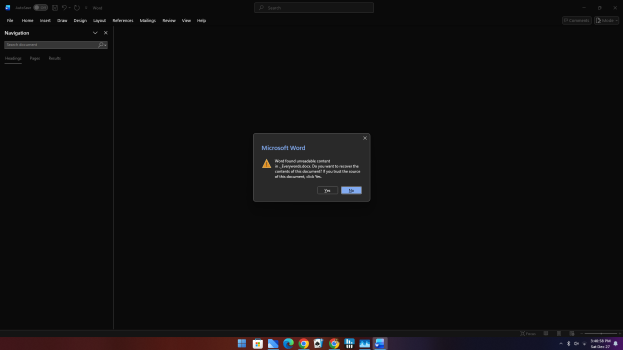
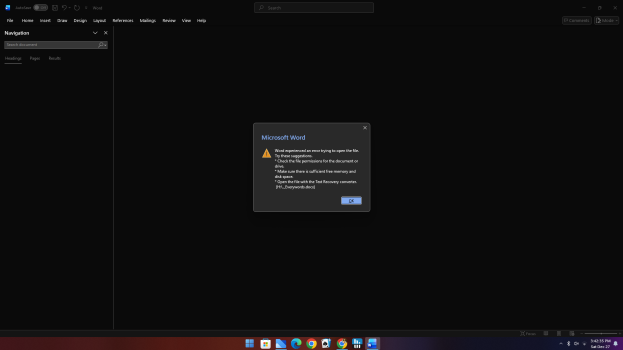
so i switched my mom from a macbook pro 2013 to a windows 11 based optiplex 5060 small form factor i am able to copy the .docx files but when i open them with word in windows i get the error bellow please help how do i fix this so when i coppy the word docs from her mac windows will read it no issues

 

Attachments

  • Screenshot (3).png
    Screenshot (3).png
    104.5 KB · Views: 9
  • Screenshot (4).png
    Screenshot (4).png
    105 KB · Views: 6
What tool was she using to create the files on the MacBook Pro? She might need to export the files to a more compatible format if she wasn't using Word.
 
If the volume of documents isn't high, just save them as .doc, i.e., save as a copy and selecting Word 97-2004
1766927194596.png


Not for nothing, I went from PC to Mac, and word/excel has not incurred any compatibility issues, not sure what's happening because that is one huge reason why people use MS Office - compatibility.
 
so i switched my mom from a macbook pro 2013 to a windows 11 based optiplex 5060 small form factor i am able to copy the .docx files but when i open them with word in windows i get the error bellow please help how do i fix this so when i coppy the word docs from her mac windows will read it no issues


Sometimes when you copy files from macOS over to Windows, you end up with two files. One that contains the actual data and the other is a resource fork from macOS. These files start with "._" and are usually a few bytes in size.

From the screenshot, the resource folk is being opened, not the file that has the actual data.
 
Register on MacRumors! This sidebar will go away, and you'll see fewer ads.