Hi everyone.
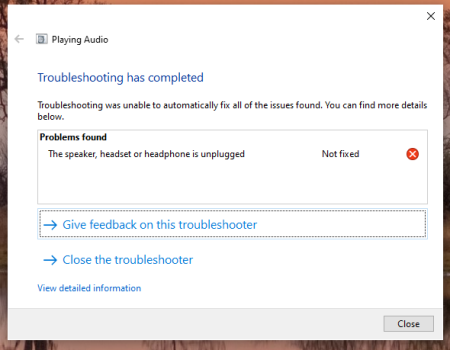
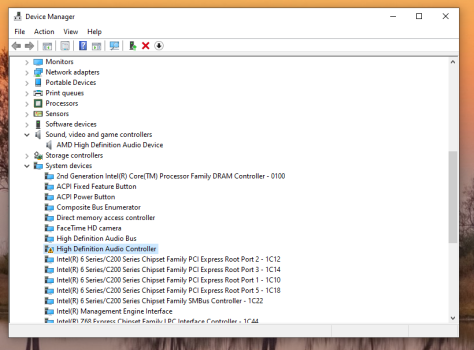
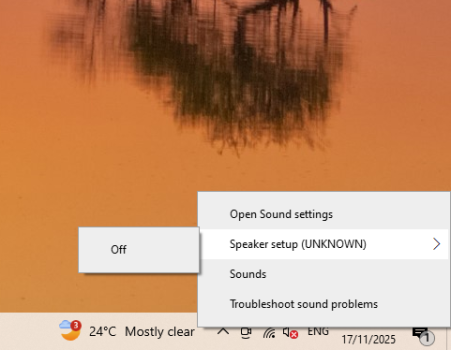
I have a 27" iMac mid-2011 - I've installed Windows 10, including BootCamp5.1.5621 - everything is working, except for the sound. I've searched everywhere and installed the CirrusAudioCS4206x64 driver manually, and still did not work. I don't know if I'm installing the correct driver or not, but nothing I've tried is working.
Surely there is a driver out there in the wild that will work on this model ? ☹️
I know I'm beating a dead horse here, but its is a decent machine with i7, 16gb ram etc. I am not able to go past High Sierra. The MacOS is unusable and I am not able to install anything, I can't even use my Apple ID, it simply wont allow me too because Apple don't support it anymore, so I wanted to use this machine for other tasks that I've got in mind.
I don't have macOS install on this at all - its purely Windows 10
If you require any other information, I will supply it.
Any help would be appreciated.
Thank you 😀
I have a 27" iMac mid-2011 - I've installed Windows 10, including BootCamp5.1.5621 - everything is working, except for the sound. I've searched everywhere and installed the CirrusAudioCS4206x64 driver manually, and still did not work. I don't know if I'm installing the correct driver or not, but nothing I've tried is working.
Surely there is a driver out there in the wild that will work on this model ? ☹️
I know I'm beating a dead horse here, but its is a decent machine with i7, 16gb ram etc. I am not able to go past High Sierra. The MacOS is unusable and I am not able to install anything, I can't even use my Apple ID, it simply wont allow me too because Apple don't support it anymore, so I wanted to use this machine for other tasks that I've got in mind.
I don't have macOS install on this at all - its purely Windows 10
If you require any other information, I will supply it.
Any help would be appreciated.
Thank you 😀