
Got a tip for us?
Let us know
Become a MacRumors Supporter for $50/year with no ads, ability to filter front page stories, and private forums.
NVME enclosure
- Thread starter Ndaa75
- Start date
- Sort by reaction score
You are using an out of date browser. It may not display this or other websites correctly.
You should upgrade or use an alternative browser.
You should upgrade or use an alternative browser.

Fishrrman
macrumors Nehalem
USB3 -- reads around 430MBps.
USB3.1 gen2 -- reads around 830MBps.
Thunderbolt3 -- reads around 2,000MBps.
USB3.1 gen2 -- reads around 830MBps.
Thunderbolt3 -- reads around 2,000MBps.

Mac... nificent
macrumors 6502a
I was on the Apple website and they recommended this one;
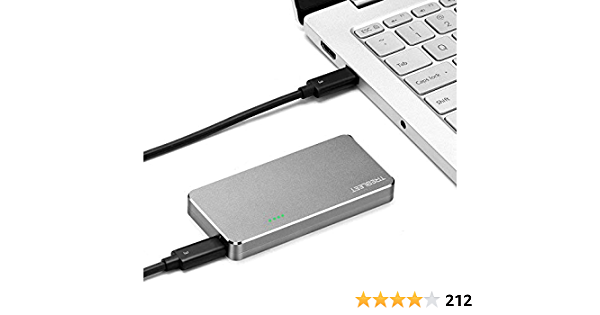
I liked it so much that I bought another one. They're blazingly fast 🙂
Thunderbolt 3 SSD Enclosure ,Thunderbolt3 to NVME M.2 2280 Hard Drive Case Compatible with New M1 CPU
Specification: Interface: PCIe Rev. 3.0 Maximum read speed: 2800 MB/s (Depend on the model of hard disk) 4 x LED indicator TB 3 NVMe SSD Enclosure 1x TB 3 Cable 1x Screwdriver
www.amazon.com
I liked it so much that I bought another one. They're blazingly fast 🙂
As an Amazon Associate, MacRumors earns a commission from qualifying purchases made through links in this post.

Yep, aware of this already but cheersUSB3 -- reads around 430MBps.
USB3.1 gen2 -- reads around 830MBps.
Thunderbolt3 -- reads around 2,000MBps.
Just purchased one.....what NVME did you purchase?I was on the Apple website and they recommended this one;
Thunderbolt 3 SSD Enclosure ,Thunderbolt3 to NVME M.2 2280 Hard Drive Case Compatible with New M1 CPU
Specification: Interface: PCIe Rev. 3.0 Maximum read speed: 2800 MB/s (Depend on the model of hard disk) 4 x LED indicator TB 3 NVMe SSD Enclosure 1x TB 3 Cable 1x Screwdriverwww.amazon.com
I liked it so much that I bought another one. They're blazingly fast 🙂
As an Amazon Associate, MacRumors earns a commission from qualifying purchases made through links in this post.
Mac... nificent
macrumors 6502a
I bought the Inland Platinum 2TB. Incredibly fast...Just purchased one.....what NVME did you purchase?

INLAND Platinum 2TB SSD NVMe PCIe Gen 3.0x4 M.2 2280 3D NAND Internal Solid State Drive, R/W up to 3,400/3,000 MB/s, PCIe Express 3.1 and NVMe 1.3 Compatible, Utimate Gaming Solutions (2TB)
Enjoy quicker application response and data transfer speeds than a typical HDD without purchasing a new computer! - Capacity: 2 TB - Endurance: 200 TBW (Terabytes Written) - Read Speed: Up to 3400 MB/s - Write Speed: Up to 3000 MB/s - Random Read 4k: 250,000 IOPS - Random Write 4k: 65...
www.amazon.com
As an Amazon Associate, MacRumors earns a commission from qualifying purchases made through links in this post.
Properly working NVMe and enclosure should give these near max numbers:USB3 -- reads around 430MBps.
USB3.1 gen2 -- reads around 830MBps.
Thunderbolt3 -- reads around 2,000MBps.
USB 3.0 -- reads around 455MBps.
USB 3.1 gen 2 -- reads around 1000MBps.
Thunderbolt 3 -- reads around 3000MBps. (easily seen with a gen 4 NVMe; gen 3 NVMe's usually give less).
Careful with that purchase. I had a glotrends nvme to usb-c enclosure that was fine, gave me about 950 mb/s read and write. Until I upgraded to Big Sur. Became unusable. Tested on more than one device. Worked even worse on m1. Something to do with that particular controller and Big Sur I think. I switched to a Samsung t7, getting about 800 mb/s read and write on m1. Not as good as I should get, but it's acceptable for now.

Nguyen Duc Hieu
macrumors 68040

Blowback
macrumors 65816
Mac...nificent:I was on the Apple website and they recommended this one;
Thunderbolt 3 SSD Enclosure ,Thunderbolt3 to NVME M.2 2280 Hard Drive Case Compatible with New M1 CPU
Specification: Interface: PCIe Rev. 3.0 Maximum read speed: 2800 MB/s (Depend on the model of hard disk) 4 x LED indicator TB 3 NVMe SSD Enclosure 1x TB 3 Cable 1x Screwdriverwww.amazon.com
I liked it so much that I bought another one. They're blazingly fast 🙂
Two questions:
Do they have a fan or otherwise actively cool?
Do they throttle at higher temperatures?
Thanks....
As an Amazon Associate, MacRumors earns a commission from qualifying purchases made through links in this post.

haddy
macrumors 6502a
Well I have 1 OWC T3 Envoy Express,1 SABRENT T3, and 4 ORICO T3 enclosures....and the Orico are the best for me. My startup disk is a Samsung 980 EVO Pro 2TB in one of the ORICO T3 enclosures. Very very fast!Hi all,
Seeking a fast external NVME storage solution for my iMac 2020 i7.
Looking specifically at the WD black SN850 1tb SSD but unsure which enclosure will provide the best performance.
Any suggestion would be greatly appreciated.
Many thanks
Neil

Clix Pix
macrumors Penryn
Samsung X5. Already put together properly by the manufacturer, including heat sink, and well worth the cost!

petsk
macrumors 6502
Sabrent has both Thunderbolt 3 and USB toolfree enclosures.
But if you are going to boot from it, I would stay away from DIY NVME enclosures all together simply because of possible compatibility issues.
For booting, the Samsung X5 is fast and reliable, it works great for booting my 2019 iMac.
But if you are going to boot from it, I would stay away from DIY NVME enclosures all together simply because of possible compatibility issues.
For booting, the Samsung X5 is fast and reliable, it works great for booting my 2019 iMac.
Well in the end & following quite a bit of research I decided to cancel the Trebleet enclosure & instead opted for the Orico along with a WD SN550 2TB which I got a really good deal on. Both arrived today & am pleased with the combo, giving a stable write speed of 1800 and read around 2300 so for my needs this is perfect.


Mac... nificent
macrumors 6502a
On their website, they say it will run hot, but I now have two of these and neither one runs hot. I just checked again now, and again neither is at all hot. I have them sitting on top of another aluminum enclosure so maybe they are using it as a heatsink?Mac...nificent:
Two questions:
Do they have a fan or otherwise actively cool?
Do they throttle at higher temperatures?
Thanks....
Which Orico Thunderbolt 3 enclosure are y'all talking about? I can only find Orico USB 3.2 NVMe enclosures on Amazon and one on Newegg that ships from China.
This one...

ORICO 40Gbps USB4 to M.2 NVMe SSD Enclosure, USB-C to M2 PCIe Adapter Reader for 2280 M-Key & B+M Key Solid State Hard Drive, Compatible with Thunderbolt 3/4,USB4/3.2/3.1/3.0
ORICO 40Gbps USB4 to M.2 NVMe SSD Enclosure, USB-C to M2 PCIe Adapter Reader for 2280 M-Key & B+M Key Solid State Hard Drive, Compatible with Thunderbolt 3/4,USB4/3.2/3.1/3.0
www.amazon.co.uk
It runs quite warm when in heavy use.
I also encountered 2 issues yesterday - whether they're related to the T3 enclosure / SSD I'm not sure but I had a freezing iMac dock bar (first time this has happened) & a drive disconnect (at the time of the disconnect I was inspecting the enclosure so might not have been not securely attached, i'm not entirely sure). I have tried replicating the issue by looping BM for 20 mins & all seems OK.
As an Amazon Associate, MacRumors earns a commission from qualifying purchases made through links in this post.

mj_
macrumors 68000
I see, thank you. Doesn't seem to be available in the US at the moment.This one...
ORICO 40Gbps USB4 to M.2 NVMe SSD Enclosure, USB-C to M2 PCIe Adapter Reader for 2280 M-Key & B+M Key Solid State Hard Drive, Compatible with Thunderbolt 3/4,USB4/3.2/3.1/3.0
ORICO 40Gbps USB4 to M.2 NVMe SSD Enclosure, USB-C to M2 PCIe Adapter Reader for 2280 M-Key & B+M Key Solid State Hard Drive, Compatible with Thunderbolt 3/4,USB4/3.2/3.1/3.0www.amazon.co.uk
PS: running hot is a good thing because it means it is actively dissipating the SSD's excess heat. If it were cool to the touch, that's when you're in trouble.
As an Amazon Associate, MacRumors earns a commission from qualifying purchases made through links in this post.
haddy
macrumors 6502a
Yeah they are out of stock here in NZ. My ORICO T3 enclosures look a little different:I see, thank you. Doesn't seem to be available in the US at the moment.
PS: running hot is a good thing because it means it is actively dissipating the SSD's excess heat. If it were cool to the touch, that's when you're in trouble.
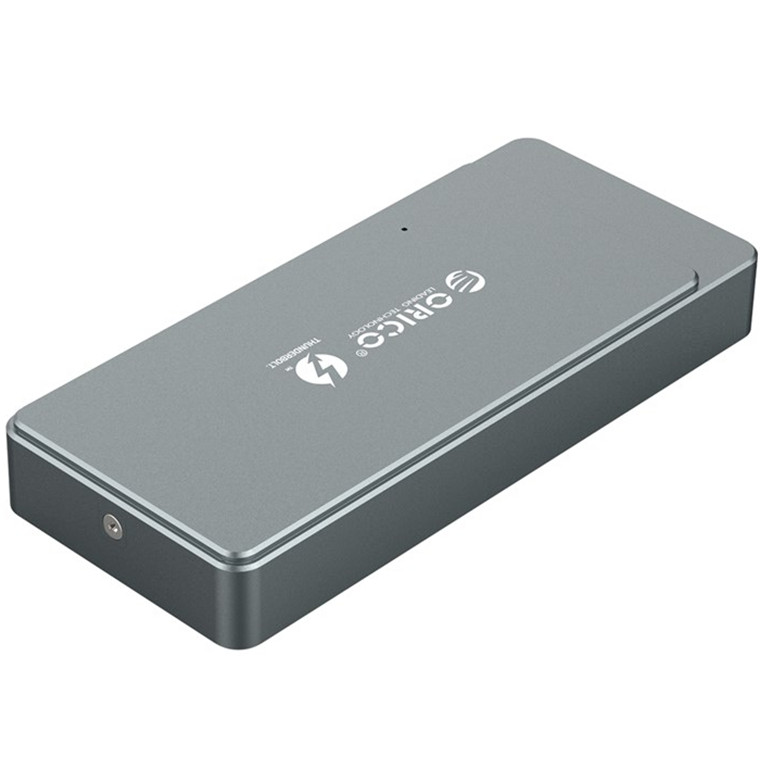
Buy the Orico Intel Certified Thunderbolt 3 40Gbps NVME M.2 SSD Enclosure ( TFM2T3-G40-GY ) online
pbtech.co.nz "Orico Intel Certified Thunderbolt 3 40Gbps NVME M.2 SSD Enclosure
 www.pbtech.co.nz
They do run warm.....I have them sitting on a kitchen cooling tray 🙂
2020 iMac running 10.15.7
Last edited:
greyskymedia
macrumors newbie
I just wanted to share that this thread(and forum) was very helpful while I tried to find a compatible enclosure for my new Crucial P5 (https://amzn.to/3wAL67K). I first tried a uGreen CM400 (https://amzn.to/3sY8Al4), but it didn't work, hung up, didn't initialize at one point. BUT, someone suggested a MOKiN (https://amzn.to/3fKKRkz) and I'm happy to report that it worked today. I'm a bit disappointed in the speeds I'm getting, but it's still double what I was getting with my old SSD, so I've got that going for me. Thanks!
Attachments

As an Amazon Associate, MacRumors earns a commission from qualifying purchases made through links in this post.
It's a dual setup. Have you used it with both NVME slots filled? If so, how is the performance with both?I was on the Apple website and they recommended this one;
Thunderbolt 3 SSD Enclosure ,Thunderbolt3 to NVME M.2 2280 Hard Drive Case Compatible with New M1 CPU
Specification: Interface: PCIe Rev. 3.0 Maximum read speed: 2800 MB/s (Depend on the model of hard disk) 4 x LED indicator TB 3 NVMe SSD Enclosure 1x TB 3 Cable 1x Screwdriverwww.amazon.com
I liked it so much that I bought another one. They're blazingly fast 🙂
As an Amazon Associate, MacRumors earns a commission from qualifying purchases made through links in this post.
Mike Boreham
macrumors 601
Thanks for the recommendations for the Orico. Just got mine, using with a WD SN750 500GB on an M1 MBA. This was taken with it connected to a Caldigit TS3 hub and about 50% loaded.

Mike Boreham
macrumors 601
Mike Boreham
macrumors 601
Did you insert the supplied Silicon Thermal Pad when assembling? This is not mentioned in the instruction leaflet. Thanks.Well in the end & following quite a bit of research I decided to cancel the Trebleet enclosure & instead opted for the Orico along with a WD SN550 2TB which I got a really good deal on. Both arrived today & am pleased with the combo, giving a stable write speed of 1800 and read around 2300 so for my needs this is perfect.
haddy
macrumors 6502a
Yes......put it on top of the SSD before placing the lid.Did you insert the supplied Silicon Thermal Pad when assembling? This is not mentioned in the instruction leaflet. Thanks.