

Become a MacRumors Supporter for $50/year with no ads, ability to filter front page stories, and private forums.

TumbleDryer

macrumors 6502
Original poster
Aug 24, 2025
297
735
Er... anyone else sat in the dark right now because this new Hue update has bricked their lights?

I was sat watching TV last night with my light strip on and all of a sudden it went off. Couldn't connect at all.

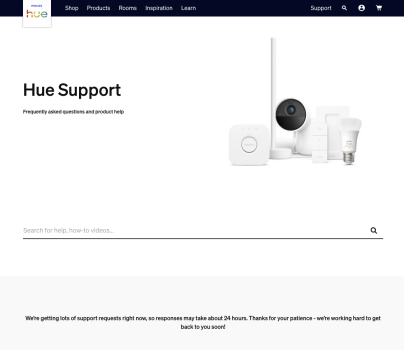
Tried again this morning and nothing. Looked at Philips website and found I'm not the only one.

Oops!
 

Attachments

  • Screenshot 2026-01-11 at 15.58.35.png
    Screenshot 2026-01-11 at 15.58.35.png
    103.8 KB · Views: 13
Was it an app update? I didn’t get one yet. Philips Hue has been borked for a while.
I think they release an update across the board as they seem to have released a new 'pro' bridge :rolleyes:. So app, bridge and lights have all been updated.

My light just went off and my 2.0 bridge will no longer recognise it yet my Lamp is fine. I also have a light strip in the garden and it too cannot be recognised.
 
I updated our HUE setup and the one in my parents house without any problem - multiple lights, smart plugs, switches. You tried to remove and readd the lights? I run bridges BSB002 with the software version 1.74.1974142030.
 
  • Love
Reactions: _Mitchan1999
I updated our HUE setup and the one in my parents house without any problem - multiple lights, smart plugs, switches. You tried to remove and readd the lights? I run bridges BSB002 with the software version 1.74.1974142030.
Tried everything I can think of. Even tried calling Support but was on hold for over an hour so just hung up.

I have same software version as you. It updated yesterday for me. That was when my light went out. It updated and not worked since. My worry now is how can Philips fix it if my lights are 'unreachable'?
 
you can reset the lights from the app via entering the serial number via bluetooth: app -> Settings-> Lights -> Add light - follow screen info to reset -> select light -> select reset.
Or reset with any of the switches. - you have dis- and reconn3ct the light to power and then you have 30 minutes to reset, by pressing and holding the switch.
Phillips Hue is by far the best system for lightning I have used - run IKEA and Govee in the past. The new matter-compatible IKEA stuff seems interesting, but I really never had problems you describe. Hue is quite popular where I live (>80% of households have some), so I would probably heard about it. Sorry for you.
 
you can reset the lights from the app via entering the serial number via bluetooth: app -> Settings-> Lights -> Add light - follow screen info to reset -> select light -> select reset.
Or reset with any of the switches. - you have dis- and reconn3ct the light to power and then you have 30 minutes to reset, by pressing and holding the switch.
Phillips Hue is by far the best system for lightning I have used - run IKEA and Govee in the past. The new matter-compatible IKEA stuff seems interesting, but I really never had problems you describe. Hue is quite popular where I live (>80% of households have some), so I would probably heard about it. Sorry for you.
I've looked for the serial on my strips. There's nothing where it says they should be. There's no QR code either and I no longer have the box so I literally cant do anything. Until Philips come out and say they broke something.
 
you can reset the lights from the app via entering the serial number via bluetooth: app -> Settings-> Lights -> Add light - follow screen info to reset -> select light -> select reset.
Or reset with any of the switches. - you have dis- and reconn3ct the light to power and then you have 30 minutes to reset, by pressing and holding the switch.
Phillips Hue is by far the best system for lightning I have used - run IKEA and Govee in the past. The new matter-compatible IKEA stuff seems interesting, but I really never had problems you describe. Hue is quite popular where I live (>80% of households have some), so I would probably heard about it. Sorry for you.

Lutron Caseta would like to have a word.
 
  • Like
Reactions: Saturn007
I've looked for the serial on my strips. There's nothing where it says they should be. There's no QR code either and I no longer have the box so I literally cant do anything. Until Philips come out and say they broke something.
i mean no biggie just go reset all your lights! lol

probably no big deal if you have a bulb or two, but hope you didn't outfit your whole home...
 
i mean no biggie just go reset all your lights! lol

probably no big deal if you have a bulb or two, but hope you didn't outfit your whole home...
How if they're not getting signal?! They don't even power on when you unplug and replug like they should by default. They're literally dead.
 
How if they're not getting signal?! They don't even power on when you unplug and replug like they should by default. They're literally dead.

I was being sarcastic. Terrible situation. I seem to remember some can be reset by flipping the light switch on and off successively like five times in a row? but if they are truly dead then that sucks!
 
I was being sarcastic. Terrible situation. I seem to remember some can be reset by flipping the light switch on and off successively like five times in a row? but if they are truly dead then that sucks!
Ive done that so many times it does nothing. Im on hold again today, still can't get through. I think its quite a widespread problem.
 
Register on MacRumors! This sidebar will go away, and you'll see fewer ads.