
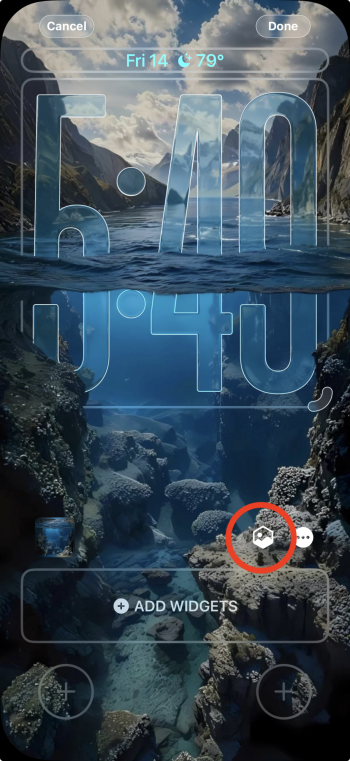
How do you get the clock to go underwater like that? Mine just overlaps.


Got a tip for us?
Let us know
Become a MacRumors Supporter for $50/year with no ads, ability to filter front page stories, and private forums.
Post Your iPhone Wallpaper [MERGED]
- Thread starter KeegM480
- Start date
-
- Tags
- wallpaper iphone
- Sort by reaction score
You are using an out of date browser. It may not display this or other websites correctly.
You should upgrade or use an alternative browser.
You should upgrade or use an alternative browser.


Tap the hexagonal icon when setting up the wallpaperHow do you get the clock to go underwater like that? Mine just overlaps.
Doesn’t show up for me. Maybe my phone is too “obsolete” for a depth effect. 😁
EDIT: Fixed
Last edited:


Yeah, I had to fiddle with it for 20-30 seconds until the clock appears 1/2 underwater.How do you get the clock to go underwater like that? Mine just overlaps.
Add the Wallpaper, change to "Spatial Wallpaper." I did click the 3 dots which gives options "Extend Wallpaper and Depth Effect" I chose "Extend Wallpaper".
From there I was pinching in and out of the image itself until the clock suddenly appears in the water.

Thanks so much! It’s been driving me nuts.Yeah, I had to fiddle with it for 20-30 seconds until the clock appears 1/2 underwater.
Add the Wallpaper, change to "Spatial Wallpaper." I did click the 3 dots which gives options "Extend Wallpaper and Depth Effect" I chose "Extend Wallpaper".
From there I was pinching in and out of the image itself until the clock suddenly appears in the water.
View attachment 2580368


 ITS ALMOST TIME
I can’t post the original artwork. It’s from a paid wallpaper app for Android called Wallrod that you cannot get on iOS. I rinsed a screenshot of the image through ChatGPT to sharpen it up.
Me using it this way privately isn’t an issue but putting someone’s paid artwork through and AI and then uploading it to the internet for others to use is ethically dubious at best.

Less than two hours!! I cannot wait! Sick wallpaper btw! 😍ITS ALMOST TIME

Less than two hours!! I cannot wait! Sick wallpaper btw!

Thank you! I think I found it on Threads can’t rem exactly lol.

And thank you for sharing!!Thank you! I think I found it on Threads can’t rem exactly lol.


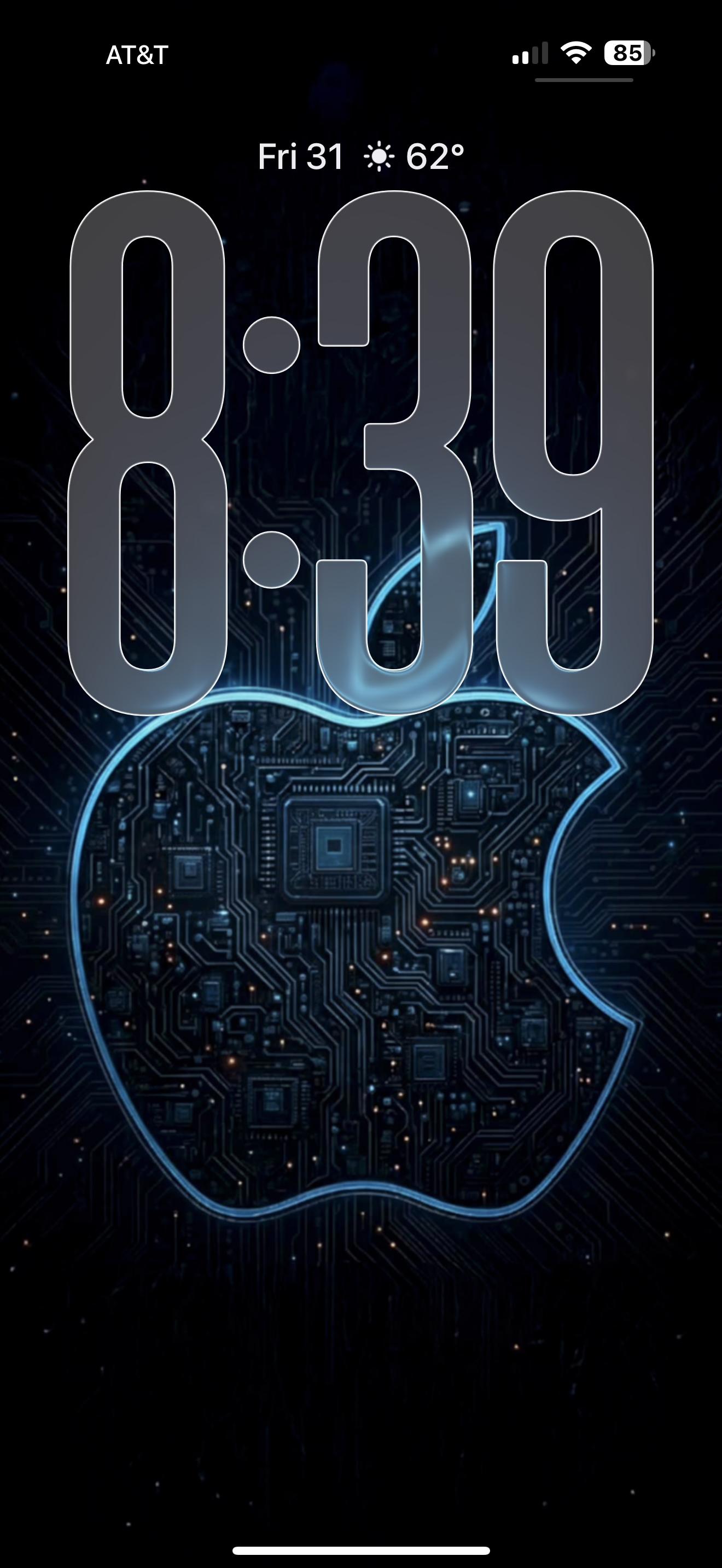
How do you get that outline around the clock, I’m on 26.2 and can’t seem to work out how to do it?
Just tweaked the clock/font settings. It's not something that I set out/tried to do, but all of my lock screens are that way.How do you get that outline around the clock, I’m on 26.2 and can’t seem to work out how to do it?
Register on MacRumors! This sidebar will go away, and you'll see fewer ads.