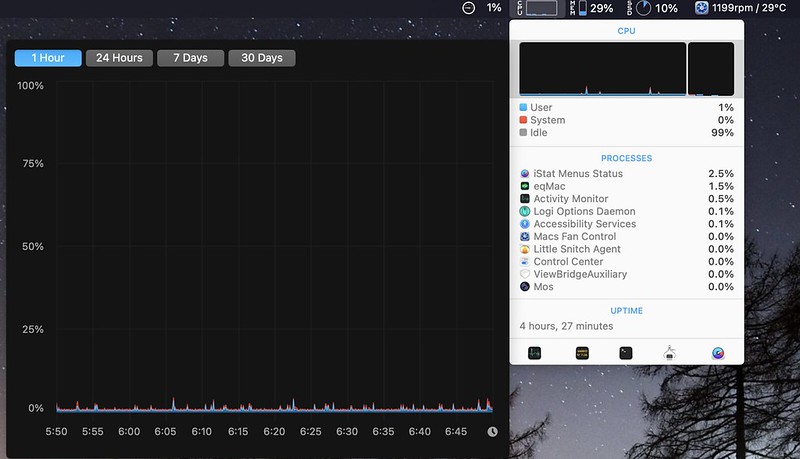
Let's test run sequoia, CCC backup to a TB external ssd and install sequoia 15.7 overtop. Boots right up, all apps, files, settings just like my internal ventura drive. Making sure all my software works properly, and it does(👍) I take a break and put my screen to sleep.
Half hour later I come back my cpu is 50C and climbing, all sorts of cpu activity. Now I disabled spotlight from indexing my internal drive, shut off my wifi, don't use icloud or time machine and this is what happens when the screen is sleeping:
![]() snooze1 by https://www.flickr.com/photos/146780422@N05/
snooze1 by https://www.flickr.com/photos/146780422@N05/
I've narrowed it down to a process called mediaanalysisd which supposedly scans all your photos for debauchery but thats a rabbit hole we won't go down.
My 2020 iMac runs cooler when doing basic tasks/ surfing then when idle and the screen sleeping as i'm at 41C right now typing this.
How can I kill this process, I do not use photos app. thanx
Half hour later I come back my cpu is 50C and climbing, all sorts of cpu activity. Now I disabled spotlight from indexing my internal drive, shut off my wifi, don't use icloud or time machine and this is what happens when the screen is sleeping:
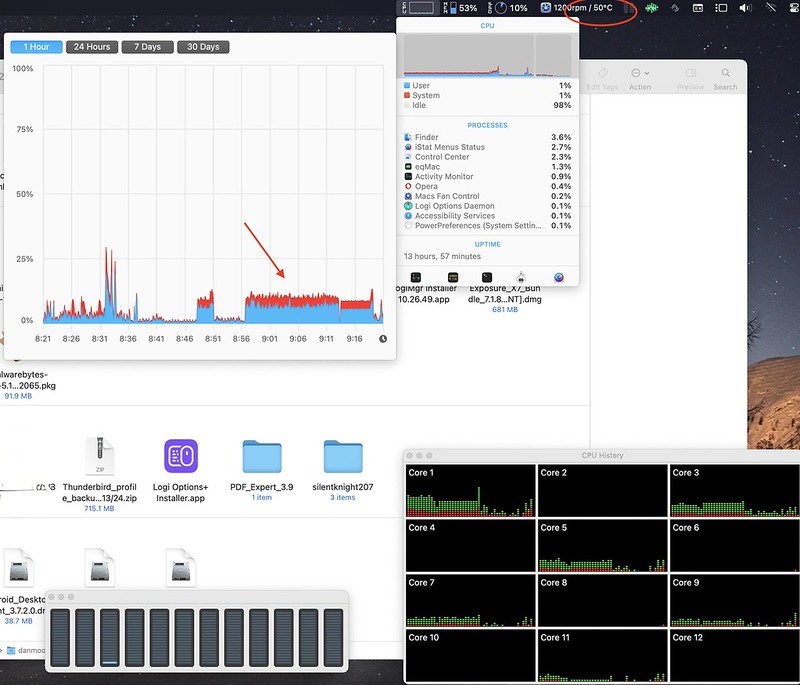 snooze1 by https://www.flickr.com/photos/146780422@N05/
I've narrowed it down to a process called mediaanalysisd which supposedly scans all your photos for debauchery but thats a rabbit hole we won't go down.
My 2020 iMac runs cooler when doing basic tasks/ surfing then when idle and the screen sleeping as i'm at 41C right now typing this.
How can I kill this process, I do not use photos app. thanx