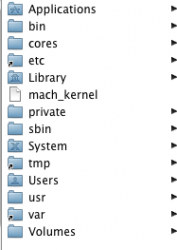
I have installed 10.5 on an new hard disk for my G5 iMac. After the install I can see the system folders which are meant to be hidden. How can I hide these.
I logged in as root and tried the chflags hidden in terminal, but after hiding the folders that were meant to be hidden it would not boot back into Leopard
I logged in as root and tried the chflags hidden in terminal, but after hiding the folders that were meant to be hidden it would not boot back into Leopard