

Apple is working on a broader set of Camera improvements in iOS 27 than what the company announced at WWDC26 this past June, and what iOS betas currently allow users to access. Ahead of the September event, here are five improvements we may see along the release of new iPhone devices.
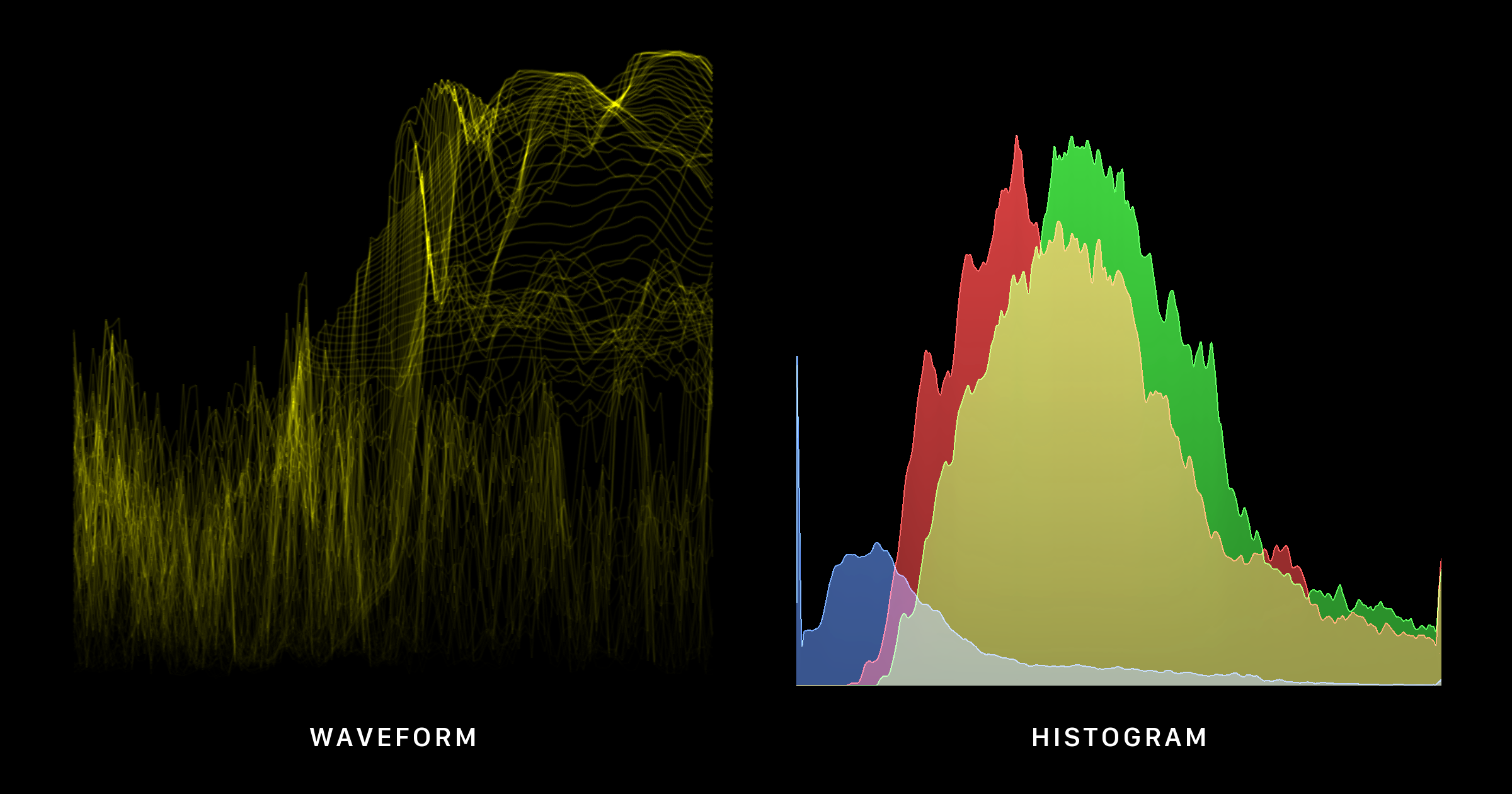
iOS 27 ships with 3 presets for both scopes: Luminance, RGB Composite, and RGB Parade. The histogram also has a separate choice between a continuous curve or individual bars. The rendering implementation for all graphs was added in iOS 27 beta 2 and is present in the latest beta.
You can see a demo of all graphs against stock photos below. There is no consumer within the Camera app to enable waveforms and histograms, but the graphs use the real
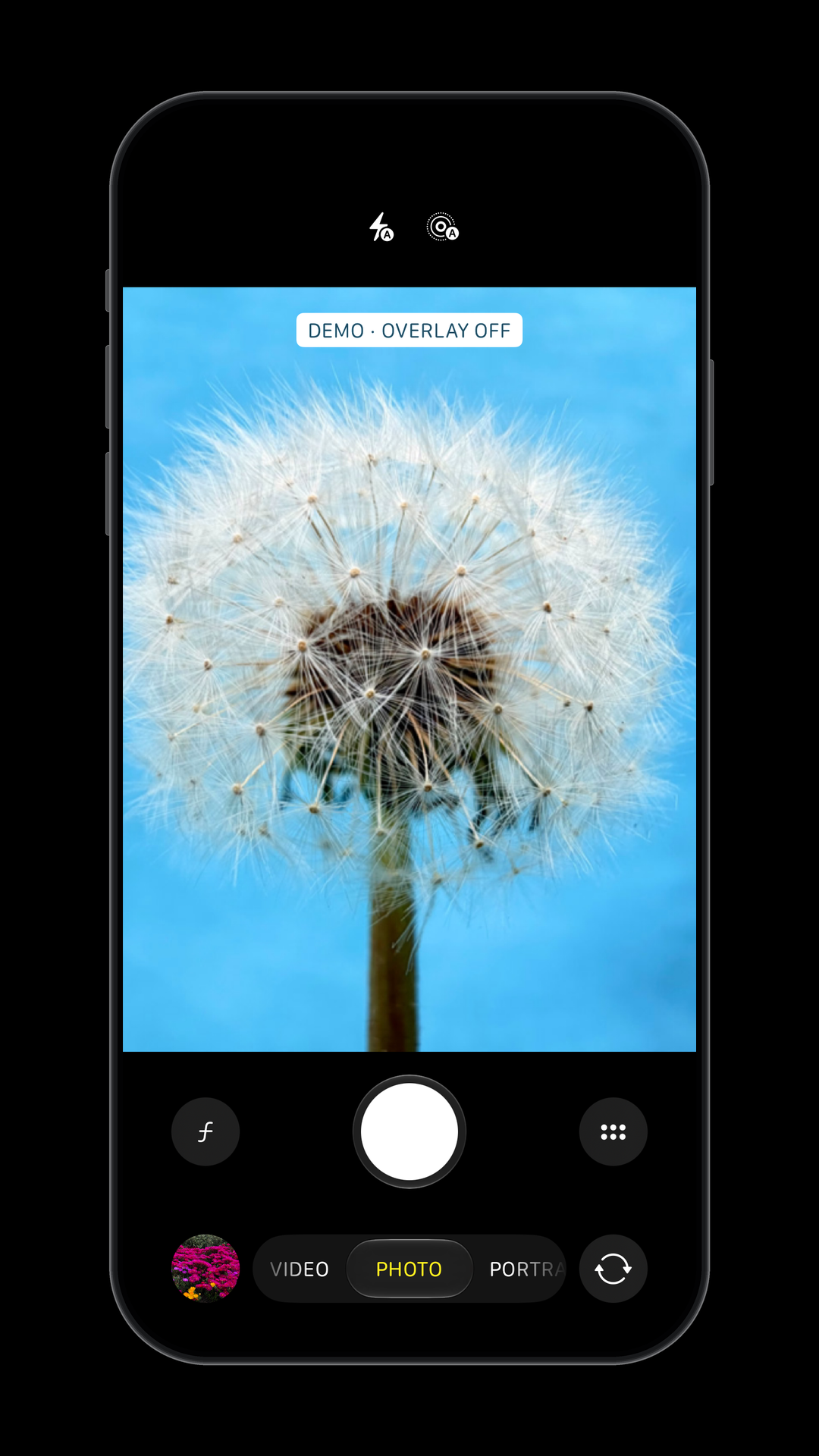
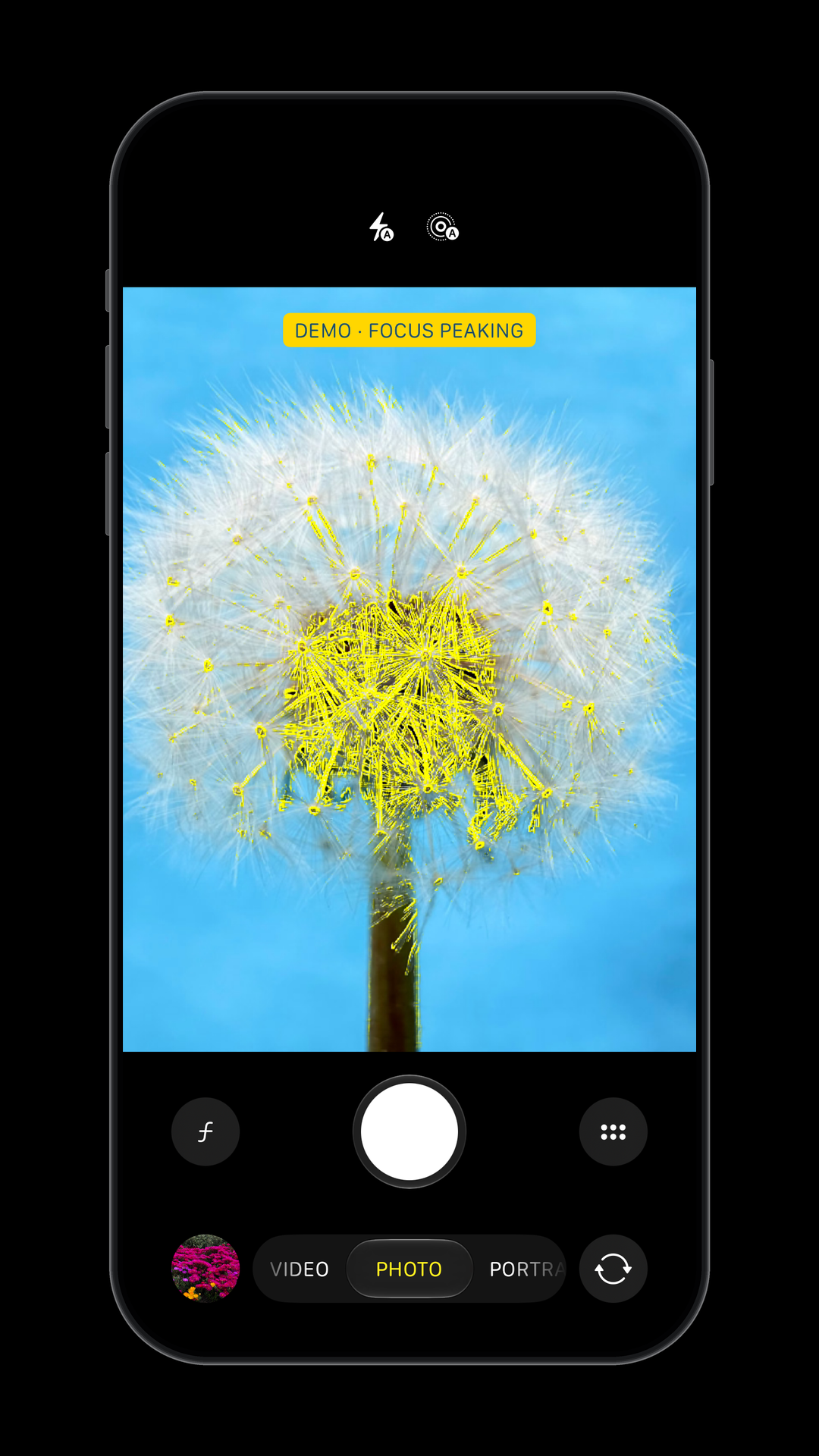
There is no consumer in Beta 8 to enable the feature in the Camera app. In the demo, below you can see the effect within the preview window.
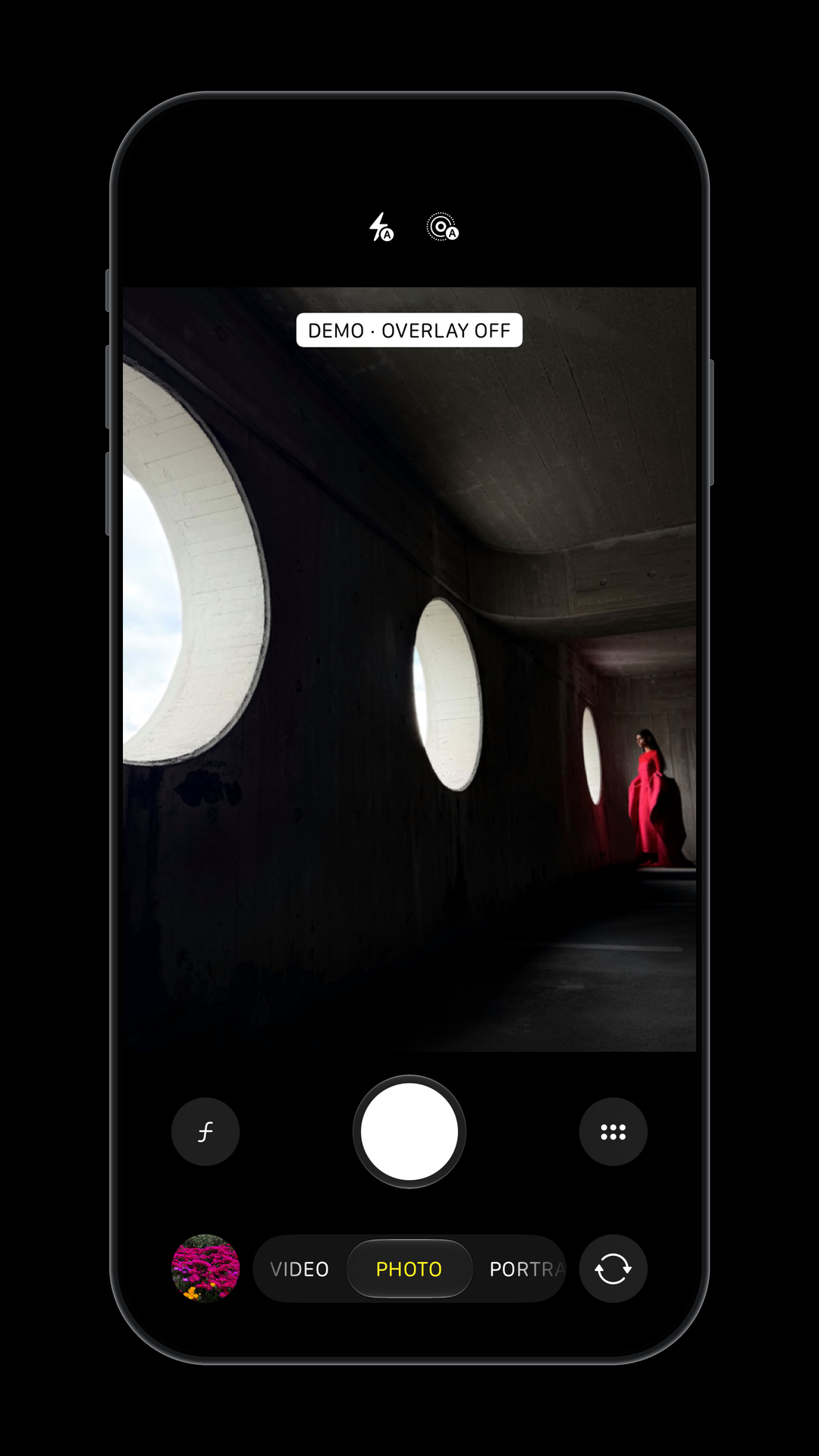
The current implementation supports four styles: solid color, pulsing color, diagonal stripes (“zebra style”), and checkerboard. Once again, iOS can control the clipping threshold and overlay color.
There is no consumer in Beta 8 to enable the feature in the Camera app. In the demo, below you can see the effect within the preview window.
The code restarts the timer after requesting a capture, so the app doesn’t have to wait until the photo is fully processed to begin the next countdown.
The interface for this feature is unfinished in Beta 8. Forcing the feature enabled in a test environment causes “A menu cannot be produced for Captures.” error. The underlying capture loop logic is implemented behind an internal development capability in Beta 8.
The control showed up in iOS 26 versions as
The story gets more interesting in iOS 27. The lower-level command for locking focus at a selected lens position remains. While the Focus slider and the code to respond to user input was removed in beta 1, Apple added an explicit capability check that checks the device’s first supported iOS version. The current capability check requires a compatible iPhone with a first release of iOS 27 or later, meaning that the feature is not compatible with any existing iPhone.
Apple’s implementation can use calibration references for neighboring aperture values and combine them with varying contribution levels. I tested the original calculation code with sample inputs shown in the graph below. The calibrator accepts 1-4 correction data references. With multiple references, it finds the neighboring values and blends their corrections.
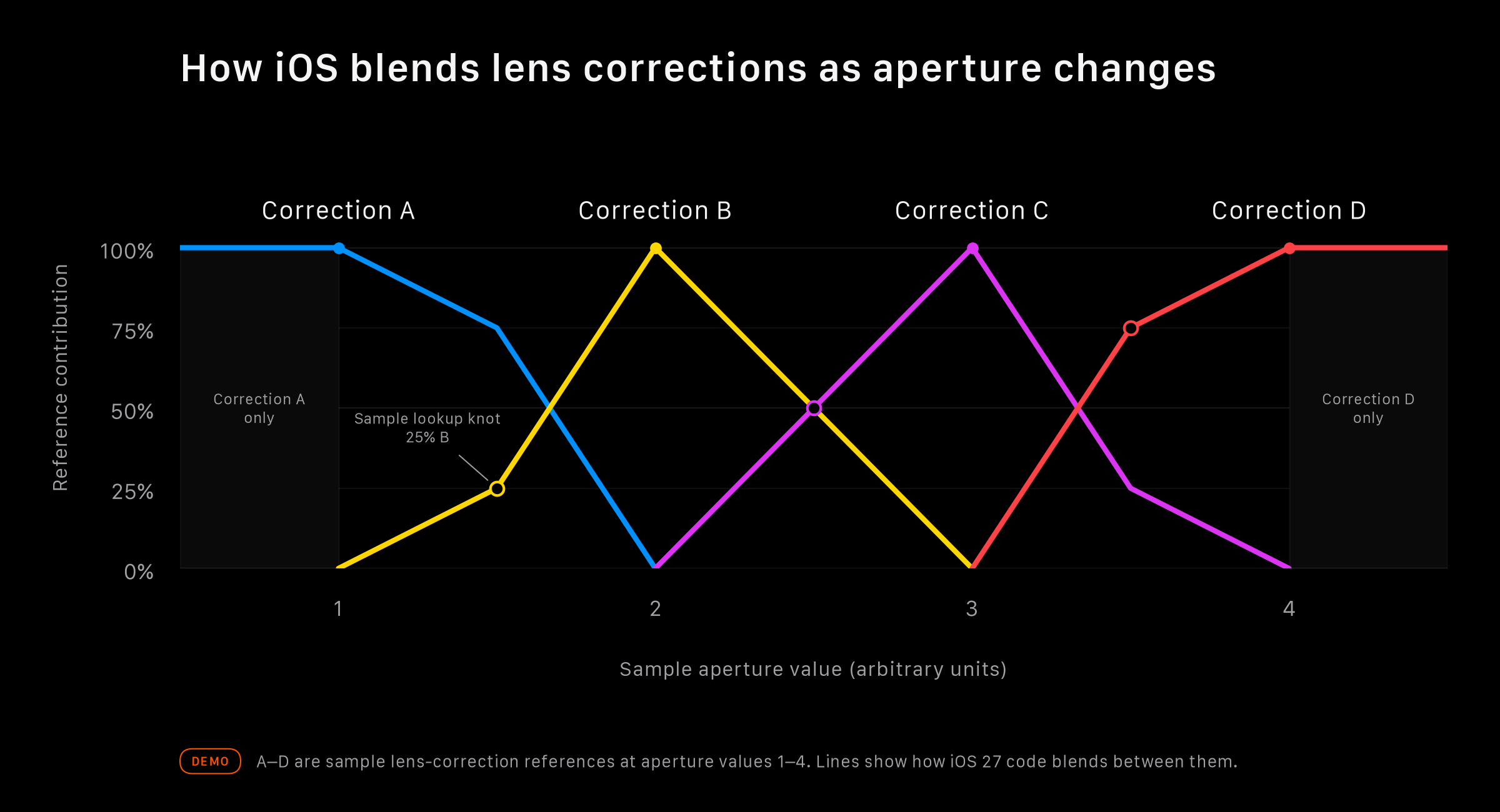
While the code accepts up to four calibration references, it does not mean that the new iPhone has four physical aperture stops. iOS may be using just enough references and extrapolating lens data for intermediate aperture values.
Exposure scopes: waveforms and histograms
The Camera app in iOS 27 contains a complete implementation of waveform and histogram displays. These can help users judge exposure in different formats. You can use a histogram to get a read on how many pixels fall into the shadows, mid-tones, and highlights. Alternatively, a waveform can show the same information while preserving the horizontal pixel position, which makes it easier to identify a bright or dark area to a specific part of the image.iOS 27 ships with 3 presets for both scopes: Luminance, RGB Composite, and RGB Parade. The histogram also has a separate choice between a continuous curve or individual bars. The rendering implementation for all graphs was added in iOS 27 beta 2 and is present in the latest beta.
You can see a demo of all graphs against stock photos below. There is no consumer within the Camera app to enable waveforms and histograms, but the graphs use the real
LiveVideoAnalytics pipeline, so these graphs match what you’d see inside the camera app.Focus peaking and highlight-clipping overlays
The Camera app in iOS 27 also adds code to overlay important information about the current composition over the preview window. In fact, the system can produce them separately or together under a new preview-processing stage.Focus peaking
Focus peaking emphasizes edges with strong local contrast to help users know which parts of the image are clearly defined. The feature can add colored emphasis over the edges. iOS can select a color, adjust how sensitive the effect is, and the transition duration.There is no consumer in Beta 8 to enable the feature in the Camera app. In the demo, below you can see the effect within the preview window.
Highlight-clipping
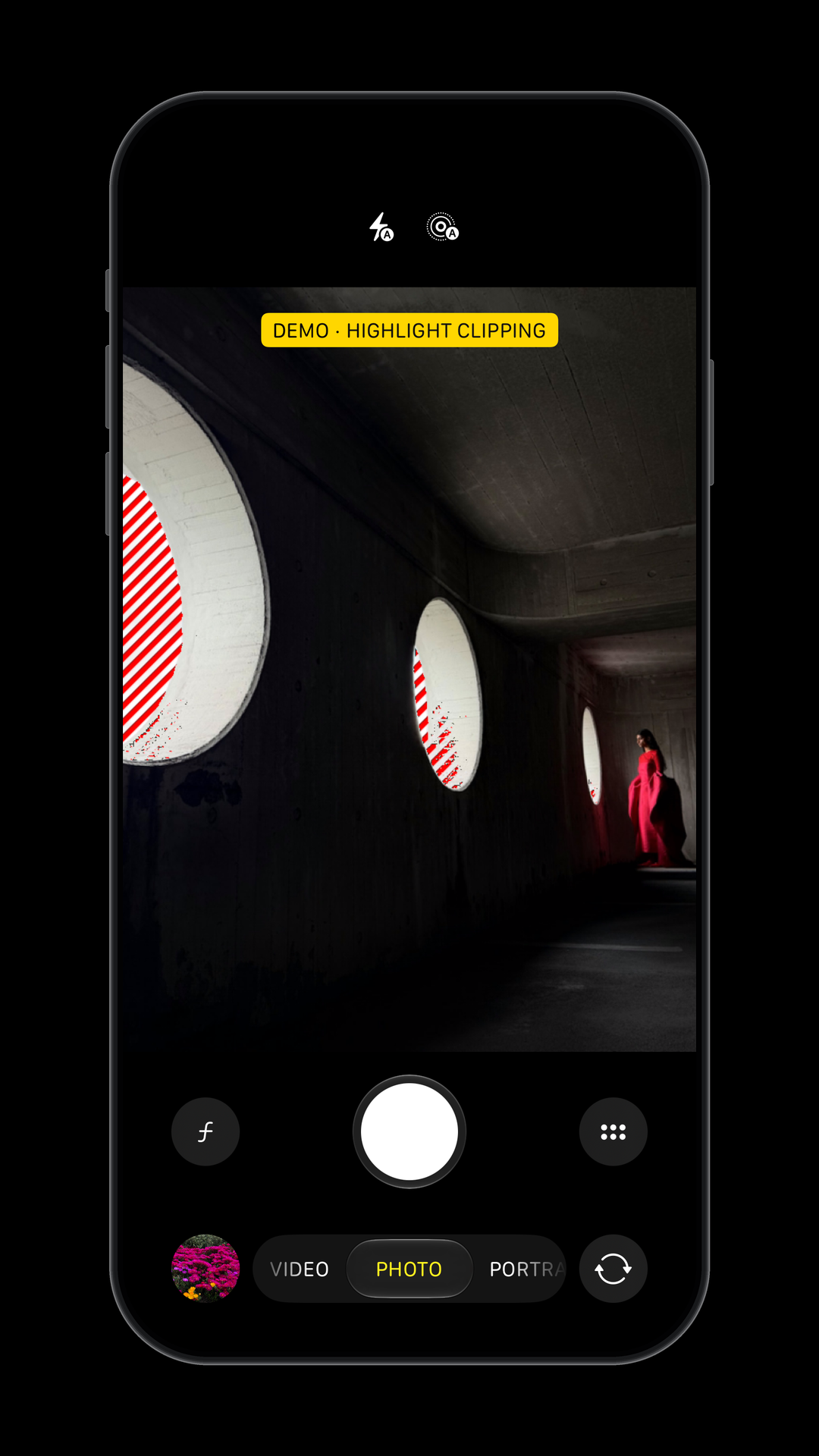
Relatedly, the Camera app can also warn users about highlights that are becoming too bright. The preview window can present an overlay over the affected areas instead of relying on another graph.The current implementation supports four styles: solid color, pulsing color, diagonal stripes (“zebra style”), and checkerboard. Once again, iOS can control the clipping threshold and overlay color.
There is no consumer in Beta 8 to enable the feature in the Camera app. In the demo, below you can see the effect within the preview window.
Repeated self-timer captures
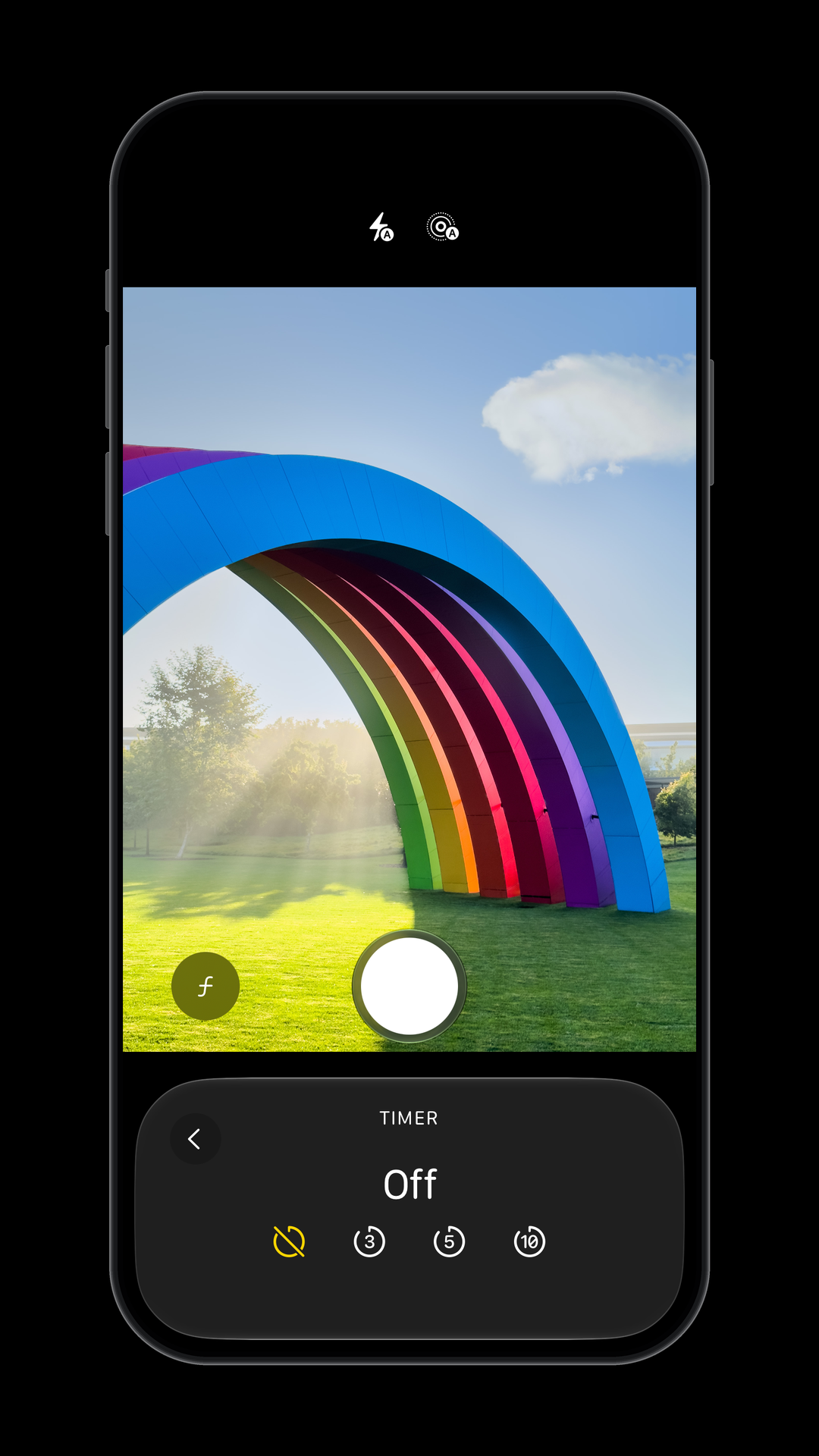
The Camera app also includes a Captures feature. With this, once you have selected one of the pre-determined timer options, you can select a number of repeated captures to take with a countdown of the selected duration before each capture.The code restarts the timer after requesting a capture, so the app doesn’t have to wait until the photo is fully processed to begin the next countdown.
The interface for this feature is unfinished in Beta 8. Forcing the feature enabled in a test environment causes “A menu cannot be produced for Captures.” error. The underlying capture loop logic is implemented behind an internal development capability in Beta 8.
Manual focus
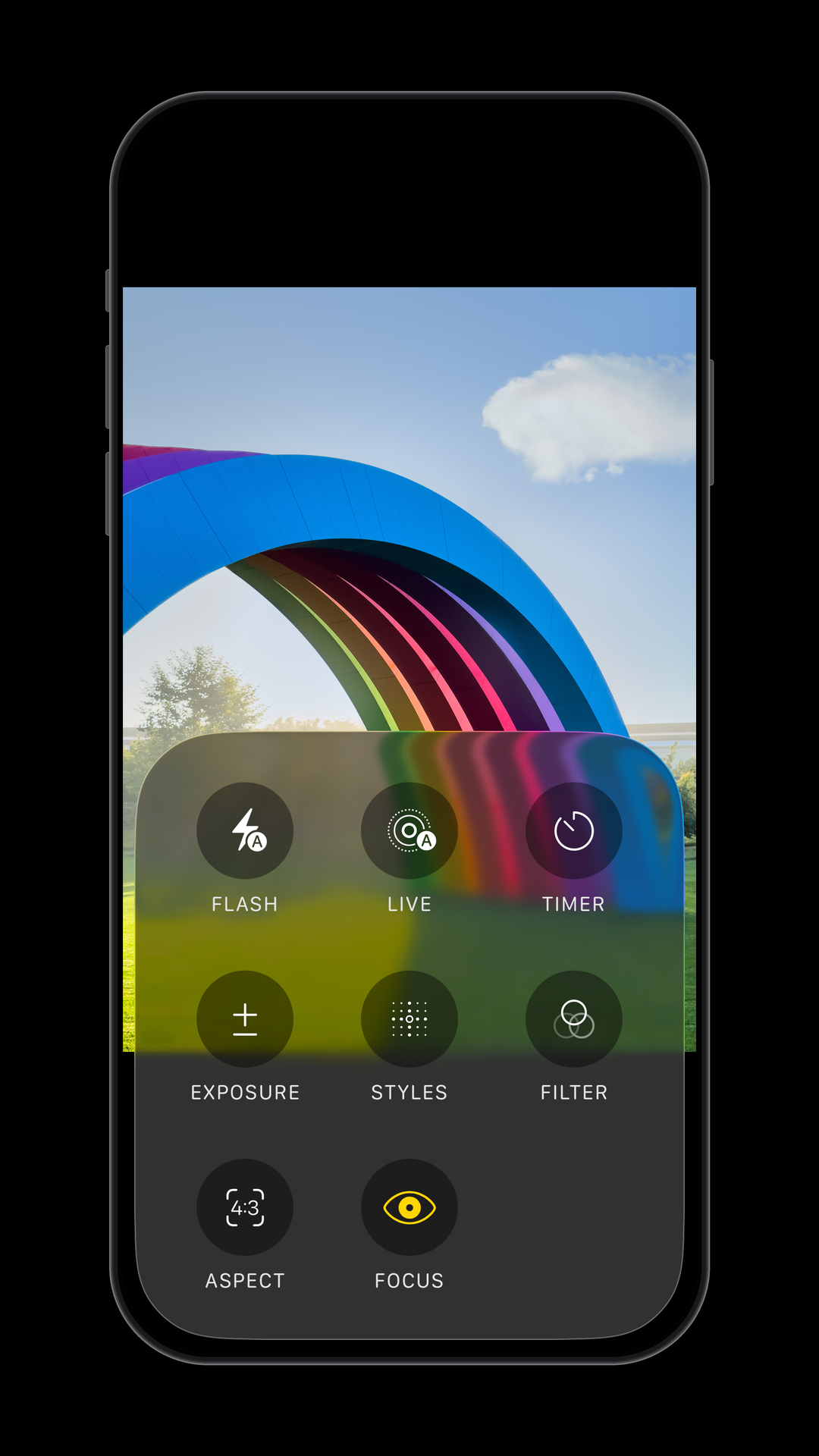
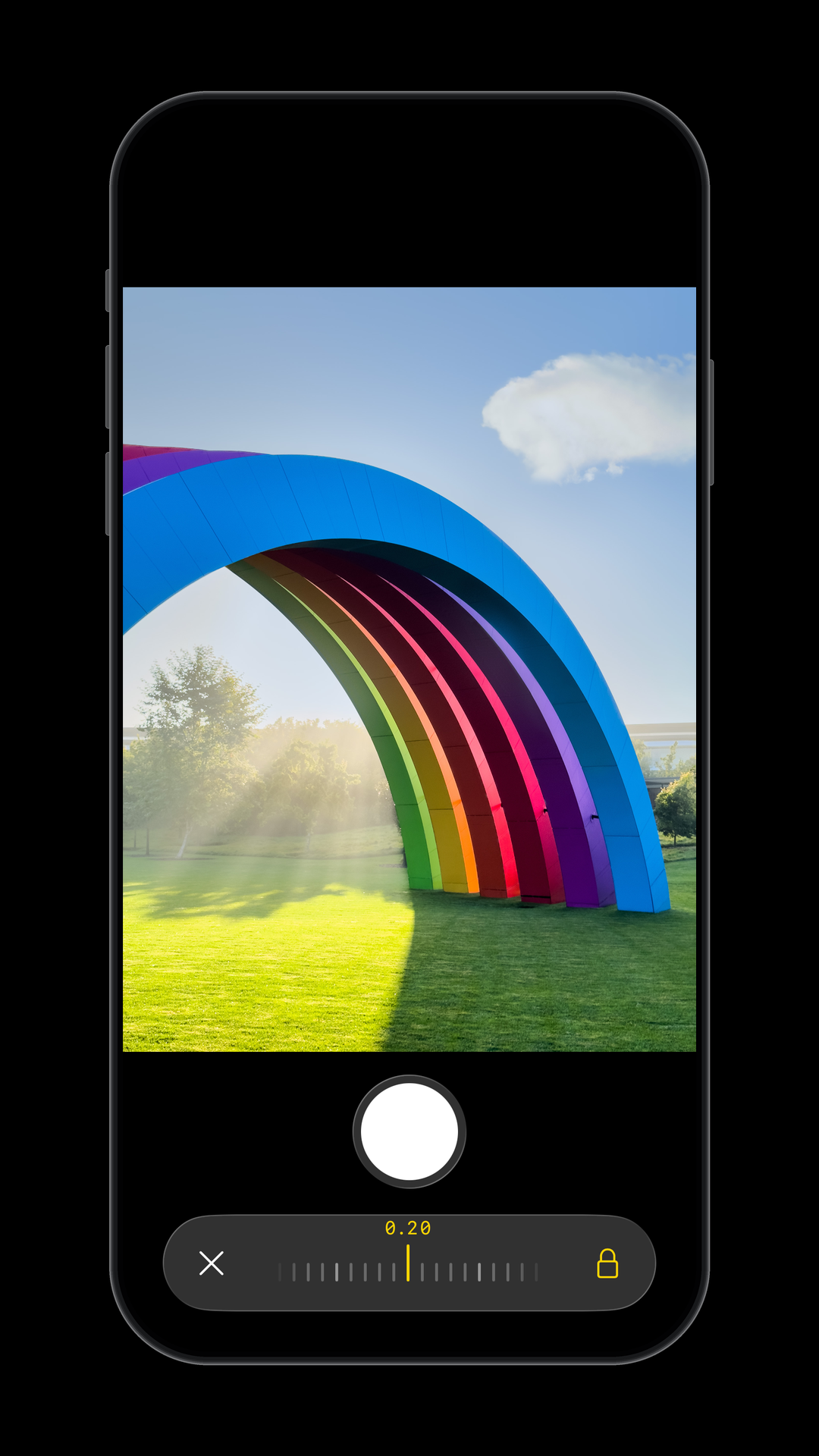
Apple has also tested manual focus in the Camera app, with a control for changing the lens position. This would let you choose where the camera focuses and hold that position instead of relying on autofocus. Similar systems ship in Apple’s Final Cut Camera and third-party apps already.The control showed up in iOS 26 versions as
ChromeLensPositionControls, along with the implementation to respond when the user moves the focus slider. Exposing this control in iOS 26 reveals a Focus slider, with acceptable values between 0 and 1. Moving the slider locks the focus and sends the selected lens position to the capture controller.The story gets more interesting in iOS 27. The lower-level command for locking focus at a selected lens position remains. While the Focus slider and the code to respond to user input was removed in beta 1, Apple added an explicit capability check that checks the device’s first supported iOS version. The current capability check requires a compatible iPhone with a first release of iOS 27 or later, meaning that the feature is not compatible with any existing iPhone.
Aperture-dependent optical processing
The final change affects image processing and may be relevant to a device with a variable physical aperture. iOS 27 can choose and blend lens correction data based on the aperture value. These corrections are meant to compensate for differences in light distribution across the image.Apple’s implementation can use calibration references for neighboring aperture values and combine them with varying contribution levels. I tested the original calculation code with sample inputs shown in the graph below. The calibrator accepts 1-4 correction data references. With multiple references, it finds the neighboring values and blends their corrections.
While the code accepts up to four calibration references, it does not mean that the new iPhone has four physical aperture stops. iOS may be using just enough references and extrapolating lens data for intermediate aperture values.
The following links are pinned to the ipsw-diffs revision used for this post:
Exposure scopes: waveforms and histograms
- Luminance, RGB Composite and RGB Parade presets added for both scopes in iOS 27 beta 2
- Histogram rendering, bar-count and smoothing controls added in beta 2
Focus peaking and highlight-clipping overlays
- Focus-peaking and highlight-clipping preview APIs added in iOS 27 beta 1
- Assistive-overlay processing, clipping styles, colors and thresholds added in beta 1
Repeated self-timer captures
- Repeated-capture count and remaining-count setters added to Camera in beta 1
- User-selected interval capture count handler added in beta 1
Manual focus
- Older manual-focus position and lock handlers removed in beta 1
- Older ChromeLensPositionControls UI type removed in beta 1
Aperture-dependent optical processing
- Aperture-dependent lens-shading calibration conversion added in beta 1
- Lens-shading aperture calibration restricted to one through four references in beta 2