Since upgrading to Lion Server on my Mac Pro Server - I cannot tap to click in finder.
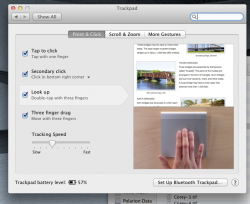
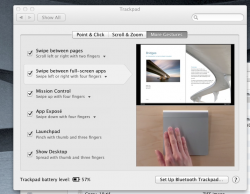
Here is a screen shot of my settings. Anyone have an idea what might be happening? Also dragging works differently. I had to set to three finger drag.
I used to be able to click and drag ?
Also on my macro laptop upgraded to lion, everything works the same as before the upgrade.
Strange
Thanks
Here is a screen shot of my settings. Anyone have an idea what might be happening? Also dragging works differently. I had to set to three finger drag.
I used to be able to click and drag ?
Also on my macro laptop upgraded to lion, everything works the same as before the upgrade.
Strange
Thanks