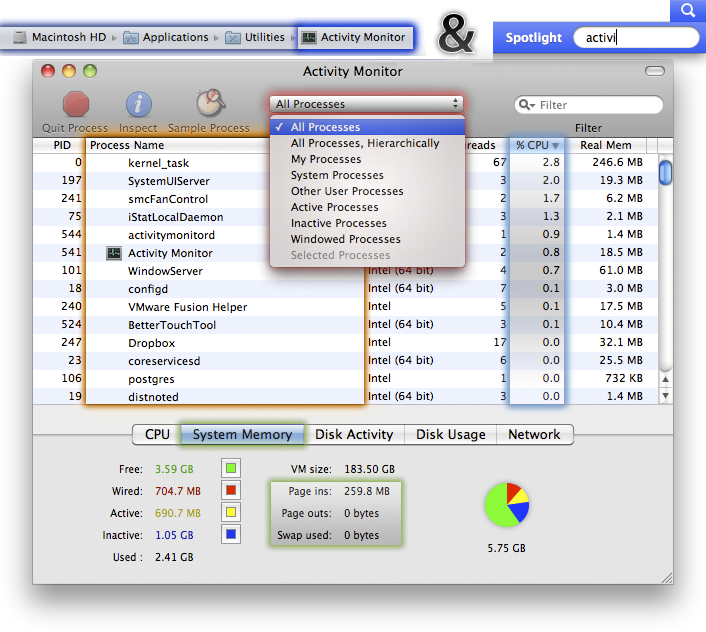
My 13" MBP used to idle at about 120ºF at 2000RPM fan speed at an estimated 6 to 8 hour battery life. Yesterday though, it started acting up. It's now idling at 170ºF+ and is at 3200-4000RPM under idle, with an estimated 1:30 battery life, so something is under a heavy load for no reason.
Activity monitor shows that 50% of the processor is being used, but when you add up the numbers that activity monitor provides, it only comes out to about 10% load. Istat also confirms that the processor is under about a 50% load, so something is creating a load on the processor, but I can't find the source of the problem.
I know how to do a search but in the few minutes I looked I couldn't find one that was unique enough to help me diagnose my problem exactly. Before using Applecare I'd like to try and diagnose it here. And if it's a hardware problem, I'll gladly take a 2011 model in replacement from Apple, so I don't plan on opening up my laptop to look inside or anything.
Activity monitor shows that 50% of the processor is being used, but when you add up the numbers that activity monitor provides, it only comes out to about 10% load. Istat also confirms that the processor is under about a 50% load, so something is creating a load on the processor, but I can't find the source of the problem.
I know how to do a search but in the few minutes I looked I couldn't find one that was unique enough to help me diagnose my problem exactly. Before using Applecare I'd like to try and diagnose it here. And if it's a hardware problem, I'll gladly take a 2011 model in replacement from Apple, so I don't plan on opening up my laptop to look inside or anything.