Become a MacRumors Supporter for $50/year with no ads, ability to filter front page stories, and private forums.

Mystikal

macrumors 68020
Original poster
SjreD.jpg


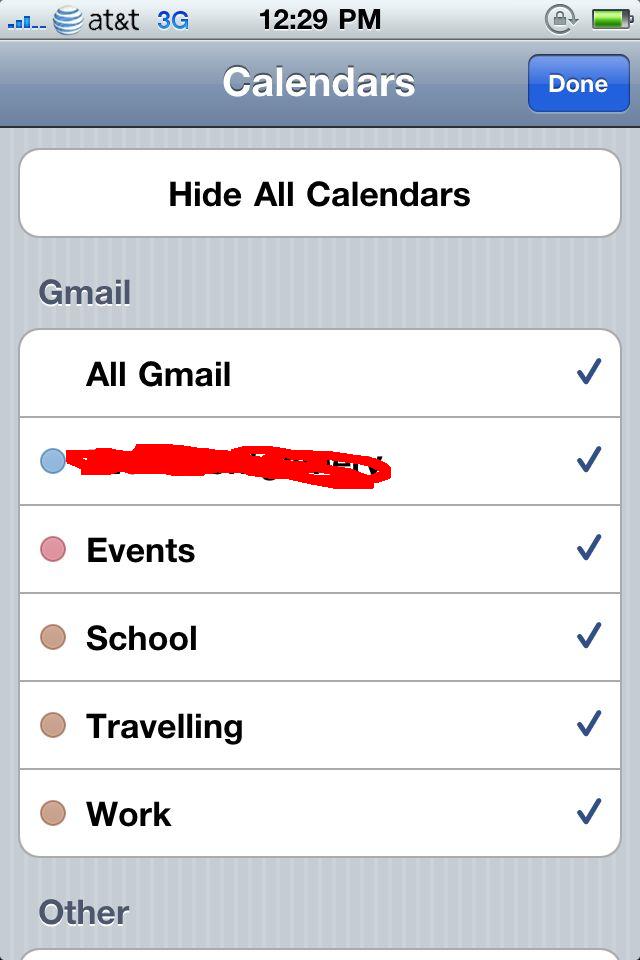
Does anyone know how to fix that? First they were random, then some changed to black, now 3/5 are brown.
 
I can't check because I'm using MobileMe to sync my calendars, so don't have any options to amend the name or details.

Change it on your Mac? If you use iCal, then it'll have gone brown there too, if not, resync your iPhone?

I like having mine colour coordinated. I'd have them all to be the one colour.
 
I can't check because I'm using MobileMe to sync my calendars, so don't have any options to amend the name or details.

Change it on your Mac? If you use iCal, then it'll have gone brown there too, if not, resync your iPhone?

I like having mine colour coordinated. I'd have them all to be the one colour.

I'm not sure how to sync google with iCal and my phone. It just doesn't work right 🙁.
 
If you go to Calendar on your iPhone then press Calendars at the top left, does it give you any options to amend them?

I don't use Google Calendars so don't know if you have the ability to change the colours.

Though, this might help.
 
Unless it's changed I didn't think you could sync the colors with Gmail Calendar. That's one of the reasons I don't use it (that and the AWFUL colors it uses).
 
If you go to Calendar on your iPhone then press Calendars at the top left, does it give you any options to amend them?

I don't use Google Calendars so don't know if you have the ability to change the colours.

Though, this might help.

Maybe I should just switch to iCal. Can I wirelessly sync to iCal without MobileMe?
 
If you want to change the gmail color dot, log into your email on a computer, go to calendars , on the left side there is a color panel, select any color you like, hope that helps.😀
 
Register on MacRumors! This sidebar will go away, and you'll see fewer ads.