
Got a tip for us?
Let us know
Become a MacRumors Supporter for $50/year with no ads, ability to filter front page stories, and private forums.
new skin/theme please!!!!!
- Thread starter janey
- Start date
- Sort by reaction score
You are using an out of date browser. It may not display this or other websites correctly.
You should upgrade or use an alternative browser.
You should upgrade or use an alternative browser.

Powerbook G5
macrumors 68040


cb911
macrumors 601
and also... the small gaps between different posts is really getting annoying. each post is in it's own box.. and then for some reason there's a small gap before the next post. just seems like a waste of space, more scrolling. it'd probably be alot better if that gap was gone. 🙂
coolsoldier
macrumors 6502
I didn't realize people were so particular about what the forums looked like! A web forum is a web forum to me.

cb911 said:and also... the small gaps between different posts is really getting annoying. each post is in it's own box.. and then for some reason there's a small gap before the next post. just seems like a waste of space, more scrolling. it'd probably be alot better if that gap was gone. 🙂
without the gap, it's hard to tell which post is associated with the date.
arn

sparkleytone
macrumors 68020
overall the new style is the hotness. there are some things i don't like about it, but the good outweighs the bad. its much cleaner, things are easier to discern, and there is much more power at your fingertips. the color scheme is a bit...meh for my taste, but everything else makes it rule.

wdlove
macrumors P6
Actually for a person of my age, the color and font size are just right. As arn commented the white space and lines help to have each post well posted. I know that you are laughing, but as you get older your accommodation slows. Please arn leave the look just the way it is now. As mentioned before, with time everyone will get used to the new look.

rainman::|:|
macrumors 603
sparkleytone said:overall the new style is the hotness. there are some things i don't like about it, but the good outweighs the bad. its much cleaner, things are easier to discern, and there is much more power at your fingertips. the color scheme is a bit...meh for my taste, but everything else makes it rule.
i agree, the pastel tan/purple doesn't do much for me, but everything else is much nicer and cleaner. Features aside, i think this interface makes the old one look outdated.
paul
King Cobra
macrumors 603
Number 1: For everyone complaining about the forums being too white, do this:
Open up your System Preferences, go to universal access, and click on "Switch to White on Black." Happy? Now no more complaints about the forums being too bright.
Number 2: For those complaining about the font sizes...fix it yourself. Go into your browser preferences and reduce the font size (or screen resolution) accordingly. From browsing 1.6 final of Mozilla, there is no difference in apparent font sizes between the purple MR and the lighter style.
Personally, I could do without the two-color dual purple version of the MacRumors forums, now that they have a bit more blue (yay!) in them. And the brightness isn't a big deal for me. Maybe because I'm blind to the lack of purple.
Open up your System Preferences, go to universal access, and click on "Switch to White on Black." Happy? Now no more complaints about the forums being too bright.
Number 2: For those complaining about the font sizes...fix it yourself. Go into your browser preferences and reduce the font size (or screen resolution) accordingly. From browsing 1.6 final of Mozilla, there is no difference in apparent font sizes between the purple MR and the lighter style.
Personally, I could do without the two-color dual purple version of the MacRumors forums, now that they have a bit more blue (yay!) in them. And the brightness isn't a big deal for me. Maybe because I'm blind to the lack of purple.

yeah the only prob i have is that my default text size in safari is 9 or 10, and when i decrease text size some of the text is too tiny to read while some are still huge.King Cobra said:Number 2: For those complaining about the font sizes...fix it yourself. Go into your browser preferences and reduce the font size (or screen resolution) accordingly. From browsing 1.6 final of Mozilla, there is no difference in apparent font sizes between the purple MR and the lighter style.
coolbreeze
macrumors 68000
Yeah, I'm not a big fan of the new white-laden design. I've actually visited mrumors less since the "upgrade" because of this.
Just saying. The purple was actually nice, and I like change. Just not to this...
Just saying. The purple was actually nice, and I like change. Just not to this...
Powerbook G5
macrumors 68040
It is a bit too sterile, isn't it? Reminds me of a hospital hallway. It's also blinding on my PowerBook if I have the brightness turned up when the lights are dimmed. But hey, at least it's a step in the right direction and I doubt that this is the last time the site gets such a dramatic redesign.
coolsoldier
macrumors 6502
To those who are really adamant about the style...
Why not download the style sheet and change it yourself?
Here's what worked for me:
-Save the style sheet
-Make changes as necessary (the only thing I changed was font sizes, but I should work with other stuff too)
-Mark the changes as "! important" (so the MacRumors sheet doesn't override the changes)
-Set Safari to use the new style sheet (in the Advanced tab of preferences).
And that's it -- complete customization.
Why not download the style sheet and change it yourself?
Here's what worked for me:
-Save the style sheet
-Make changes as necessary (the only thing I changed was font sizes, but I should work with other stuff too)
-Mark the changes as "! important" (so the MacRumors sheet doesn't override the changes)
-Set Safari to use the new style sheet (in the Advanced tab of preferences).
And that's it -- complete customization.
coolsoldier
macrumors 6502
OK, reading this thread got me tinkering around 🙂
Here's the custom style sheet I finally came up with to change the forums without breaking other sites that I visit. I can't say for sure that it won't break any other sites (it might break others that use the same id tags).
If you copy and paste it into a file called something like 8pointforums.css and open it up in Safari's Advanced tab, it makes the font size smaller, changes the post boxes from white to light gray, sets the page background to the old purple color and sets the quote box background to whatever is at /Users/shared/pinstripe.jpg. I use the Aqua pinstripes, but you could change that line to point to any image on your hard drive.
Can we stop complaining now?
Edit: BTW, here's the pinstripe jpeg I used (save it to /Users/shared/pinstripe.jpg to make the style sheet work as written)
Here's the custom style sheet I finally came up with to change the forums without breaking other sites that I visit. I can't say for sure that it won't break any other sites (it might break others that use the same id tags).
If you copy and paste it into a file called something like 8pointforums.css and open it up in Safari's Advanced tab, it makes the font size smaller, changes the post boxes from white to light gray, sets the page background to the old purple color and sets the quote box background to whatever is at /Users/shared/pinstripe.jpg. I use the Aqua pinstripes, but you could change that line to point to any image on your hard drive.
Can we stop complaining now?
Code:
/* MacRumors Forums */

/*everything under the nav bar*/
.page
{
	/* changes the background of everything under the MR heading to something like the old purple (I don't know if I got the color exactly) */
	background: #5555aa ! important;
}

.page div [style="padding:0px 0px 6px 0px"]
{
	/* Remove gaps between posts */
	padding: 0px 0px 0px 0px ! important;
}

/*The box with the post text*/
.alt1
{
	/* Changes the post text to default to 8pt Lucida Grande */
	font: 8pt 'Lucida Grande' ! important;

	/* Changes the background of the posts from white to light gray */
	background: #f5f5f5 ! important;
}

/*The box with the user name.  Also used for quote boxes (for some reason)*/
.alt2
{
	/* Uses a pinstripe background (or a dark gray, if it can't load the picture) for the user name box
	 Of course, replace /Users/shared/pinstripe.jpg with an image on your HD*/
	background: #d0d0d0 url(file:///Users/shared/pinstripe.jpg) ! important;

	/* Makes the quote text 8pt Lucida Grande */
	font: 8pt 'Lucida Grande' ! important;
}

/*The text of the user name*/
.bigusername
{
	/* Makes the big user name not-so-big */
	font: 8pt 'Lucida Grande' ! important;
}
Edit: BTW, here's the pinstripe jpeg I used (save it to /Users/shared/pinstripe.jpg to make the style sheet work as written)
Attachments


coolsoldier said:OK, reading this thread got me tinkering around 🙂
Here's the custom style sheet I finally came up with to change the forums without breaking other sites that I visit.
can you post a screenshot?
arn

Rower_CPU
Moderator emeritus
arn said:can you post a screenshot?
arn
One correction to the CSS, coolsoldier:
Code:
background: #d0d0d0 url("file:///Users/shared/pinstripe.jpg") ! important;
should be
background: #d0d0d0 url(file:///Users/shared/pinstripe.jpg) ! important;
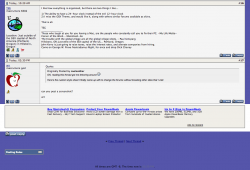
Here's a screenie:
Attachments
coolsoldier
macrumors 6502
Rower_CPU said:One correction to the CSS, coolsoldier:
Code:background: #d0d0d0 url("file:///Users/shared/pinstripe.jpg") ! important; should be background: #d0d0d0 url(file:///Users/shared/pinstripe.jpg) ! important;
Fixed.
Admittedly, I don't know CSS very well. I was mostly playing around until something worked.

Josh
macrumors 68000
I am a VIP member over at the newtiburon.com forums, which also uses vbulletin.
What we do over there is let the graphical artists create skins if they wish, and if the owner of the forum approves the, he adds them to a drop down list we can select at the bottom of the forum.
We have 10+ skins to choose from which gives just about anyone the option to use one they like.
As of yet, there as only been one person to make skins for this site (and IMO they are low-quality) but the idea of user-submitted skins is nice, and has worked great.
Maybe try using something like that here? I am sure there are quite a few talented individuals around here that could make something very sweet.
And with 10 skins to choose from, no one has the right to complain that the skin is bad - besides, if they want to complain, they can just make their own.
What we do over there is let the graphical artists create skins if they wish, and if the owner of the forum approves the, he adds them to a drop down list we can select at the bottom of the forum.
We have 10+ skins to choose from which gives just about anyone the option to use one they like.
As of yet, there as only been one person to make skins for this site (and IMO they are low-quality) but the idea of user-submitted skins is nice, and has worked great.
Maybe try using something like that here? I am sure there are quite a few talented individuals around here that could make something very sweet.
And with 10 skins to choose from, no one has the right to complain that the skin is bad - besides, if they want to complain, they can just make their own.
coolsoldier
macrumors 6502
Josh said:And with 10 skins to choose from, no one has the right to complain that the skin is bad - besides, if they want to complain, they can just make their own.
You can make your own skin for any site. One of the biggest benefits of CSS design is that you can specify custom styles in your web browser. Anybody can create custom skins for this site without the site needing to change anything..
Josh
macrumors 68000
coolsoldier said:You can make your own skin for any site. One of the biggest benefits of CSS design is that you can specify custom styles in your web browser. Anybody can create custom skins for this site without the site needing to change anything..
Very interesting - I did not know this.
So would one have to specify to their browser to use that specific style sheet for that particular forum?
Like if I wanted to make 2 skins for 2 forums, that I could make them each different?
Here is the CSS for the forum I regularly visit:
Code:
<style type="text/css">
<!--
/* vBulletin 3 CSS For Style 'NT Zero' (styleid: 3) */
body
{
	background: #FFFFFF;
	color: #000000;
	font: 10pt verdana, geneva, lucida, 'lucida grande', arial, helvetica, sans-serif;
	margin: 5px 5px 10px 5px;
}
a:link
{
	color: #22229C;
}
a:visited
{
	color: #22229C;
}
a:hover, a:active
{
	color: #FF4400;
}
.page
{
	background: #FFFFFF;
	color: #000000;
}
td, th, p, li
{
	font: 10pt verdana, geneva, lucida, 'lucida grande', arial, helvetica, sans-serif;
}
.tborder
{
	background: #D1D1E1;
	color: #000000;
	border: 1px solid #0B198C;
}
.tcat
{
	background: #869BBF url(images/gradients/gradient_tcat.gif) repeat-x top left;
	color: #FFFFFF;
	font: bold 10pt verdana, geneva, lucida, 'lucida grande', arial, helvetica, sans-serif;
}
.tcat a:link
{
	color: #ffffff;
	text-decoration: none;
}
.tcat a:visited
{
	color: #ffffff;
	text-decoration: none;
}
.tcat a:hover, .tcat a:active
{
	color: #FFFF66;
	text-decoration: underline;
}
.thead
{
	background: #5C7099 url(images/gradients/gradient_thead.gif) repeat-x top left;
	color: #FFFFFF;
	font: bold 11px tahoma, verdana, geneva, lucida, 'lucida grande', arial, helvetica, sans-serif;
}
.thead a:link
{
	color: #FFFFFF;
}
.thead a:visited
{
	color: #FFFFFF;
}
.thead a:hover, .thead a:active
{
	color: #FFFF00;
}
.tfoot
{
	background: #3E5C92;
	color: #E0E0F6;
}
.tfoot a:link
{
	color: #E0E0F6;
}
.tfoot a:visited
{
	color: #E0E0F6;
}
.tfoot a:hover, .tfoot a:active
{
	color: #FFFF66;
}
.alt1, .alt1Active
{
	background: #F5F5FF;
	color: #000000;
}
.alt2, .alt2Active
{
	background: #E1E4F2;
	color: #000000;
}
.alt3
{
	background: #D5D8E5;
	color: #000000;
}
.wysiwyg
{
	background: #F5F5FF;
	color: #000000;
	font: 10pt verdana, geneva, lucida, 'lucida grande', arial, helvetica, sans-serif;
}
textarea, .bginput
{
	font: 10pt verdana, geneva, lucida, 'lucida grande', arial, helvetica, sans-serif;
}
.button
{
	font: 11px verdana, geneva, lucida, 'lucida grande', arial, helvetica, sans-serif;
}
select
{
	font: 11px verdana, geneva, lucida, 'lucida grande', arial, helvetica, sans-serif;
}
option, optgroup
{
	font-size: 11px;
	font-family: verdana, geneva, lucida, 'lucida grande', arial, helvetica, sans-serif;
}
.smallfont
{
	font: 11px verdana, geneva, lucida, 'lucida grande', arial, helvetica, sans-serif;
}
.time
{
	color: #666686;
}
.navbar
{
	font: 11px verdana, geneva, lucida, 'lucida grande', arial, helvetica, sans-serif;
}
.highlight
{
	color: #FF0000;
	font-weight: bold;
}
.fjsel
{
	background: #3E5C92;
	color: #E0E0F6;
}
.fjdpth0
{
	background: #F7F7F7;
	color: #000000;
}
.panel
{
	background: #E4E7F5 url(images/gradients/gradient_panel.gif) repeat-x top left;
	color: #000000;
	padding: 10px;
	border: 2px outset;
}
.panelsurround
{
	background: #D5D8E5 url(images/gradients/gradient_panelsurround.gif) repeat-x top left;
	color: #000000;
}
legend
{
	color: #22229C;
	font: 11px tahoma, verdana, geneva, lucida, 'lucida grande', arial, helvetica, sans-serif;
}
.vbmenu_control
{
	background: #738FBF;
	color: #FFFFFF;
	font: bold 11px tahoma, verdana, geneva, lucida, 'lucida grande', arial, helvetica, sans-serif;
	padding: 3px 6px 3px 6px;
	white-space: nowrap;
}
.vbmenu_control a:link
{
	color: #FFFFFF;
	text-decoration: none;
}
.vbmenu_control a:visited
{
	color: #FFFFFF;
	text-decoration: none;
}
.vbmenu_control a:hover, .vbmenu_control a:active
{
	color: #FFFFFF;
	text-decoration: underline;
}
.vbmenu_popup
{
	background: #FFFFFF;
	color: #000000;
	border: 1px solid #0B198C;
}
.vbmenu_option
{
	background: #BBC7CE;
	color: #000000;
	font: 11px verdana, geneva, lucida, 'lucida grande', arial, helvetica, sans-serif;
	white-space: nowrap;
	cursor: pointer;
}
.vbmenu_option a:link
{
	color: #22229C;
	text-decoration: none;
}
.vbmenu_option a:visited
{
	color: #22229C;
	text-decoration: none;
}
.vbmenu_option a:hover, .vbmenu_option a:active
{
	color: #FFFFFF;
	text-decoration: none;
}
.vbmenu_hilite
{
	background: #8A949E;
	color: #FFFFFF;
	font: 11px verdana, geneva, lucida, 'lucida grande', arial, helvetica, sans-serif;
	white-space: nowrap;
	cursor: pointer;
}
.vbmenu_hilite a:link
{
	color: #FFFFFF;
	text-decoration: none;
}
.vbmenu_hilite a:visited
{
	color: #FFFFFF;
	text-decoration: none;
}
.vbmenu_hilite a:hover, .vbmenu_hilite a:active
{
	color: #FFFFFF;
	text-decoration: none;
}
/* ***** small padding on 'thead' elements ***** */
td.thead, div.thead { padding: 4px; }

/* ***** basic styles for multi-page nav elements */
.pagenav a { text-decoration: none; }
.pagenav td { padding: 2px 4px 2px 4px; }

/* ***** define margin and font-size for elements inside panels ***** */
.fieldset { margin-bottom: 6px; }
.fieldset, .fieldset td, .fieldset p, .fieldset li { font-size: 11px; }

/* ***** don't change the following ***** */
form { display: inline; }
label { cursor: default; }
.normal { font-weight: normal; }
.inlineimg { vertical-align: middle; }
/* ***** active table cells (IE only) ***** */
/* .alt1Active, .alt2Active { behavior: url(clientscript/activecell.htc); } */
-->
</style>
As you can see, it is very complex.
Is there any hope in completely customizing that to something drasticaly different?
I am talking about all new graphics for buttons, and not just colors and backgrounds alone.
Thanks!!
coolsoldier
macrumors 6502
Josh said:Very interesting - I did not know this.
So would one have to specify to their browser to use that specific style sheet for that particular forum?
Like if I wanted to make 2 skins for 2 forums, that I could make them each different?
If the site has an ID in the <body> tag, you can add a site-specific theme to your user style sheet. Otherwise, the best you can do is look for classes that don't show up on other sites.
Is there any hope in completely customizing that to something drasticaly different?
I am talking about all new graphics for buttons, and not just colors and backgrounds alone.
Thanks!!
This article on user style sheets is geared towards Mozilla, but much of it also works with Safari.
For the most part, the more you are willing to hunt in the page source for "id" and "class" identifiers, the more you can do.
Josh
macrumors 68000
Ive got editing the simpe colors and things down - but is there any way to create unique buttons (such as the "quote" "reply" and "new post" buttons) and have them used instead of the forum default?.
I want to completely skin a forum while keeping the files localy (as in use by the custom CSS file) So far, every VB forum I go to looks almost the same since I have my own CSS file in used. Now I just want to edit the buttons and things...
Is there any way to do this?
Also - is there any way for us to get ahold of the VBulletin Graphical Developers Kit (GDK) that has all the forum skin images in PSD format?
That is what is truely needed when created a complete VB skin from scratch.
I want to completely skin a forum while keeping the files localy (as in use by the custom CSS file) So far, every VB forum I go to looks almost the same since I have my own CSS file in used. Now I just want to edit the buttons and things...
Is there any way to do this?
Also - is there any way for us to get ahold of the VBulletin Graphical Developers Kit (GDK) that has all the forum skin images in PSD format?
That is what is truely needed when created a complete VB skin from scratch.
coolsoldier
macrumors 6502
Josh said:Ive got editing the simpe colors and things down - but is there any way to create unique buttons (such as the "quote" "reply" and "new post" buttons) and have them used instead of the forum default?.
I want to completely skin a forum while keeping the files localy (as in use by the custom CSS file) So far, every VB forum I go to looks almost the same since I have my own CSS file in used. Now I just want to edit the buttons and things...
If you're persistent you can replace images too. This, for instance, is code that I use to replace reply buttons:
Code:
a[href^="newreply.php"] img
{
	/*Make images that link to newreply.php invisible*/
	visibility: hidden ! important;
}
a[href^="newreply.php"]
{
	/*Set image for quote button*/
	background: url(file:///somepath/quotebutton.jpg) ! important;
	background-repeat: no-repeat ! important;
	vertical-align: top ! important;
}
a[href^="newreply.php"][href*="noquote=1"]
{
	/*Set image for reply button (without quote)*/
	background: url(file:///somepath/replybutton.jpg) ! important;
	background-repeat: no-repeat ! important;
	vertical-align: top ! important;
}