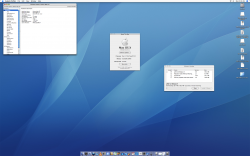
Well, since picking up my 30" Thunderbolt display, I've been eager to see it operate at full resolution. My flashed FireGL x3 hasn't come in yet, so I haven't been able to test that guy out in my G4 yet. I finally have a whole day off from work, so I decided to look around on craigslist for a G5. And what do you know? A 2.7GHz DP model for only $50! 😀
Previously, I wasn't that fond of G5s because they look almost exactly like the Mac Pros that replaced them and stayed basically the same for 6 years. But man, this is a really pretty piece of hardware--especially on the inside.
Now I'm very conflicted. Do I put the FireGL card into my G5, making this the ultimate G5 system (barring the quad, which has issues of its own) or should I use it in the G4, which is awesome in its own right and would probably make it the most powerful single-processor G4 in existence?
Previously, I wasn't that fond of G5s because they look almost exactly like the Mac Pros that replaced them and stayed basically the same for 6 years. But man, this is a really pretty piece of hardware--especially on the inside.
Now I'm very conflicted. Do I put the FireGL card into my G5, making this the ultimate G5 system (barring the quad, which has issues of its own) or should I use it in the G4, which is awesome in its own right and would probably make it the most powerful single-processor G4 in existence?