

Become a MacRumors Supporter for $50/year with no ads, ability to filter front page stories, and private forums.

MacRumors

macrumors bot
Original poster


Your iPhone's Lock Screen has built-in media playback controls that appear whenever music, a podcast, or other audio is playing. What you might not realize is that those controls can also include a volume slider that lets you adjust the volume without you having to unlock your iPhone or fumble for the physical buttons.
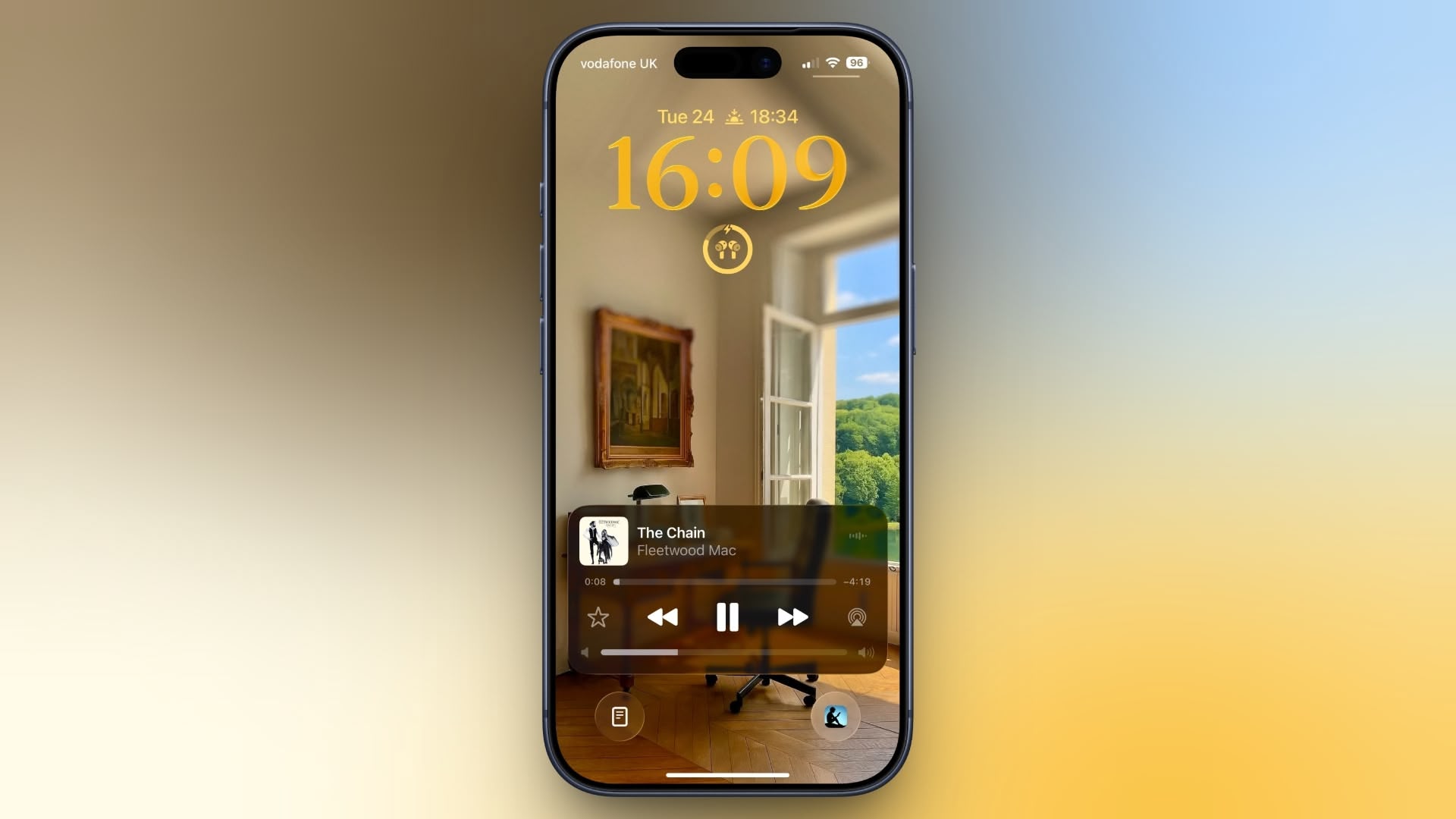
ios-26-volume-slider-lock-screen.jpeg

Originally, Apple included a volume slider in the Lock Screen media player by default, but it quietly removed the function in iOS 16. It eventually returned as an option in iOS 18.2, but Apple decided to bury it in Accessibility settings, where it's easy to overlook. The setting is still available in iOS 26, and it's super-simple to enable.

Here's how to turn it on:
  1. Open Settings on your iPhone.
  2. Tap Accessibility.
  3. Under "Hearing," tap Audio & Visual.
  4. Toggle on the switch next to Always Show Volume Control.
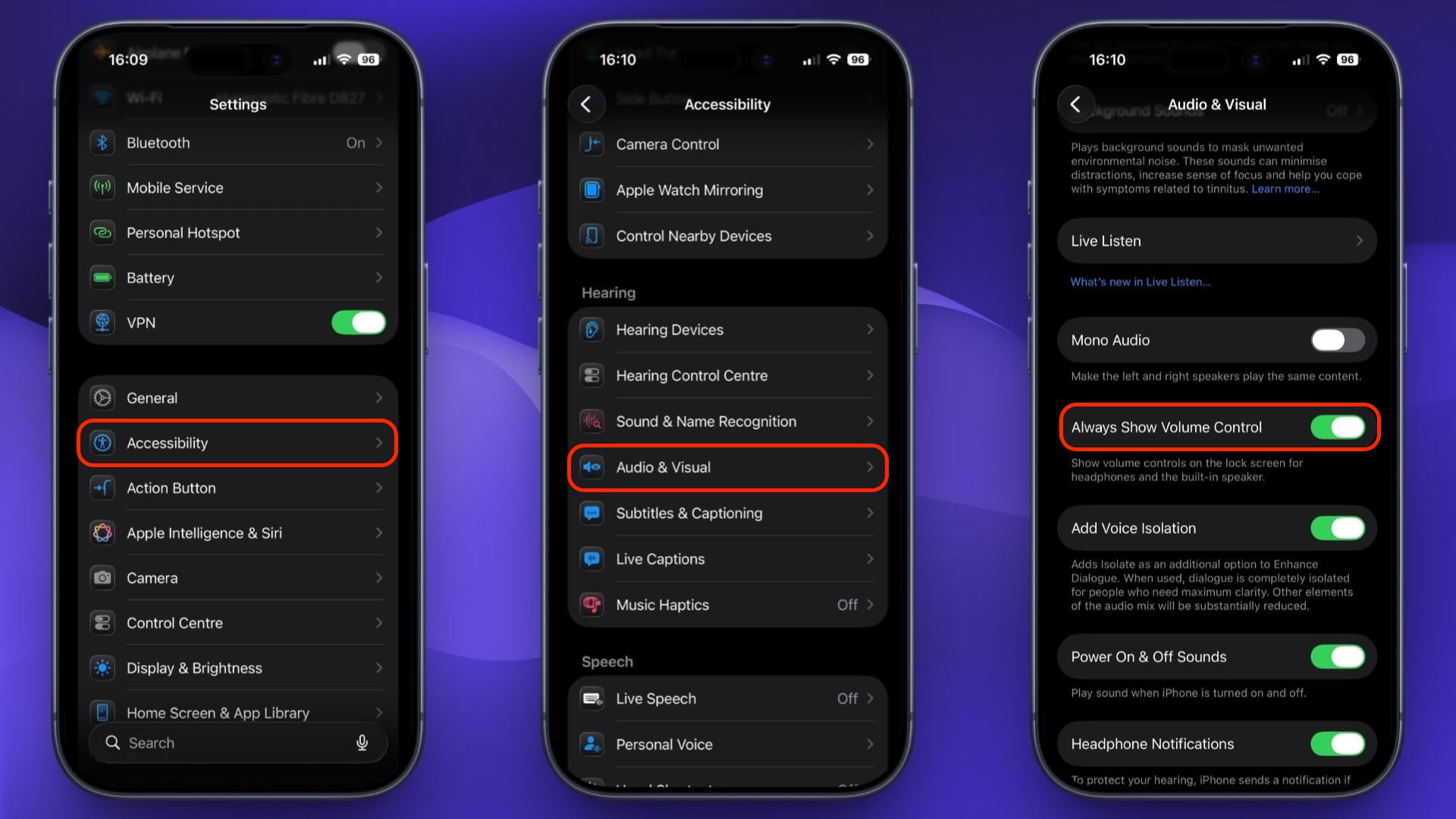
show-volume-bar-ios-lock-screen.jpeg


The next time you play audio, a volume slider will appear in the Lock Screen's media player underneath the existing playback controls. It's especially useful when your iPhone is propped up on a desk or sitting on a nightstand, since you don't need to pick it up just to change the volume.

To turn it off again, just head back to Settings ➝ Accessibility ➝ Audio & Visual and toggle off Always Show Volume Control.

Article Link: Add a Volume Slider to Your iPhone Lock Screen
 
Yes. I suspect the reason the slider was removed by default, is because it was too easy to accidentally swipe, and make the volume all of a sudden blast in your ears.
THIS! lol. I have enough heartburn from that time I was singing along with Mariah, and my phone decided to skip to the next song just as I was about to nail that high note, leaving me hanging!
 
Related to this — how are app sounds controlled when the app produces no sound? For example, Google Maps' speech volume can only be adjusted while navigation is actively speaking.
 
  • Like
Reactions: ignatius345
Gotta love how they bury these settings, same with the auto brightness toggle. Whoever makes these decisions need to go away.
 
Now how about a basic mute button for Control Centre? So annoying that you can’t easily mute and unmute the ads when watching TV on an iPad or iPhone.
 
I wish this worked when Airplaying also.

I have “Always show volume control” turned off but the volume slider is still on my lock screen for both Spotify & Pandora when playing music- this is happening when I’m airplaying music to my tv.
 
I wish there were a way to stop the controller from showing on the lock screen altogether! 😵‍💫 I hate accidentally having podcasts skip around when simply taking my phone out of my back pocket, accidentally hitting the play bar in the so-doing.
 
Register on MacRumors! This sidebar will go away, and you'll see fewer ads.