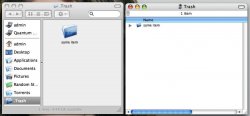
You don't really need a third party utility to find the Trash folder (although they are nice utilities). In Finder, just hit shift-command-G to bring up the "Go to Folder..." window. Type "~/,Trash" (without the quotes) into the box and your trash folder will appear in Finder. You can then drag it to the Sidebar. But note that if you delete things by dragging them to the Sidebar Trash, the trash bin in your dock won't switch to the "filled" bin and you can't empty the trash. It's less than ideal.