So I just got my airport card and it picks up the signal but when I try to pull up camino or safari it just says I'm not connected....what should I do now?

What exact AirPort card model did you get and what Mac OS X version do you run on your iBook?
Have you taken a look at System Preferences > Network and seen what it says there under AirPort? Have you setup a Location or is it set to Automatic?
What does Network Diagnostics say?
What kind of wireless network do you have (WEP, WPA, WPA2) and what router model do you use?
It turns out I put the wrong password in at work, but at home it says I keep putting in the wrong password. I know the password and it is correct as it works on our HP desktop, my Droid, and all 4 Iphones in the house.
The comp is an Ibook G3 800mhz, running OSX 10.4.11, but im not sure which model card it is. I know its the regular Airport card though. Ill check when I get home.
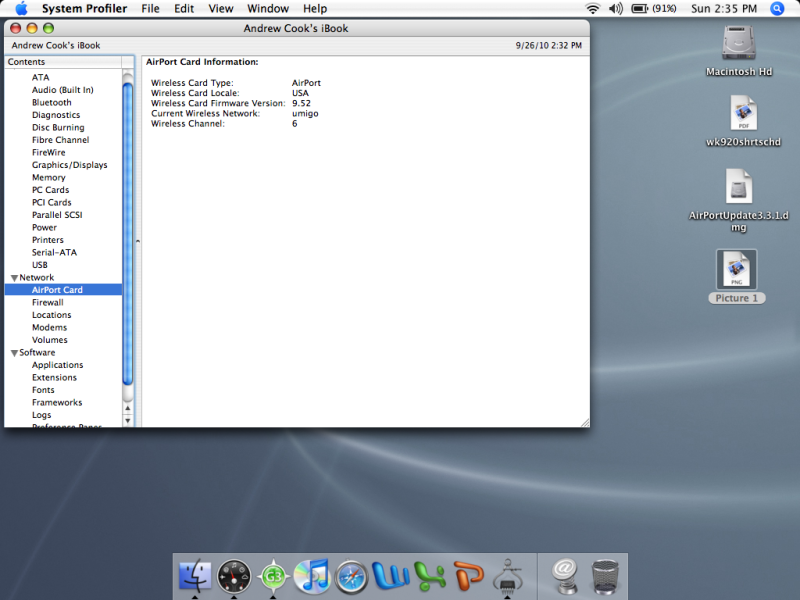
This is a screenshot of System Profiler/Network/Airport. Right now I am at work and the WPA system works just fine on my Ibook. But at home I dont know whats up 😕
its your home router
if it works at work then there is absolutely nothing wrong with your airport card the culprit is your router at home
and needs to be setup proper
the www is full of info about that problem , so you need to look for your router and airport card in google you might with luck find the solution how to setup the router