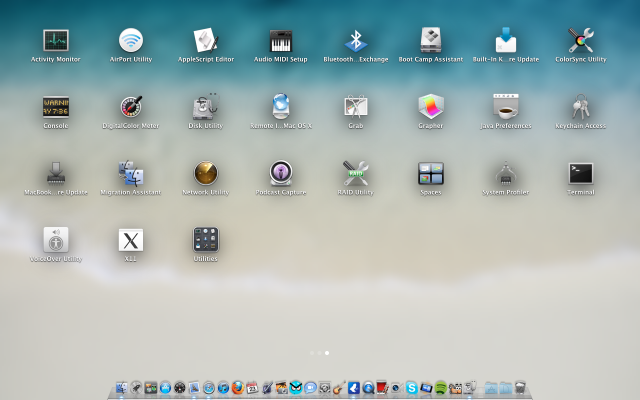
I have two of all iWork '08 apps, two of all the apps in the utilities folder and various other things. When i search for them in the finder there's only one of anything i have duplicates for in launchpad 😕
Yes, I have seen dups of a few apps, and I've noticed icons I haven't seen in quite some time or even at all...It appears that Launchpad opens folders to find icons that were otherwise hidden in folders...
I did have some icons that i KNOW i deleted ages ago but i was able to simply drag those to the trash and they were gone. I did that with quite a lot but i've been left with some that won't disappear when i do that.
When I installed Lion I noticed duplicated apps too, then I realised, whatever I had inside a folder in the applications folder was now duplicated in the root folder (apps folder). This seemed to be a problem in Launchpad, which listed the app two times.
When I installed Lion I noticed duplicated apps too, then I realised, whatever I had inside a folder in the applications folder was now duplicated in the root folder (apps folder). This seemed to be a problem in Launchpad, which listed the app two times.
My guess is that the applications "missing" from the apps folder (which were inside another folder) were installed again. I guess that the Lion installer was unable to locate the apps because they are somewhere else, so it assumed that they were missing.
All you have to do is copy the apps again to the folders where they belong, just remember to copy from the applications folder to the other folder, and not otherwise, because that way you could be replacing the Lion apps with SL apps (I think, never got to test it because I replaced them without launching those apps).
Now that's weird. My utilities were nicely tucked inside a Utilities folder, not repeating themselves outside that folder... My wife has it the same way I do and she didn't even touched Launchpad at all.