Just to check, can I use the USB stick or wireless harddisk and transfer files other than image and video to the iPad?
Eg, zip files and rar files.
Quoted:
What is the iPocket

Drive (iPD)? The iPocket
Drive (iPD) allows you to quickly and safely move all your movies, music, documents, and most files from any device to any device with ease. Get rid of those annoying: "Storage is Full" messages. With the iPD, you can increase the storage of your iPhone, Android, iPad, tablet, PC, or MAC up to 128GB. The iPocket
Drive has many different names for its' use: USB, flash drive, or memory card, but it all works the same. There is no need for cellular data, the internet, wireless networks, or Cloud access when using the iPD. In addition, the iPD allows you to conserve space on all your devices while also saving you money!
That's just one.
I'm assuming that if direct file access is not available in a particular app like say garage band files or something you would still be able to select share and open in a different app. I can do this now with file explorer. So you'd open it that way in the drive own app and the save it where you want. To open the file you'd just navigate the drive and open with... and select the right app or double tap and I imagine it would know anyway. In fact I imagine all of the file transfers are done through the companion app but that's no biggie. It's just a file explorer for the USB drive essentially.
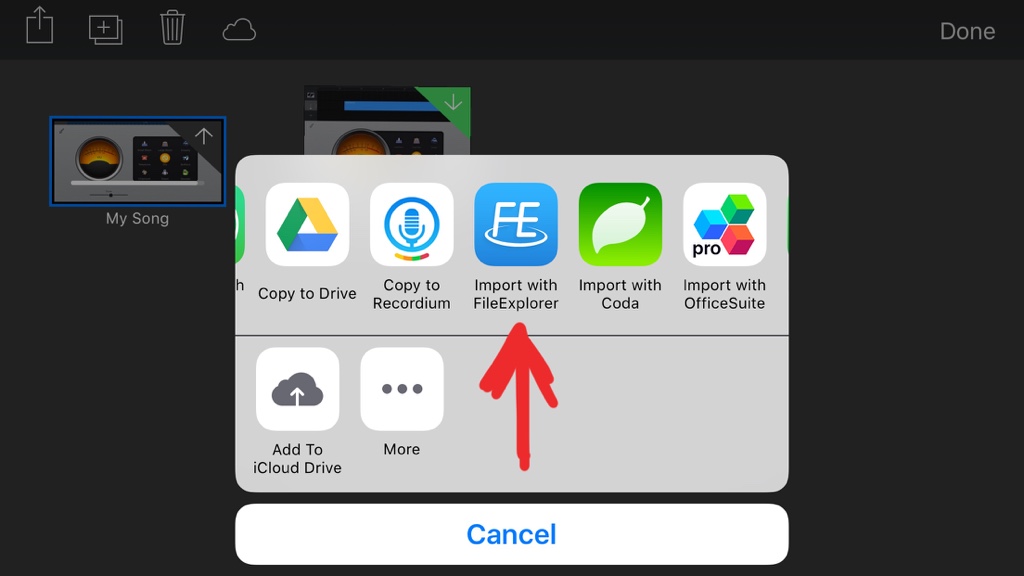
So I don't have a USB stick but I tested it with file explorer and I can successfully export just about any file to file explorer which has its own on device documents folder. I assume exporting to the USB stick own companion app would be just as easy. Once saved in the new location in file explorer local i can open it again easily from there. So yes it should work with any file type as long as the app has share option. All of apple apps do and most office apps as well. See the pics for how I did it:
First select share and then open in. Then select the app for the USB stick or a generic file explorer like I did where you can then move it around wherever you want. This was just with garage band but I tested with other file types too.
I assume importing files from the stick would be even easier. Just open the USB stick's app and then find the zip file and then same thing file share open in... then select an unzip app (is there one?) or you can open in file explorer etc and save locally in file explorers directory as the zip file.



 Drive (iPD)? The iPocket