Hmm…I’ll take a look. Thanks!If you frequently split screen certain apps, you could create shortcuts.
Yes, the menu bar is an option as well. The menu bar also shows the keyboard shortcuts. There are no gestures though...at least not touch-based ones...not sure about trackpad/mouse gestures.Is [Menu bar] > Window > Full Screen Tile > Left / Right not an option for either of the settings? There's probably a gestured way to do it, but this method works on macOS.
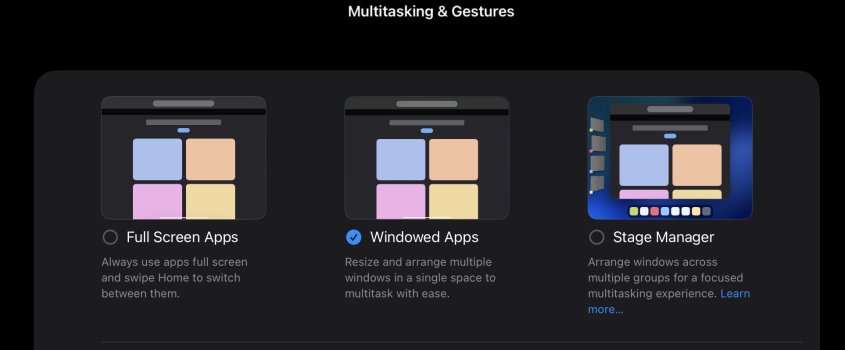
I think that is the best way. And, given that is an option, I can’t see any reason to expect a return of Split View. I’m not a fan of windowed apps, rarely use it, but if you want to Split View another app, the option does exist. As others have mentioned, there is a shortcut for this that you can create if you tend to split the same two apps regularly. That’s always another option. It does bug me that holding down the cmd or globe keys no longer brings up the menu of available key combos. That was the simplest and easiest method, just a one key press. If you try to find combos by using the menu bar tabs, it’s a several step method that is tedious.Here's another way I've just discovered (and probably the best method). Tap and hold the traffic light buttons for quick access to the tiling/split screen options.
View attachment 2542468
Ohh I will try that. Thanks!Here's another way I've just discovered (and probably the best method). Tap and hold the traffic light buttons for quick access to the tiling/split screen options.
View attachment 2542468
I like the multitasking. If they couldn’t include Split View and Slide Over then at least keep it in the single window option.Sadly you are a victim of the whingers.
(I think you have posted in iOS not iPadOS forum but hey..)
Original iPad - split screen and slide over - all people do is whine about it not being windowed multitasking.
Stage manager - An attempt to give windowed multitasking and yet people whine its not like MacOS's windows.
iPadOS26 - the whines have won - quite spectacularly Apple implements multitasking for ALL including other iPads where it was seemingly impossible without the M chip (turns out its not so impossible anymore)... But theres a sacrifice and thats the old split screen and slide over.
Im surprised they kept stage manager as an option but the original paradigm seems lost to time now.

Similar to macOS if y’all used your iPad together with your Mac.Here's another way I've just discovered (and probably the best method). Tap and hold the traffic light buttons for quick access to the tiling/split screen options.
View attachment 2542468