

Apple has tested at least two unreleased game controllers, according to code briefly included in macOS 26.7.
The first release candidate contained substantial support for two devices identified as
In short, macOS 26.7 included customer-facing support for these controllers, not hidden behind internal-build gates. If one of the unreleased controllers connected to a Mac running the RC, the OS could expose the controls to games. The entire stack was then removed in the second release candidate.
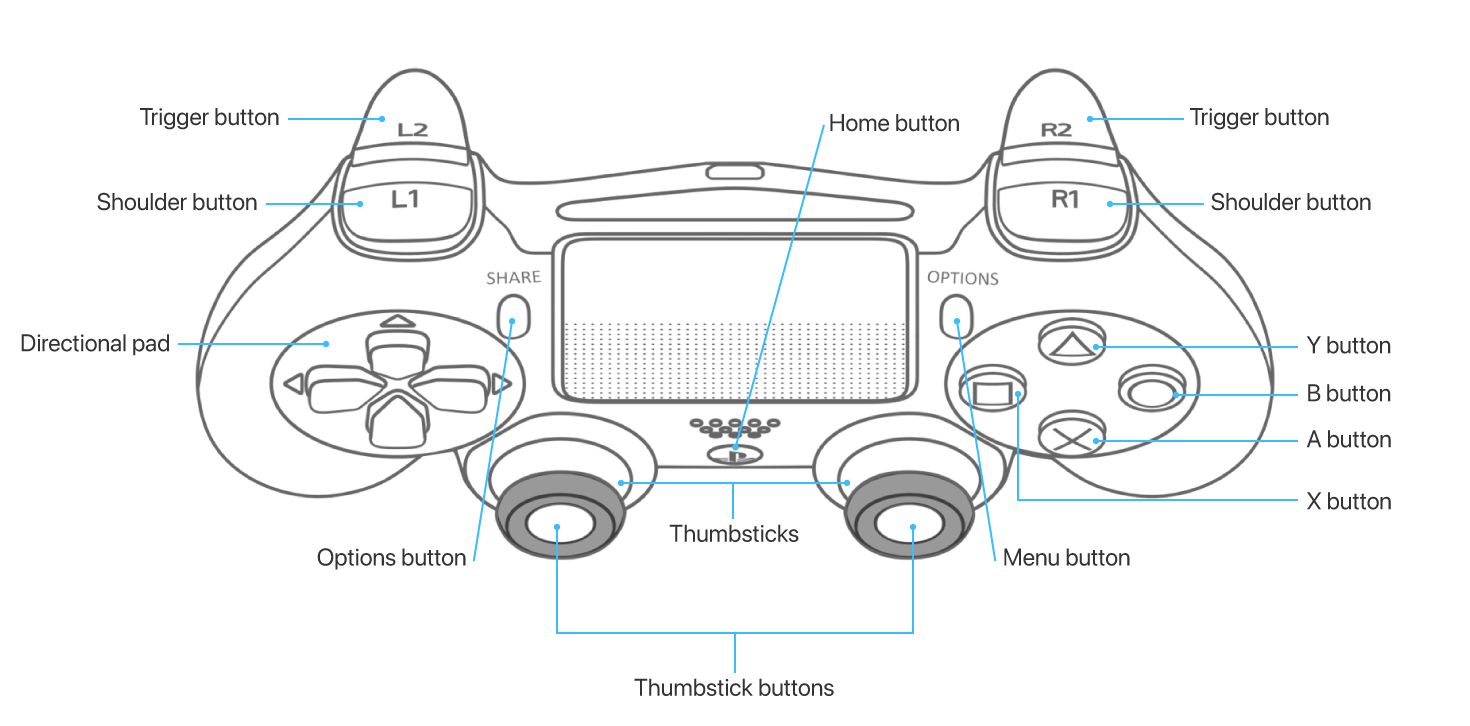
Image source: Apple
Here’s a comparison between the two controllers:
Read below for more details.
T6502 has no motion sensors and provides no motion input through Apple’s
The accompanying GameController profile shows that the controller identifies itself as an Apple USB device (
The haptics configuration is identical to the Pro Controller for Nintendo Switch, meaning that both controllers address the same two physical regions. Apple’s controller doesn’t necessarily look like the Pro Controller, or that they use the same motors. Sony’s DualShock and Apple’s generic
These channels do not correspond to different addressable physical motors. Games still see only the left-handle and right-handle localities. Instead, macOS compares the normal and synthetic request traffic for each side. It selects whichever has a stronger amplitude and passes that request to the physical controller. This system is built to manage longer vibration requests, as short-lived haptic effects take priority as they come in.
The purpose of this system is likely to let two software haptic request channels share the same physical actuator. That way, game feedback can be lined up over the normal channel, and system effects can add requests on the synthetic channel without worrying about timing, physical distortion or clipping.
No other controller in macOS 26.7 or macOS 27 uses synthetic haptic channels.
Its profile exposes the same face buttons, D-pad, thumbsticks with stick click, shoulder buttons, and analog triggers as T6502. It has Home and Menu buttons, but no Options button.
Interestingly, T1057 can identify itself as an Apple USB device (
The macOS hardware plugin supporting T1057 input enumerates acceleration and gyroscope readings on the X, Y, and Z axes.
T1057’s plugin doesn’t assume that all controllers that identify themselves as T1057 support the same list of haptic effects. Instead, the plugin parses the controller’s advertised waveform and duration list into standardized rumble-, buzz-, and click-like waveforms.
This implementation uses the Haptics Page (
The first release candidate contained substantial support for two devices identified as
T6502 and T1057. macOS added software for recognizing the hardware, reading input from controls and sensors, and sending commands to the controllers’ vibration system. The same T6502 and T1057 profiles also appeared in macOS’s iOSSupport copy of GameController, which is used by compatible iPhone and iPad apps running on a Mac.In short, macOS 26.7 included customer-facing support for these controllers, not hidden behind internal-build gates. If one of the unreleased controllers connected to a Mac running the RC, the OS could expose the controls to games. The entire stack was then removed in the second release candidate.
T6502 and T1057 are game controllers
Both devices identify themselves to the Game Controller framework as “Made For iPhone" extended gamepads. This is the standard category for modern game controllers. According to Apple, the extended gamepad controller profile “represents a physical or virtual controller with the following input elements”:- Two shoulder buttons
- Two trigger buttons
- Four face buttons in a diamond pattern
- One directional pad
- Two thumbsticks with optional thumbstick buttons
- Optional Home and Options buttons
- A Menu button
Image source: Apple
Here’s a comparison between the two controllers:
Feature | T6502 | T1057 |
| Main controls | A, B, X, and Y; D-pad; two clickable thumbsticks; shoulder buttons; analog triggers | Same |
| Center buttons | Home, Menu, and Options | Home and Menu |
| Connectivity | Apple USB | Apple USB, Apple Bluetooth, Beats USB |
| Motion input | None | Accelerometer and gyroscope |
| Haptic localities | Left and right handles | One whole-controller actuator |
| Haptic innovation | Normal and Synthetic software channels | OS discovers built-in click, buzz, and rumble effects from the device |
Read below for more details.
T6502
T6502 has the more conventional design out of the two uncovered devices. Its profile describes a game controller with face buttons, D-pad, two thumbsticks with stick click, shoulder buttons, analog triggers, and Home, Menu and Options buttons.T6502 has no motion sensors and provides no motion input through Apple’s
GCMotion interface. The controller has no exposed input from a capacitive surface for swipes, rear buttons, speakers, microphones, or more advanced controller features.The accompanying GameController profile shows that the controller identifies itself as an Apple USB device (
0x05ac:0x0422). There is no accompanying Bluetooth option based on the recovered profile.Haptic system
T6502’s haptic actuators system is divided into left-handle and right-handle localities. T6502 does not have left/right trigger-localized feedback like newer controllers.The haptics configuration is identical to the Pro Controller for Nintendo Switch, meaning that both controllers address the same two physical regions. Apple’s controller doesn’t necessarily look like the Pro Controller, or that they use the same motors. Sony’s DualShock and Apple’s generic
TwoHandle profiles expose the same left/right handle regions, but use a different private actuator type.Special synthetic haptic channels
Apple is innovating in haptic design with T6502 by creating four separate haptic channels in software: Left, Left (Synthetic), Right, and Right (Synthetic).These channels do not correspond to different addressable physical motors. Games still see only the left-handle and right-handle localities. Instead, macOS compares the normal and synthetic request traffic for each side. It selects whichever has a stronger amplitude and passes that request to the physical controller. This system is built to manage longer vibration requests, as short-lived haptic effects take priority as they come in.
The purpose of this system is likely to let two software haptic request channels share the same physical actuator. That way, game feedback can be lined up over the normal channel, and system effects can add requests on the synthetic channel without worrying about timing, physical distortion or clipping.
No other controller in macOS 26.7 or macOS 27 uses synthetic haptic channels.
T1057
Apple’s other controller, T1057, has similar inputs, but distinct motion and haptic design.Its profile exposes the same face buttons, D-pad, thumbsticks with stick click, shoulder buttons, and analog triggers as T6502. It has Home and Menu buttons, but no Options button.
Interestingly, T1057 can identify itself as an Apple USB device (
0x05ac:0x7001), Apple Bluetooth device (0x004c:0x7001), or Beats USB device (0x290b:0x5000).The macOS hardware plugin supporting T1057 input enumerates acceleration and gyroscope readings on the X, Y, and Z axes.
Dynamically discovered haptic effects
First, unlike T6502, T1057 doesn’t divide haptic feedback into left and right localities. Instead, the controller exposes one addressable Actuator motor.T1057’s plugin doesn’t assume that all controllers that identify themselves as T1057 support the same list of haptic effects. Instead, the plugin parses the controller’s advertised waveform and duration list into standardized rumble-, buzz-, and click-like waveforms.
This implementation uses the Haptics Page (
0x0E) from the USB HID Simple Haptic Controller standard, but T1057 is the only supported controller that employs this approach in macOS 26.7 or macOS 27. This could point to experimental hardware with supported haptic effects that frequently change between revisions.The following links are pinned to the exact ipsw-diffs revision used for this post:
- T1057 and T6502 service plug-ins added in macOS 26.7 RC1
- T1057 profile added to GameController with motion and haptic support
- T6502 profile added to GameController with haptic support
- Controller classes, device-matching code, and haptic-resource names added in RC1
- Both dedicated service plug-ins removed in macOS 26.7 RC2
- Controller profiles, matchers, and resource names removed from GameController in RC2