
By looking at my attached image, how can I arrange mailbox folders to be in a certain position?
For example, under the Gmail mailbox folders, is there any way to move the Drafts folder to the bottom of the list and replace that position to be the Sent folder? Or moving the Trash folder just below the Sent folder?
I know you can do this on the Outlook app on Windows but I don’t know about doing this on the Mail app for iOS 16.
I tried long tapping the Drafts folder and then tried dragging it down but was not able to do that.
I’m guessing that this is by design.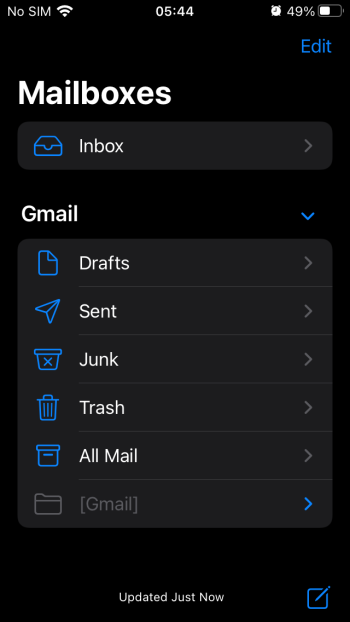
For example, under the Gmail mailbox folders, is there any way to move the Drafts folder to the bottom of the list and replace that position to be the Sent folder? Or moving the Trash folder just below the Sent folder?
I know you can do this on the Outlook app on Windows but I don’t know about doing this on the Mail app for iOS 16.
I tried long tapping the Drafts folder and then tried dragging it down but was not able to do that.
I’m guessing that this is by design.
Last edited:
