

For the sake of testing (with SIP en/disabled) my key back-up application, I installed OS X 10.11.3 (15D21) onto an internal HDD. Installation of both the OS and Back-up application went flawless!
BUT!!! After rebooting into OS X 10.10.5 (still my main OS version) I ran across an issue with the Apple Mail (AM) application. I can't seem to figure out why, after opening AM in OS X 10.11.3 too, all colour flagged emails are still flagged, but not showing in the red/orange/green tags:
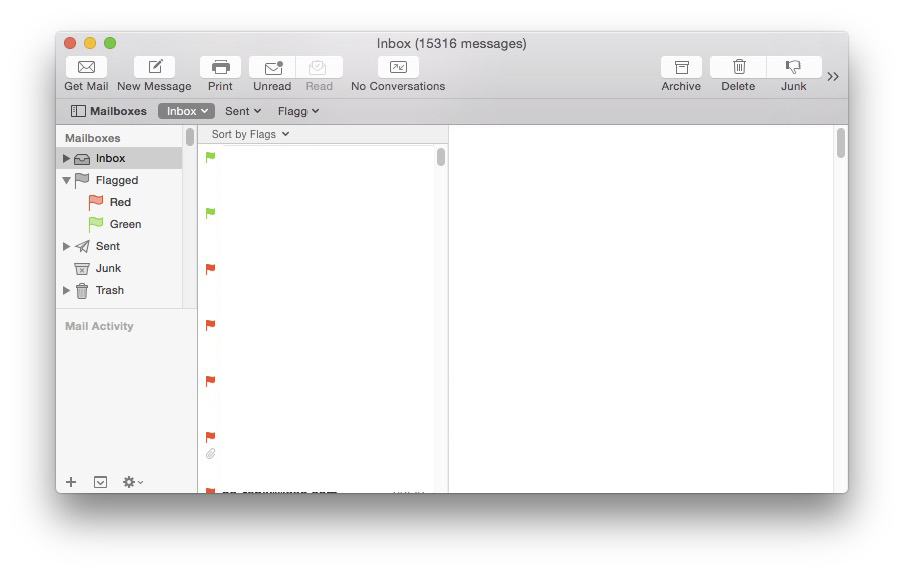
1. Inbox AM OS X 10.10.5 showing red/green flagged mails, but no amounts red/green are showing:
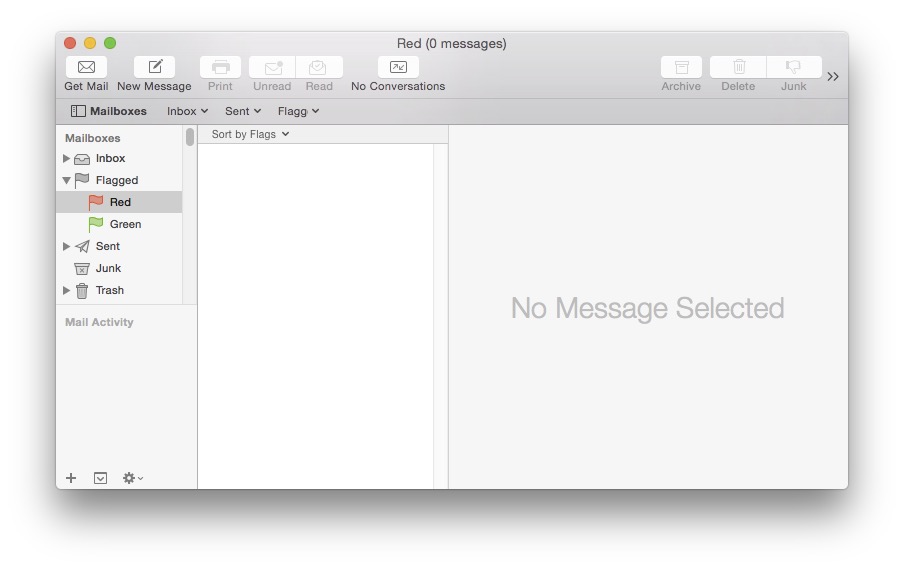
When selecting the red flagged tag:
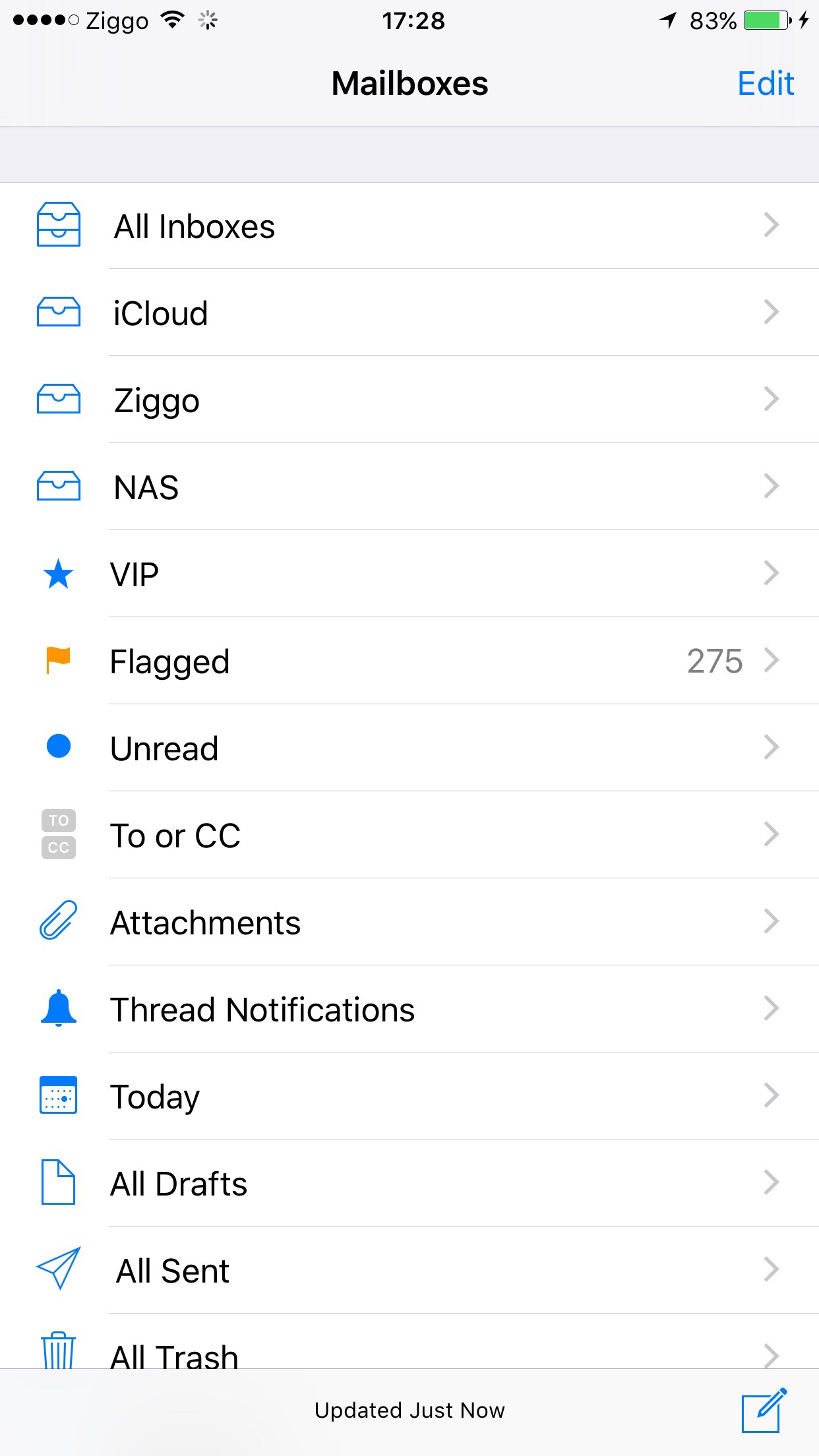
Still the syncing with my iPhone goes well, but don't know why the only colour of all different flagged email in iOS 9 is orange. None of the other colours show on my iPhone Mail:
Did OS X, by opening AM in OS X 10.11.3, change any behaviour in OS X 10.10.5? The only troubleshooting so far is opening AM and hit "Rebuild". Directions appreciated!
Cheers
BUT!!! After rebooting into OS X 10.10.5 (still my main OS version) I ran across an issue with the Apple Mail (AM) application. I can't seem to figure out why, after opening AM in OS X 10.11.3 too, all colour flagged emails are still flagged, but not showing in the red/orange/green tags:
1. Inbox AM OS X 10.10.5 showing red/green flagged mails, but no amounts red/green are showing:
When selecting the red flagged tag:
Still the syncing with my iPhone goes well, but don't know why the only colour of all different flagged email in iOS 9 is orange. None of the other colours show on my iPhone Mail:
Did OS X, by opening AM in OS X 10.11.3, change any behaviour in OS X 10.10.5? The only troubleshooting so far is opening AM and hit "Rebuild". Directions appreciated!
Cheers