

Become a MacRumors Supporter for $50/year with no ads, ability to filter front page stories, and private forums.

MacRumors

macrumors bot
Original poster


Apple today quietly introduced updated Magic Keyboard models with revised U.S. English key labeling.
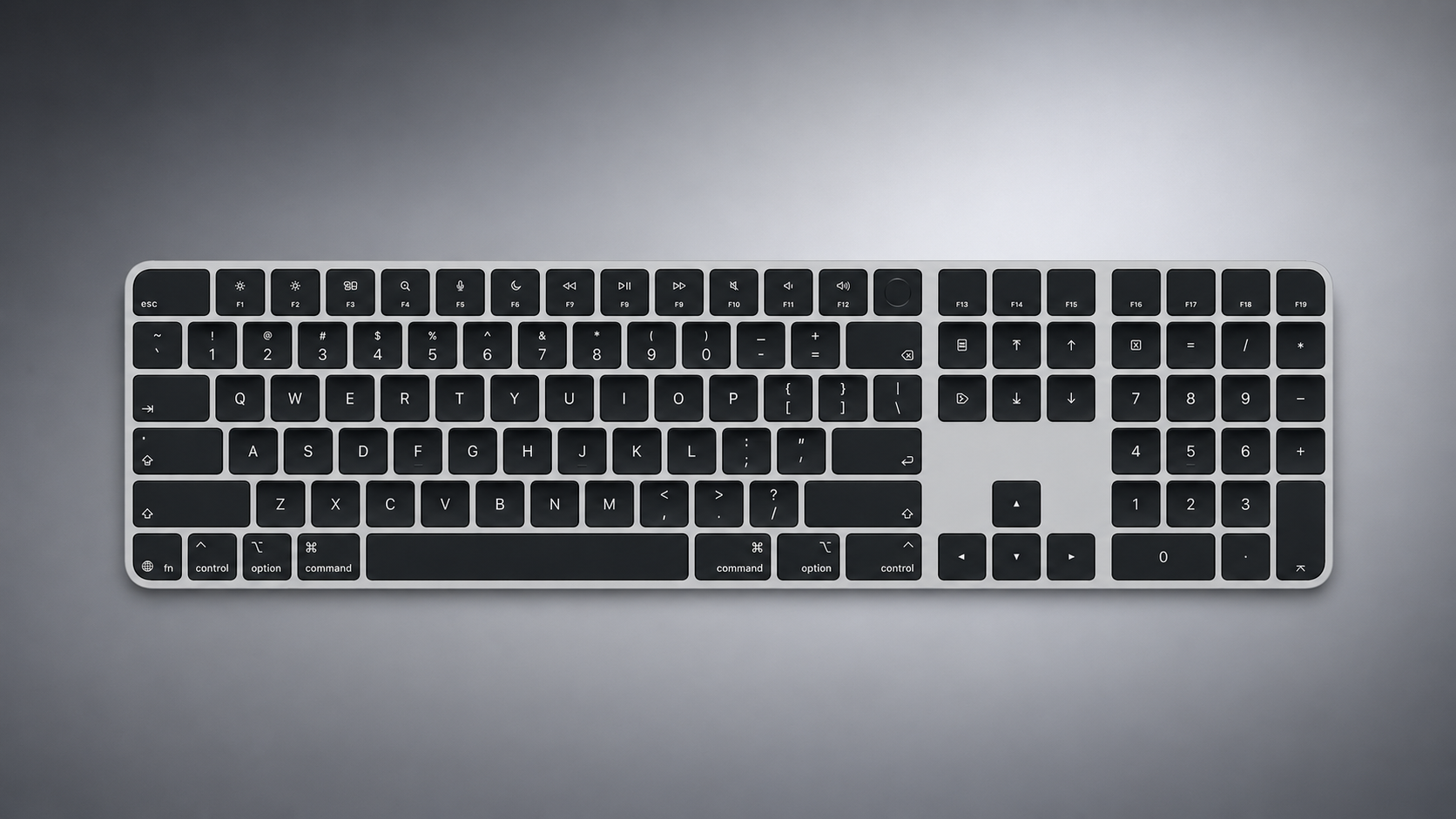
apple-magic-keyboard-with-glyphs-2026-refresh.png

On the new keyboards, the tab, caps lock, shift, return, and delete keycaps are labeled with glyphs rather than edge text. On the full-size models with a numeric keypad, the change goes further, with the home, page up, page down, end, clear, and enter keys also swapping their text labels for symbols.

Four models have been updated: the Magic Keyboard, the Magic Keyboard with Touch ID, and the Magic Keyboard with Touch ID and Numeric Keypad in both white keys and black keys.

The one U.S. English model Apple has not refreshed is the Magic Keyboard with Numeric Keypad, which lacks Touch ID and continues to use text labels on the same keys.

The change mirrors the one Apple made to its laptops earlier this year, when the new MacBook Air, MacBook Pro, and MacBook Neo adopted glyphs on the same set of keys.

Since the U.S. English layout is the default option in Canada, Australia, New Zealand, and Singapore, among other countries, the new labeling effectively extends well beyond the United States. Apple has used glyphs on its British English and other European layouts for some time, so the symbols will already be familiar to customers there.

Article Link: Apple Quietly Refreshes Magic Keyboards
 
  • Like
Reactions: m4c1n705h
How cheap. Now one keyboard to rule them all!!! This is purely a cost savings measure at the cost of a user that now needs to know what the glyphs mean ... Bad decision IMHO
 
I see some people are complaining about no backlighting. I have never found a use for backlighting, as I don't need to look at my keyboard when I type and I prefer my battery life last longer.
 
  • Haha
Reactions: Tig_one
Small changes. Anyway good that there is no change in price. Wish Apple sells the colored Magic keyboard and mouse that come with iMac separately.
 
This sure seems like a step in the wrong direction to me. Users should not be expected to know what these symbols mean. I like the bottom row that has word and symbol.
I strongly agree. The symbols are great for universal understanding across languages and for people to make the connection between the physical keys and the keyboard shortcuts that are referenced by the symbols in the menu bars and in online support documentation, but when you guide someone to troubleshoot, most users (99.9% of those needing tech support) will literally be scanning for the word you’re saying (“hold Shift and then press Delete”).
 
Thanks Apple for making everyone else look like a banger.
(From NuPhy, Logitec, Razer, ROG, IQUNIX, Malgeek and many many more...)
 
Register on MacRumors! This sidebar will go away, and you'll see fewer ads.