Become a MacRumors Supporter for $50/year with no ads, ability to filter front page stories, and private forums.

MacRumors

macrumors bot
Original poster


Apple today released Common Criteria Tools for 10.5.

According to Apple, Common Criteria is an international standard that helps to ensure the security of computer systems in a network environment. You can optimize the security of your network by bringing each system into conformance with the standard defined by Common Criteria. To do so you must ensure that the hardware and software settings of each system match the specific configuration evaluated and certified as secure by the Common Criteria specification.

Common Criteria Tools for 10.5 provides administration tools to bring a Mac OS 10.5 installation into conformance with Common Criteria.

Article Link
 
Had these before?

I'm curious just to what this does exactly. Maybe I'll download it and give ti a go on my home network despite not needing to improve my security.

-Brian
 
This is for the government. The Army decided to make 25% or greater of their new computer purchases mac. Apple is also making them a special install DVD of OSX to make sure the install of OSX is secure.
 
installed! I have no idea what it is...

yes, installed, whats next? lol

EDIT: Read the admin guide, I figure it is a ste by step setup guide how to have your system as safe as possible, safest settings. However, why do I need to install something 🙂
 
I've read the admin guide for Tiger and it was good read for security. I was already doing most of the stuff, but learned a couple tricks to make things a little more secure. One thing was the command srm (from the command line) to do secure deletes from Terminal. Not sure how that eluded me for so long.
 
The admin guide linked in the download page is so old (it's for Panther, last updated on Apr 2 2005.)
Is there a new version for Leopard ?
 
A great tool.
 

Attachments

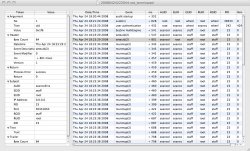
  • audit.jpg
    audit.jpg
    301.4 KB · Views: 441
Could I get someone to explain what the "Common Criteria" application did for you or allowed you to do?

I don't understand why they don't just list the recommended settings for the increased security.

Does the "Common Criteria Tools for 10.5" download give the user access to facilitate changes in security that he/she does not ordinarily have?

The description on the Apple download page, in my opinion, does not just come out and say, clearly, what the download does. To me, they have to put in a lot of effort to be that extraordinarily vague.

They do all this explaining of the history of "Common Criteria" and how the U.S. Federal Government is so security conscious and blah, blah, blah. Somehow I don't see the U.S. Federal Government navigating to that download page for anything. They just call up Apple headquarters and TELL Apple what Apple is going to do for the government.

Indeed, isn't that how the "GM DVD of OSX" came into being? I mean is Apple going to send me, an average user, a GM DVD of OSX quality install dvd? Or, better yet, just make all OSX installs GM DVD quality?

If I want to know about the history of "Common Criteria" I will go to wikipedia or somewhere. So what if the Army HAS RECENTLY DECIDED to make 25% of their new computer purchases mac. Apple fans have been making 100% of their new computer purchases mac for a lot longer than RECENTLY.

Why does that download page appear to be the place for everything EXCEPT a simple description of what the "Common Criteria Tools for 10.5" download will do for me, the average user.

 
Could I get someone to explain what the "Common Criteria" application did for you or allowed you to do?

Seems pretty straightforward, it lets you apply common security settings to workstations in a network environment. Therefore, it's probably not much use for the average user.
 
...it lets you apply common security settings to workstations in a network environment.
THANKYOU FOR RESPONDING.

Do you mean it "clones" identical security settings onto all machines which are part of the network where it is deployed?

Is that all it does or does it compare existing security settings to recommended settings, suggest better settings, and allow you to change settings through it as well?

If it does not compare existing security settings and make recommendations is it of any use on a home network of three machines or is its benefit only related to the time savings when using it to "clone" identical security settings onto all machines in a large network?


THANKYOU FOR RESPONDING.

Do you mean it "clones" identical security settings onto all machines which are part of the network where it is deployed?

Is that all it does or does it compare existing security settings to recommended settings, suggest better settings, and allow you to change settings through it as well?

If it does not compare existing security settings and make recommendations is it of any use on a home network of three machines or is its benefit only related to the time savings when using it to "clone" identical security settings onto all machines in a large network?


Yes, and more. It installs and configures a more robust auditing application, similar to BSM on Solaris. One of the largest set of security requirements that Government systems have to fulfill are for auditing.

It also sets password policies - complexity, aging, lockouts, etc. If you read the admin guide, you will get all the answers you are looking for.
 
Register on MacRumors! This sidebar will go away, and you'll see fewer ads.