Become a MacRumors Supporter for $50/year with no ads, ability to filter front page stories, and private forums.
did they change the volume and brightness back or make it trans? please report back


also the hdd icon which is SO old!

Yea the volume and brightness is translucent again. However it still doesn't play an audio hint of the present volume as it's changed.
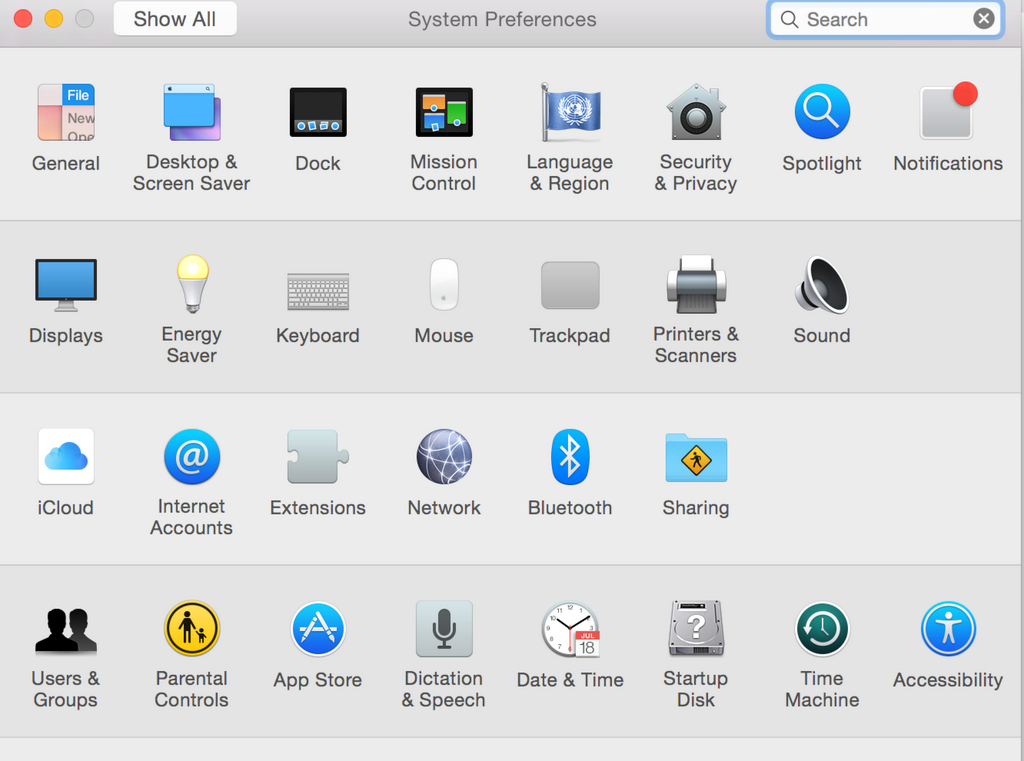
 
New control panel/sys prefs icons.

BvVm0MaCQAAxjst.png:large

Sadly, not a fan of the new changes. Some of their old icons (i.e. General, light bulb, extensions) were pretty decent. Oh well, I'm over it. I probably won't notice it after today anyway. 😱
 
Question...if I download the Developer Preview installer from the App Store, will that allow me to install DP1, or DP6? I was previously registered as a dev, had to reformat my Mac and went with the PB. But I'd like to upgrade to DP6 if possible...

Basically, will it want to install DP1, or DP6?
 
They also tweaked the Spotlight window. Pressing command now shows a dark mode style path bar at the bottom.
 

Attachments

  • Screen Shot 2014-08-18 at 10.47.25 AM.png
    Screen Shot 2014-08-18 at 10.47.25 AM.png
    338.4 KB · Views: 315
[MOD NOTE]
Do not ask for a direct link as it violates the rules. Discuss the developer preview if you have it, or the changes it brings to the table. Asking for a way to access the beta is not permitted.
 
Question...if I download the Developer Preview installer from the App Store, will that allow me to install DP1, or DP6? I was previously registered as a dev, had to reformat my Mac and went with the PB. But I'd like to upgrade to DP6 if possible...

Basically, will it want to install DP1, or DP6?

DP6. If you are a dev you can get a direct link for DP2 but I don't know if it will work on DP6. See the developers forums for a link.
 
Register on MacRumors! This sidebar will go away, and you'll see fewer ads.