Become a MacRumors Supporter for $50/year with no ads, ability to filter front page stories, and private forums.
However, if you want long-term digital preservation, you need to occasionally migrate data and create redundancy. This takes time and is a pain to do, but it's necessary for reliable archiving.
Yep. HFS non-plus to HFS+ to EXT4. The file formats were the real challenge. Pict to PNG needed an obsolete intermediary, and Word or 1989 to Word 98 to Word 2011 to Libreoffice was a bit involved. Formatting was completely messed up, but the text was still there and that was the important part.

I got burned once by encryption that could only be undone on the computer that had encrypted it, so I never did that again.
 
APFS isn't great for spinning disks.

I guess if you have an assortment of encrypted hard drives sitting in cold storage, Apple now wants you to decrypt them so anyone can connect to them, or upgrade them to expensive SSDs that will then sit in storage.
and SSDs are bad for offline storage too. leave them without power long enough and they get angryface
 
So yes, it's important to preserve access and provide migration paths, but “old data exists on HFS+” is not a strong argument for continuing to use HFS+ as a serious long-term backup format.
This I do agree with, and I will stress that I believe continued support for HFS+ should be in a read-only format. 2040 is close enough that it's time to wean off. I suppose also a better analogy for my argument would've been the preservation of old tapes, like what happened with the BBC and Doctor Who. They destroyed a bunch of tapes not thinking they'd mean anything, though the tapes themselves would certainly require a level of care to maintain over time, which is part of why they destroyed them. Certainly the data must be kept fresh and maintained, but if this is not being done at the moment, access should be available to those who need it.

The worry for me comes from Apple's traditional policy of dropping these things 100% in a clean sweep, though maybe they are slowly moving away from that model as they are beginning to provide more advance notice of things, or in the case of Rosetta 2 where unlike the first time they are retaining certain libraries for some programs.
 
Yep. HFS non-plus to HFS+ to EXT4. The file formats were the real challenge. Pict to PNG needed an obsolete intermediary, and Word or 1989 to Word 98 to Word 2011 to Libreoffice was a bit involved. Formatting was completely messed up, but the text was still there and that was the important part.

I got burned once by encryption that could only be undone on the computer that had encrypted it, so I never did that again.
What about keeping the OG formats and just having a VM on the side to run supported software?
 
All my spinners 2,4,6 terabytes are fully encrypted with the better hfs+ format. One holds my Time Machine backups…


Luckily, I’m still on Sonoma, will stay on Sonoma until absolutely no other choice.
 
This seems like Apple's next step in destroying Time Machine as a backup solution. All my family have multiple Time Machine backups on encrypted HFS+ USB drives dating from 2009 (when I got my first Mac) or 2014 (when my parents moved to Mac). As I understand it
  • We will no long be able to read any of these backup disks from MacOS28
  • There is no option to decrypt the drives and use them unencrypted (as they are Time Machine drives)
  • There is no option to transfer the backups to APFS formatted drives
Basically, the option is to format the drives and start again with APFS - essentially, 17 years of backups for me (12 years for my parents) are gone...

Combine this with dropping Time Machine backups over AFP (thus cutting off Time Capsules and a lot of NAS drives and USB drives connected to routers) and it seems clear that Apple doesn't care about people's historic backups.
 
Last edited:
All my spinners 2,4,6 terabytes are fully encrypted with the better hfs+ format. One holds my Time Machine backups…


Luckily, I’m still on Sonoma, will stay on Sonoma until absolutely no other choice.

That's September if you still want to use Microsoft Office, which only supports the current OS, plus the two before that.
 
  • Like
Reactions: tICM
LOL what?

Security through obscurity. Apple won't release all the details of the M-series processors. The developers have to reverse engineer everything.

See the support list? What chips are not listed? Something changed with M3 and that is not supported nor is M4 or M5.


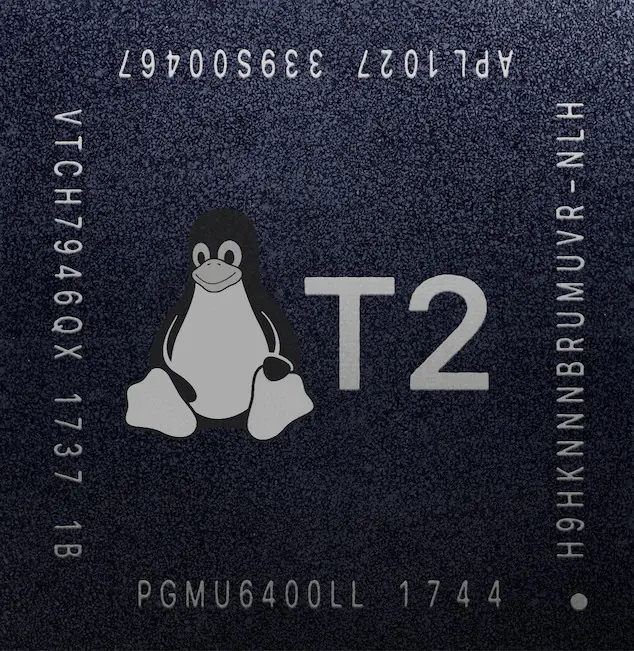
Same thing for the now obsolete T2 chip; Apple is still keeping the details secret.


"Using Linux on a T2 Mac comes with compromises as well as advantages compared to macOS. You will need to decide for yourself if it is worth it."

Intel Macs without T2 chips run standard Linux distros just fine.

In my opinion once Apple quits selling a chip family they should release the full documentation. But they want you to buy a new Mac not keep the old one running Linux (or Windows for that matter).
 
I begrudgingly converted my backup HDDs a few years ago. I recall trying to format one of the drives and re-encrypt but Apple removed the functionality, I think Bug Sur or Monterey had the Encrypted HFS+ option removed from Disk Utility (and Terminal). So I used a bootable Mojave USB to boot into Mojave and format the HDD. But realized that’s not a long term solution and caved in and formatted all my external HDDs APFS. Now I mainly use a USB-C 4TB NVMe drive for Time Machine and random backups. I keep longer term backups and archives on the HDDs.
 
So prevent the creation of new ones. The issue is that anyone who has a random hard drive will be denied their data due to an arbitrary reason. Data accessibility is basically the paramount tool for computing, across all computer types.
Eh, they’re giving a rather long term heads up

The bigger annoyance is more that for folks who have data they want access to but isnt important enough to maintain a backup of they now need to go buy a drive to use to swap over since there’s no, to my knowledge, non-destructive way to reformat from HFS+ to APFS.

And hard drive and ssd prices are both insane right now
 
  • Like
Reactions: baconcat_8964
Big facts. Some poor dude is gonna plug in their old encrypted backup drive to restore some critical files one day, and they're gonna be in a whole lot of hurt because of this.

If this is just Apple assuming nobody needs this anymore and they don't want to bother maintaining it, they're making a mistake.
Especially when the computer will probably just say the drive is unrecognizable and suggest formatting it without any idea of what’s on it. Take it to a PC, and you’ll get the same message. You'll just think the drive is toast. I know plenty of commercial photographers and videographers who archive projects on drives stored in media cabinets, and if the client is important enough, they get a copy too. Encrypted or not? Who knows. I always encrypt mine. Most of my recent stuff is APFS, but years ago it was all HFS+.I don’t usually go through old drives, but every now and then someone needs something, so I have to dig one out. I’m not looking forward to checking them one by one and then sitting through a conversion process if it’s needed.
 
Makes sense. My old timemachine backup on HFS+ broke on the last OS upgrade. It wouldn’t complete a backup. Tried all kinds of tests on the drive and such. Turns out reformatting to APFS and starting over resolved all the issues.
 
  • Like
Reactions: zapmymac
Eh, they’re giving a rather long term heads up

The bigger annoyance is more that for folks who have data they want access to but isnt important enough to maintain a backup of they now need to go buy a drive to use to swap over since there’s no, to my knowledge, non-destructive way to reformat from HFS+ to APFS.

And hard drive and ssd prices are both insane right now

You can convert in place from HFS+ to APFS, but you’ll need to decrypt the entire drive first. Depending on the size of the drive, it can take days.
 
  • Like
Reactions: zapmymac and seek3r
Or: An older, well used, well documented, trusted file system that works well with HDs which are far cheaper and more economical for mass storage, is being removed in favor of an undocumented, backwards-incompatible, hard-to-clone filesystem designed for SSDs which dangles nice features, like snapshotting, behind proprietary and inaccessible APIs.

I'd be more interested in APFS if I could just manage my own snapshots, yet Apple tells me I'm not allowed to manage my own hardware like that, I have to pay $100/year just to be rejected for an "entitlement" to use my own hardware.
Seems like you would be much happier using a Windows based PC. Have a good one bub
 
Register on MacRumors! This sidebar will go away, and you'll see fewer ads.