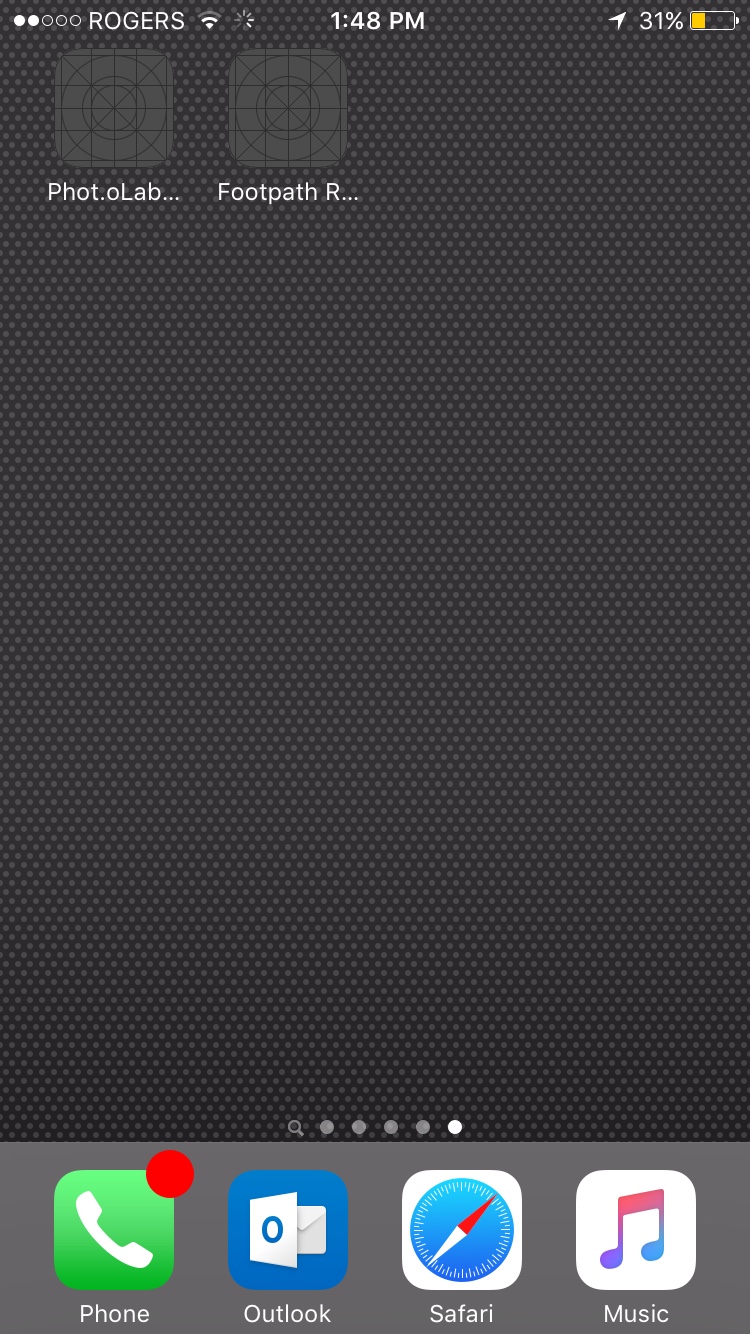
mrgreeneyes macrumors 6502a Original poster Dec 27, 2015 #1 I have 2 apps that will not install or delete. How do j get rid of them? Thanks
Armen macrumors 604 Dec 27, 2015 #2 mrgreeneyes said: I have 2 apps that will not install or delete. How do j get rid of them? Thanks Click to expand... Try restarting tour phone yet?
mrgreeneyes said: I have 2 apps that will not install or delete. How do j get rid of them? Thanks Click to expand... Try restarting tour phone yet?
JamesMB macrumors 68000 Dec 28, 2015 #3 Go to Settings/General/Storage & iCloud Usage/Storage (local)/Manage Storage....Select the app...select "delete app".
Go to Settings/General/Storage & iCloud Usage/Storage (local)/Manage Storage....Select the app...select "delete app".
Shawzborne macrumors 6502a Dec 29, 2015 #4 Apps Stuck Installing > iOS 9.1 iPhone 6 and iPad Air 2 https://forums.macrumors.com/index....ng->-iOS-9.1-iPhone-6-and-iPad-Air-2.1935869/
Apps Stuck Installing > iOS 9.1 iPhone 6 and iPad Air 2 https://forums.macrumors.com/index....ng->-iOS-9.1-iPhone-6-and-iPad-Air-2.1935869/
mrgreeneyes macrumors 6502a Original poster Jan 1, 2016 #5 JamesMB said: Go to Settings/General/Storage & iCloud Usage/Storage (local)/Manage Storage....Select the app...select "delete app". Click to expand... The apps don't show up in the storage screen
JamesMB said: Go to Settings/General/Storage & iCloud Usage/Storage (local)/Manage Storage....Select the app...select "delete app". Click to expand... The apps don't show up in the storage screen