
Hello everyone,
Umm..I just got my ATI X1900 XT today. Man! It's a huge card. I have a hard time trying to get it to fit. But anyway, as I install on slot 2 Expansion Slot Ultility launch stating that it's not running at it Maximum performance. So I shutdown the Computer and install it onto slot one to get the Maximum performance. But I'm a bit concern because putting in in slot 1 making the graphic card a really tight fit on the corner. It actually touching the Superdrive slot. I'm worry that installing in this slot is not good on the Graphic Card and it easierly overheated.
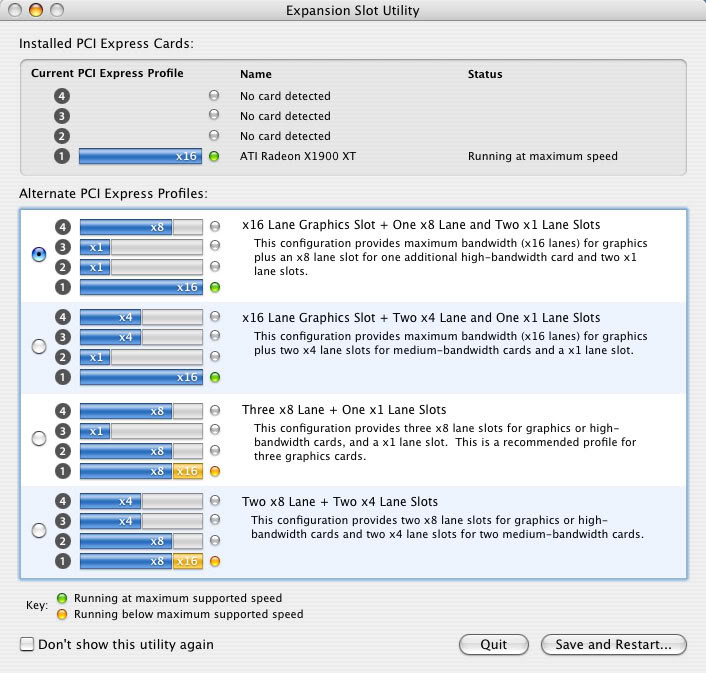
Here is the picture of the Expansion Slot Ultility launch, do you think choice 1 is better or choice 2?
Umm..I just got my ATI X1900 XT today. Man! It's a huge card. I have a hard time trying to get it to fit. But anyway, as I install on slot 2 Expansion Slot Ultility launch stating that it's not running at it Maximum performance. So I shutdown the Computer and install it onto slot one to get the Maximum performance. But I'm a bit concern because putting in in slot 1 making the graphic card a really tight fit on the corner. It actually touching the Superdrive slot. I'm worry that installing in this slot is not good on the Graphic Card and it easierly overheated.
Here is the picture of the Expansion Slot Ultility launch, do you think choice 1 is better or choice 2?

