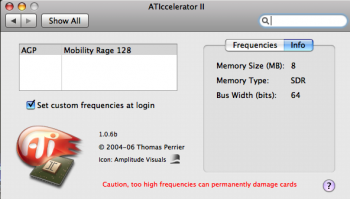
Apologies if this has been covered before, but how high can I push ATIaccelerator on a Pismo with the 8mb Rage 128 graphics?
Currently I'm running it 20% higher with no problems, and apparently 2-3 frames per second gain.
Apologies if this has been covered before, but how high can I push ATIaccelerator on a Pismo with the 8mb Rage 128 graphics?
Currently I'm running it 20% higher with no problems, and apparently 2-3 frames per second gain.
I deal with this on my clamshell, which features the same video card and LCD specs (1024x768).
Quite plainly, when setting it, I pay very close attention to the screen itself (it helps when you use a flat grey desktop for this) and watch for the appearance of any “artifacting”.
I also open a music video clip (360p usually) in QuickTime 7 and run it whilst also paying close attention to Dock icons, desktop icons, and the Dock tray dropping in/off the screen edge. I adjust as high as both overclocking the GPU and the VRAM will allow before that said artifacting begins to appear. From there, I move the sliders both down a notch.
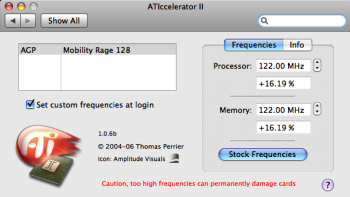
Presently, with the clamshell, I’m running 16.19% for both settings (122.00MHz). It’s not a stupendous overclock, but I’d rather keep it running smooth for the long haul.
I actually forgot that I used to use this tool on a headless G4 mini to down-clock the 9200 by about 95%, and it lowered power consumption and heat by a lot. So it's a good option for headless machines with non-removable GPU to lower power use.