
Become a MacRumors Supporter for $50/year with no ads, ability to filter front page stories, and private forums.

jambi

macrumors newbie
Original poster
Is there any way I can enable monitoring of my Macbook's line-in port without having to open Garageband or whatever? I want to run my electric piano into the line-in, so to hear both it and a metronome widget through headphones. I don't need to record or anything.

I just want to be able to practise with a metronome without waking the wife.
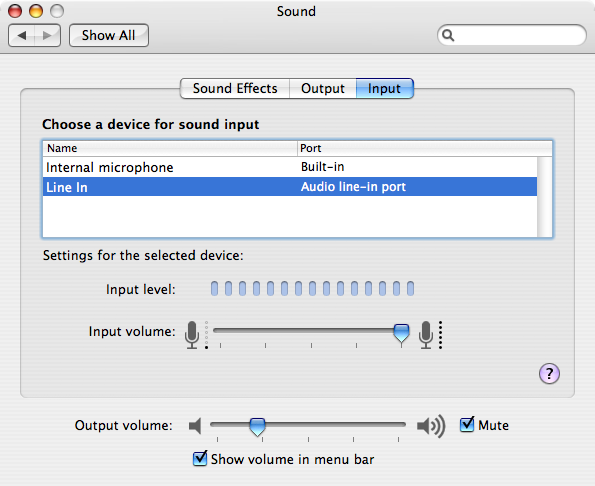
 
Go to System Preferences - and click on Sound.

pic2.png
 
Get some headphone splitter cables and/or a small mixer.

Even with an audio app open, there will be some latency as the sound is digitized into the Mac, and then reconverted to analog and output.
 
Thanks for the advice.

I have switched my preferences to "line-in port," and I can set the input level so it's not clipping, that's no problem.

My issue is that I just want to be able to "eavesdrop" on the analog signal that's being sent to the analog line in, without starting Garageband or iMovie. Windows does this natively--you select the checkbox under the input, and it monitors the chosen input through your headphones or speakers.
 
try installing this little recording app, and just set it to "rec pause"

and you should start hearing your input.

pretty sure there is no way to do it without some type of app, and that one is the tinyest
 
Register on MacRumors! This sidebar will go away, and you'll see fewer ads.