Got a tip for us?
Let us know
Become a MacRumors Supporter for $50/year with no ads, ability to filter front page stories, and private forums.
AUGUST DESKTOPS!
- Thread starter JosiahPB
- Start date
- Sort by reaction score
You are using an out of date browser. It may not display this or other websites correctly.
You should upgrade or use an alternative browser.
You should upgrade or use an alternative browser.

goodtimes5
macrumors 6502a
knicksfan58 said:guys how do you make the background of the dock transparent
cleardock....

sandmann41
macrumors regular




Superdrive
macrumors 6502a

stoid
macrumors 601
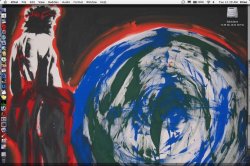
A work by Mike Lewis a.k.a. the Jesus Painter. This is a picture of a work he did live at the National Youth Gathering in Orlando, Florida.
Attachments

Kingsnapped
macrumors 6502a
Click for bigness.

I'm pathetic. A month away from college, and I just can't change that shot from the last morning of HS.
...sigh.

I'm pathetic. A month away from college, and I just can't change that shot from the last morning of HS.
...sigh.

web_god61
macrumors regular

Emerson
macrumors member
MrSugar said:If you mean those 4 icons that have different pics in circles. Those are my quick access menus. One goes to my music folder, one to my apps folder, one to the documents folder, and the last one is a Jump menu.. which looks like this!
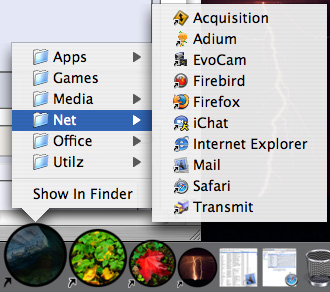
not as cool as multiple desktops, but hey
How do you get or make those quick access menu's? Thanks

abhishekit
macrumors 65816
Just drag any folder you want access to, in the dock besides the trash. And I guess he is using different icons for those folders.Emerson said:How do you get or make those quick access menu's? Thanks
cheers




theimacguy
macrumors regular





MacFan26
macrumors 65816
jdogg707 said:How do you guys get the cool icons for the Hard Drives and iPods? And once you get them how do you install them? Much thanks from a recent switcher!
You can find icons from places like http://www.xicons.com or http://www.iconfactory.com To install them, choose "Get Info" from the actual icon, then copy the image. Then do "Get Info" on any of your drives, etc. and you can copy and paste the icon. (if that makes sense 😱 )

jimjiminyjim
macrumors 6502


djbahdow01
macrumors 6502a
TDM21 said:

Thats the same one that i got except its on XP, still waiting for my D2.5 to ship.