
Beautiful and simple, this is Skype built especially for the iPad. Call, video call, or instant message anyone on Skype. Plus, if you add a little Skype Credit, call landines and mobiles at really low rates.
Many people want to know how you backup Skype texting history, recorded voice and contacts. Now heres a brief tutorial:
You Need:
» iPad
» i-FunBox (Official download site: www.i-funbox.com )
» SQLite Database Viewer
Steps:
Open iFunBox
Click User Applications, then Skype
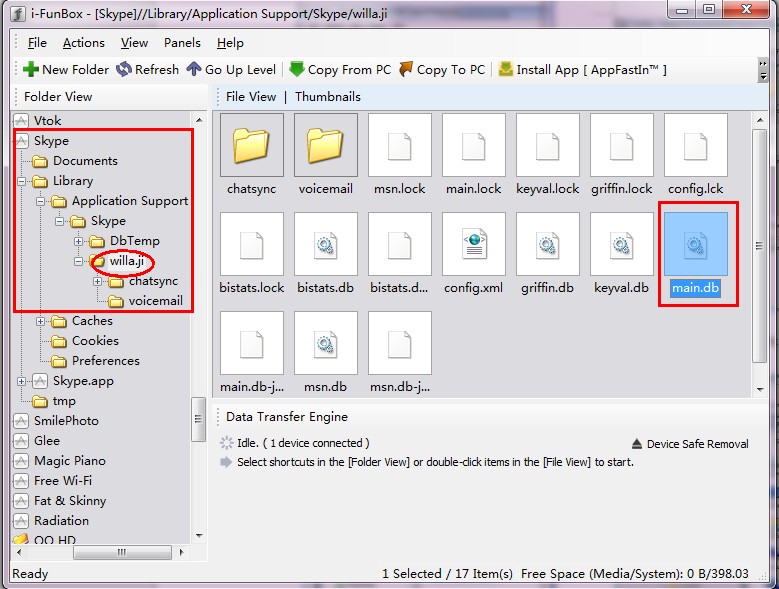
Then copy main.db to PC or drag main.db to PC directly:
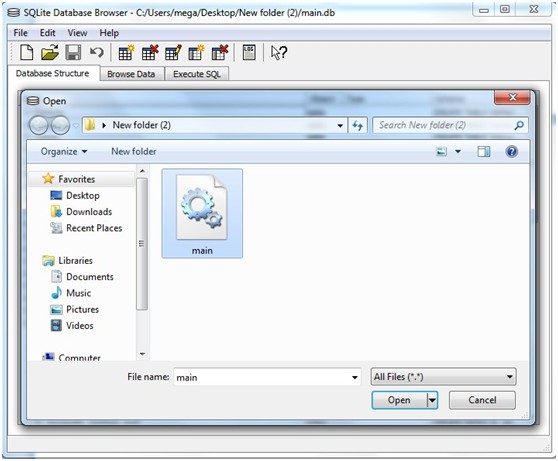
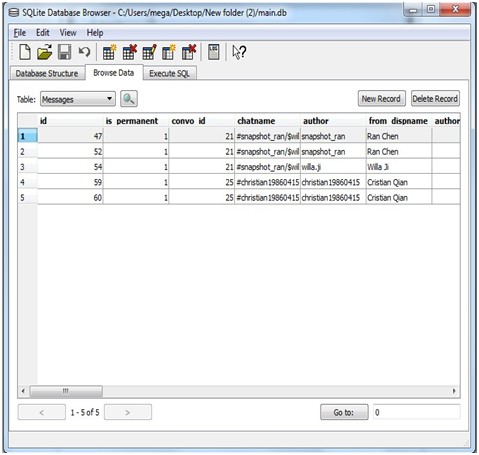
Using the main.db file select messages from the Table drop down menu and you will be able to see all of the messages currently on your iPad
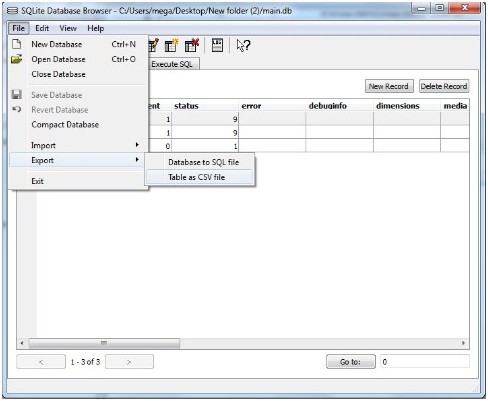
Export your texting history, recorded voice or contacts to .csv:
From the SQLite Database Browsers File menu, choose Export> Table to CSV file. Save the resulting comma-delimited file, and open it using your spreadsheet of choice.
Done
Many people want to know how you backup Skype texting history, recorded voice and contacts. Now heres a brief tutorial:
You Need:
» iPad
» i-FunBox (Official download site: www.i-funbox.com )
» SQLite Database Viewer
Steps:
Open iFunBox
Click User Applications, then Skype
Then copy main.db to PC or drag main.db to PC directly:
Using the main.db file select messages from the Table drop down menu and you will be able to see all of the messages currently on your iPad
Export your texting history, recorded voice or contacts to .csv:
From the SQLite Database Browsers File menu, choose Export> Table to CSV file. Save the resulting comma-delimited file, and open it using your spreadsheet of choice.
Done