
Hi!
Maybe one of you could help me out in setting up a basic video projection with my MacBook and an older LCD 720 16:9 projector...
I want to make a video projection of moving clouds in the illustrated shape of a cloud. Just on a plain white wall. I don't want the square 16:9 light be seen around my "video object". I have made some quick images to demonstrate what I want to do...
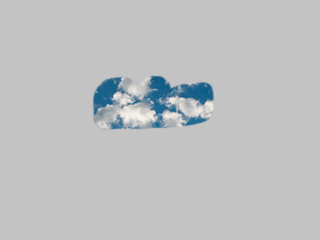
This is how it should look. The wall is grey in this example.
It should not look like this:
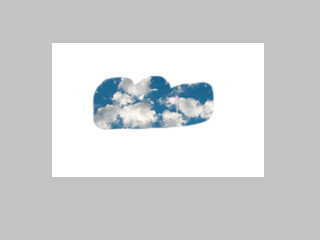
or this:
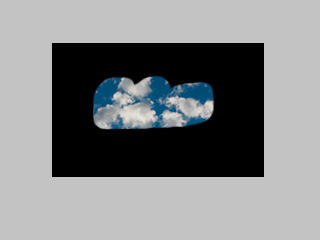
I hope I made it clear. Maybe I'm just not getting it, but do I need some projection mapping software for this? If I need it, what would be a simple solution (preferable free)?
Thanks for suggestions!
Steve
Maybe one of you could help me out in setting up a basic video projection with my MacBook and an older LCD 720 16:9 projector...
I want to make a video projection of moving clouds in the illustrated shape of a cloud. Just on a plain white wall. I don't want the square 16:9 light be seen around my "video object". I have made some quick images to demonstrate what I want to do...
This is how it should look. The wall is grey in this example.
It should not look like this:
or this:
I hope I made it clear. Maybe I'm just not getting it, but do I need some projection mapping software for this? If I need it, what would be a simple solution (preferable free)?
Thanks for suggestions!
Steve