Become a MacRumors Supporter for $50/year with no ads, ability to filter front page stories, and private forums.

iPad Bro

macrumors 6502
Original poster
First off, I’d like to say that I have been diagnosed with OCD, so I wash my hands a lot. Thus, I always have clean hands when handling my electronics, but I got a black Magic Keyboard for my 11” iPad Pro and even with extra proper care it has smudges on the outside and I would like to ask you guys what is the best way to clean these smudges away? I had heard the Magic Eraser was good for the white one, but I didn’t know it worked likewise for the black. If you guys can help me out, I’d definitely appreciate it. Thank you!
 
  • Like
Reactions: boston04and07
I mix a drop of dish washing liquid with at least 32oz. of water and wipe it down. It still shows smudges so I don't think there's a safe way to remove them without damaging the surface. The 2007 black MacBook had a similar finish and also was a pain to remove smudges..
 
  • Like
Reactions: boston04and07
First off, I’d like to say that I have been diagnosed with OCD, so I wash my hands a lot. Thus, I always have clean hands when handling my electronics, but I got a black Magic Keyboard for my 11” iPad Pro and even with extra proper care it has smudges on the outside and I would like to ask you guys what is the best way to clean these smudges away? I had heard the Magic Eraser was good for the white one, but I didn’t know it worked likewise for the black. If you guys can help me out, I’d definitely appreciate it. Thank you!

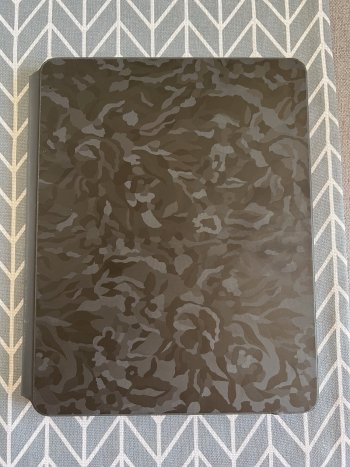
You're best getting a good quality vinyl skin for it.. personally, i've just fitted an Easyskinz and it was perfect -east to fit and very happy with the results..

IMG_3694.jpeg


IMG_3695.jpeg


IMG_3697.jpeg


IMG_3698.jpeg

IMG_3700.jpeg
 

Attachments

  • IMG_3696.jpeg
    IMG_3696.jpeg
    775.1 KB · Views: 126
Register on MacRumors! This sidebar will go away, and you'll see fewer ads.