
Become a MacRumors Supporter for $50/year with no ads, ability to filter front page stories, and private forums.

orangeillini14

macrumors regular
Original poster
33e4h14.png


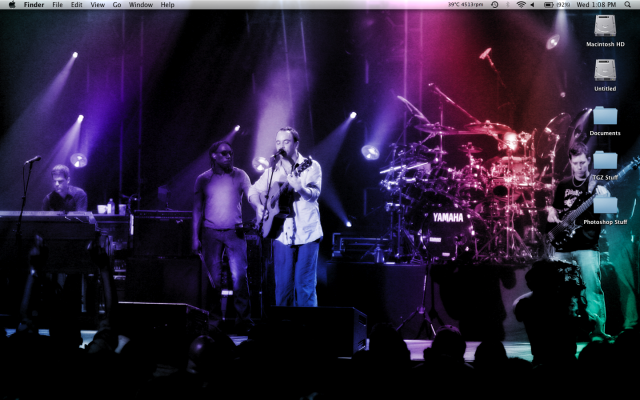
I have my Macintosh HD (which I access often) and then the Untitled BootCamp HD (which I never access when I'm using the Mac OS... there's not point).

Would it be possible to move the Untitled BootCamp HD icon so it's off my desktop? Can I just put it in some other folder or put it in my Macintosh HD folder?
 
You should just be able to unmount it. You may have to do it via Disk Utility. Or, drag your HD to the Dock, then Change your Finder Preference, to no display HDs on the desktop.

TEG
 
You can actually eject it. Just right click and poof it's gone. I'm not sure, but I think it'll show back up with a reboot.

I hope - but it doesn't really matter. I never go into it from the Mac side of things.
 
You can boot into windows and rename it from there with a "." in front of the name

It will be hidden on your OSX desktop

Woof, Woof - Dawg
pawprint.gif
 
Register on MacRumors! This sidebar will go away, and you'll see fewer ads.