Become a MacRumors Supporter for $50/year with no ads, ability to filter front page stories, and private forums.

Retired Cat

macrumors 65816
Original poster
I find touch typing a bit tough on the virtual keyboard, but the edge of the screen provides some physical context and autocorrect also helps (sometimes).

Anyone good at touch typing on the iPhone keyboard?
 
I do it rather often at the boring meetings I go to. Helps that everyone else thinks that it can't be done. Overall, I make very few errors and type with a slightly slower than my average speed.
 
I'm an old school touch typist, but I can't type on a virtual keyboard looking at it.
 
I saw on the App Store that there's an app that teaches iOS typing. Might have to try that out! I make tons of mistakes if I don't look at the keyboard.
 
I can but I have to be looking at what typing like you'd type on a computer. If I'm not then it's very hit or miss.
 
I'm able to type without looking on my iPhone pretty well. Using a Swype style keyboard on an Android phone without looking produced less errors though.
 
I can, but my typing is slower and I put a lot of faith into autocorrect. For the most part it works out good enough for me.
 
I can type fine on an old fashioned keyboard, but I have no idea how folks manage to do it with a virtual keyboard, especially on a screen as small as the iPhone's. I have nothing but respect for those who can.
 
I can type 99% of the time without looking and also interact with the screen for other things as well as my phones practically memorized lol...
 
I can type fine on an old fashioned keyboard, but I have no idea how folks manage to do it with a virtual keyboard, especially on a screen as small as the iPhone's. I have nothing but respect for those who can.


Probably just muscle memory. I'm not able to do it on any other phone that's a different size unless I've been using it for a while for practice.
 
I can do it as well. But, I proof read it before sending. It's odd that I'm more comfortable using one hand (thumb) to type than 2.
 
I am able to type short words without looking at the keyboard, and the spell check function really helps with this. But, longer words require me to look at the keyboard. I do believe I am improving, though.
 
No chance at all on my iPhone....better on the iPad, but on my Logitech wireless KB in the iMac I can pretty much touch type...I glance down if I need to shift or find a symbol, but that's it.

I remember doing a typing test years ago which to my amazement I passed...I think you had to hit 35 WPM with something like 2 errors allowed.

Luck, pure luck....🙂
 
No chance at all on my iPhone....better on the iPad, but on my Logitech wireless KB in the iMac I can pretty much touch type...I glance down if I need to shift or find a symbol, but that's it.

I remember doing a typing test years ago which to my amazement I passed...I think you had to hit 35 WPM with something like 2 errors allowed.

Luck, pure luck....🙂

Don't sell yourself short, even looking at the keyboard while you type will help you memorize the location of the keys.
 
Don't sell yourself short, even looking at the keyboard while you type will help you memorize the location of the keys.

Kind words, but I doubt my speed is likely to increase much now...most of what I do on my iMac is Logic / Aperture based, so there isn't a lot of typing involved there...I'm pretty quick on this ( IPad) though...🙂
 
Yeah, it doesn't seem to take me long to get acquainted with a new keyboard, but then again I do a lot of typing (software developer)
 
I could type novels on my iPhone 4 and 4s without looking at it but i cant do it on my s4. Doesn't matter what keyboard it is on Android I have to look at the screen to type
 
I used to be able to before iOS 7. I had gotten used to where all the keys were without looking. Now I make too many mistakes if I don't look.
 
I used to be able to before iOS 7. I had gotten used to where all the keys were without looking. Now I make too many mistakes if I don't look.
I'm more or less in the same boat, not quite sure what really changed to cause that much of a difference.
 
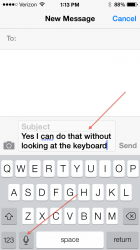
Yes I can. Its easy... 😀
 

Attachments

  • IMG_0013.PNG
    IMG_0013.PNG
    124.6 KB · Views: 123
Register on MacRumors! This sidebar will go away, and you'll see fewer ads.