Become a MacRumors Supporter for $50/year with no ads, ability to filter front page stories, and private forums.

adk

macrumors 68000
Original poster
I'm trying to change the icons for my USB flash drives. Unfortunately, They don't show up as volumes in CandyBar, so my only option is to Go into the system panel and change the icon for all removable drives. This creates a problem though, because if I do that .DMG files and Digital cameras all have the same icon. How can I fix it so that only the USB Flash Drives have a different icon?
 
If you only have one or two, do them manually.

Just Command-I (Get Info) on the USB Drive, and copy and paste the icon into it's spot.

::20ROGERSC::
 
I guess I'm a little confused, dragging and dropping isn' changing the icon.
 
radiantm3 said:
You have to copy and paste, not drag and drop.

I know, but there's nowhere in the info of the drive on where to paste it
 
When I control click my USB flash drive and open up get info, there's nowhere in the info window to paste anything. The icon is right there in the preview area, but if I drag and drop it just puts a copy of the icon onto the flash drive.
 
adk said:
When I control click my USB flash drive and open up get info, there's nowhere in the info window to paste anything. The icon is right there in the preview area, but if I drag and drop it just puts a copy of the icon onto the flash drive.

Click on the little icon in the upper left and paste.
 
adk said:
I know, but there's nowhere in the info of the drive on where to paste it

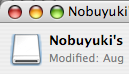
You don't see what has the blue focus ring in my attachment?
 

Attachments

  • FlashDriveInfo.png
    FlashDriveInfo.png
    7.6 KB · Views: 299
Ahh ok. I was trying to paste onto the big icon in the preview section. Thanks.
 
Register on MacRumors! This sidebar will go away, and you'll see fewer ads.