
Become a MacRumors Supporter for $50/year with no ads, ability to filter front page stories, and private forums.

rotlex

macrumors 6502a
Original poster
Ok, searching for wallpaper issues turns up a lot of wallpaper requests. 🙂

Just got Leopard installed last night, and am having an issue adding a folder to the desktop\screensaver area. If I click the plus sign, to choose say my "Mac" wallpaper folder, it says it's already in the list. Uh, it's not, LOL. If I drag the folder to this area, I get the green + sign, but it still does not appear there.

Any ideas, or is this a known current issue that I somehow missed?

Thanks!
 
Ok, searching for wallpaper issues turns up a lot of wallpaper requests. 🙂

Just got Leopard installed last night, and am having an issue adding a folder to the desktop\screensaver area. If I click the plus sign, to choose say my "Mac" wallpaper folder, it says it's already in the list. Uh, it's not, LOL. If I drag the folder to this area, I get the green + sign, but it still does not appear there.

Any ideas, or is this a known current issue that I somehow missed?

Thanks!
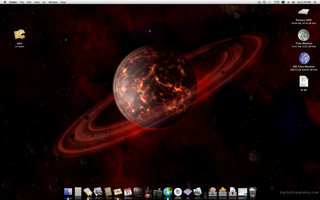
I added a folder named Wallpapers just fine. I am also able to point the + sign to a different folder on my HDD. Did you click the arrow under folders so you can see what's in it? It *might* actually be there already.

screen-capture.png
 
I added a folder named Wallpapers just fine. I am also able to point the + sign to a different folder on my HDD. Did you click the arrow under folders so you can see what's in it? It *might* actually be there already.

screen-capture.png

Thanks for the reply, the problem appears to be that the "folders" drop down thing with the arrow is not even there. Now I'm getting really disturbed over this, LOL.
 
Personally, this is a huge improvement in Leopard, though it doesn't quite come under the category of 'Worth the £85 for'. I have all my walls sorted in folders and having to change that all the time under Tiger was tedious.
 
Personally, this is a huge improvement in Leopard, though it doesn't quite come under the category of 'Worth the £85 for'. I have all my walls sorted in folders and having to change that all the time under Tiger was tedious.

I'm actually kind of surprised there's no spotlight tool in there.

To the OP, one or two major things that could cause this problem are:

- Botched permissions or ownerships -- make sure you own the folder in question

- A corrupted copy of the plist (preference) file associated with this system preference.
 
Personally, this is a huge improvement in Leopard, though it doesn't quite come under the category of 'Worth the £85 for'. I have all my walls sorted in folders and having to change that all the time under Tiger was tedious.

Wow, if I hadn't seen one person's problem, I wouldn't have known it was a new feature. Of course I may have found it had I upgraded, still waiting to get my copy. I hated having a folder chosen, but only one that would get replaced this is great.
 
I'm actually kind of surprised there's no spotlight tool in there.

To the OP, one or two major things that could cause this problem are:

- Botched permissions or ownerships -- make sure you own the folder in question

- A corrupted copy of the plist (preference) file associated with this system preference.


Thanks, I'll look into both of those as soon as I'm home again. No problems deleting the plist for sys preferences I'm assuming?
 
Thanks, I'll look into both of those as soon as I'm home again. No problems deleting the plist for sys preferences I'm assuming?

IIRC, there's one for that specific preference pane -- try spotlighting for:

screensaver plist

And see if it comes up that way. Name will be something like com.apple.screensaver.plist ... you should be able to just drag it to the desktop (with Sys Prefs closed) and then open system preferences. You should lose just the preferences in that pane, which you will need to restore. If anything more goes wrong, close Sys Prefs again and copy the desktop copy of the plist back over top of the one in ~/library/preferences/
 
IIRC, there's one for that specific preference pane -- try spotlighting for:

screensaver plist

And see if it comes up that way. Name will be something like com.apple.screensaver.plist ... you should be able to just drag it to the desktop (with Sys Prefs closed) and then open system preferences. You should lose just the preferences in that pane, which you will need to restore. If anything more goes wrong, close Sys Prefs again and copy the desktop copy of the plist back over top of the one in ~/library/preferences/

Thanks again. Can't wait to get home now and give it a shot. I know it's a little thing, but it's driving me nuts!
 
I added a folder named Wallpapers just fine. I am also able to point the + sign to a different folder on my HDD. Did you click the arrow under folders so you can see what's in it? It *might* actually be there already.

OH!! That is how you do that. Thanks for the screen cap. I kept my backgrounds (Wallpaper is such a Windows term 😉 ) in a seperate folder and after updating to Leopard I though I could not access the folder anymore from the background settings. I didn't even realize that there was a + button.

Thanks again. I can now have my background images organized. 😀
 
IIRC, there's one for that specific preference pane -- try spotlighting for:

screensaver plist

And see if it comes up that way. Name will be something like com.apple.screensaver.plist ... you should be able to just drag it to the desktop (with Sys Prefs closed) and then open system preferences. You should lose just the preferences in that pane, which you will need to restore. If anything more goes wrong, close Sys Prefs again and copy the desktop copy of the plist back over top of the one in ~/library/preferences/

Well, this worked....kind of. Deleting the ~/library/preferences/com.apple.desktop.plist file. What I mean is, it took away the duplicate Aperture library entry. Problem is, there is still no "folders" listing, and if I attempt to add one, using the plus sign, it duplicates the Aperture library view again, and does not add the folder.

I repaired permissions as well, but really am not sure what else to look at. Very strange, and frustrating. 🙂
 
I think if you don't see the "folders" in the system pref. under Desktop, you have to press the little "+" at the bottom, and the "folders" menu appears after you have selected your folder.
 
OH!! That is how you do that. Thanks for the screen cap. I kept my backgrounds (Wallpaper is such a Windows term 😉 ) in a seperate folder and after updating to Leopard I though I could not access the folder anymore from the background settings. I didn't even realize that there was a + button.

Thanks again. I can now have my background images organized. 😀

Glad to help. I'm the same way with the Windows terminology. 🙂
 
Figured it out! (Yeah, I know, a little to excited, LOL).

Since installing Leopard and iLife, I had never used iPHoto, mainly because I don't use it. Well, I posted this same question\issue over on the Apple message boards, and someone that had run into this issue, had resolved it by simply opening iPhoto once, and creating a library. This added an iPhoto section to the display preferences, and for SOME odd reason, allows the ability to now add and see the "folders" section. I'm sure it's a bug that will be resolved in the future, but for now, at least it works.....see screen shot.

Hope this helps someone.
 

Attachments

  • screen-capture.png
    screen-capture.png
    130.5 KB · Views: 164
Register on MacRumors! This sidebar will go away, and you'll see fewer ads.