
Become a MacRumors Supporter for $50/year with no ads, ability to filter front page stories, and private forums.

AshX

macrumors regular
Original poster
I’m trying to disable EDR on my 2022 13” M2 MacBook Pro. The toggle is there but I can’t uncheck it. I’ve tried multiple color profiles (currently using my calibrated profile for this display) but it won’t do anything when I click the checkbox to uncheck it. Running Monterey 12.4
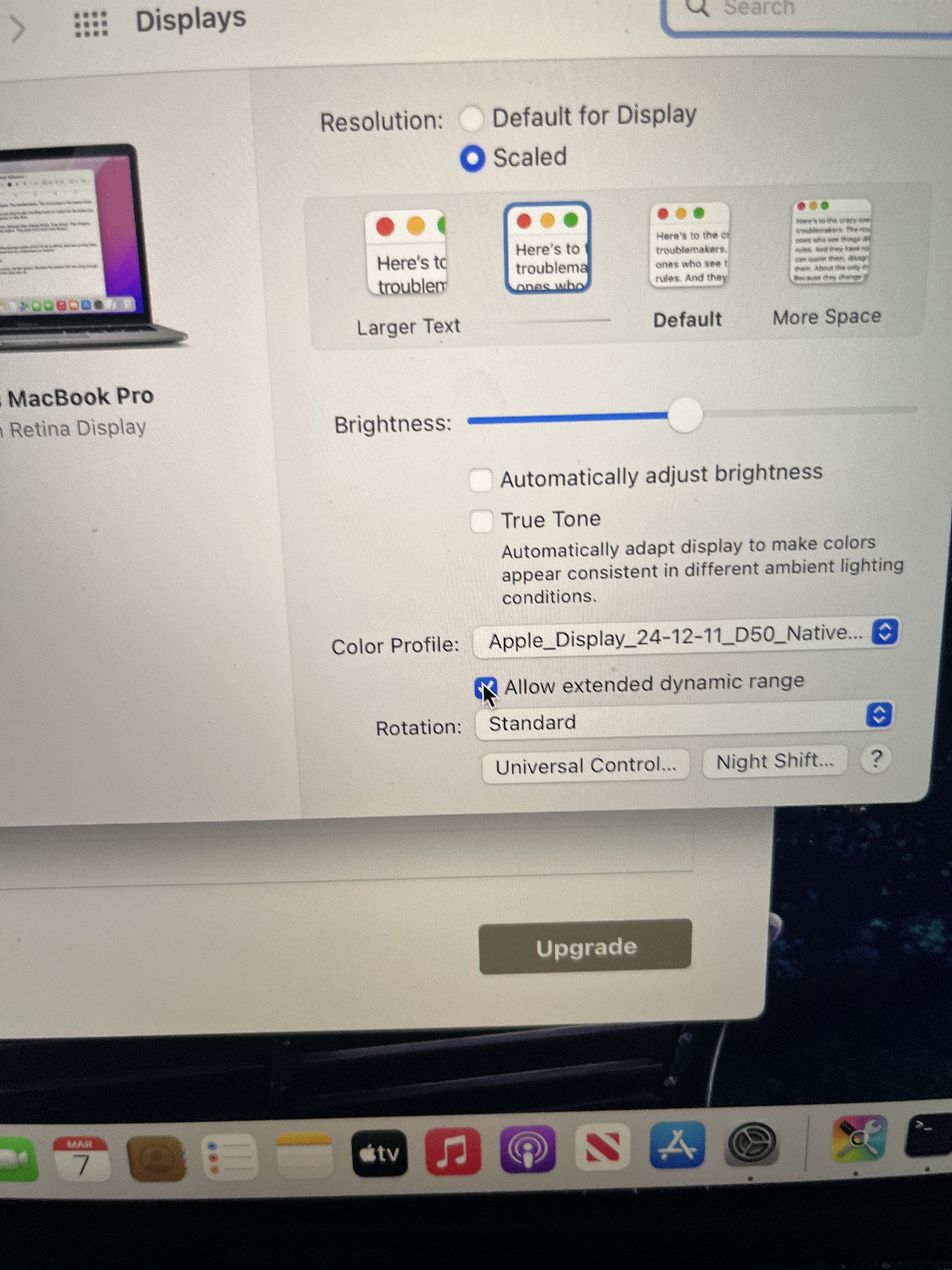
BA2F8A00-7D1D-4E26-9E63-E0E8FF47441E.jpeg
 
v1.4.15 should work on Monterey 12.4

You could update to the latest Monterey and maybe it will fix the issue.
 
v1.4.15 should work on Monterey 12.4

You could update to the latest Monterey and maybe it will fix the issue.

I do have a compatible version, but I’m not sure whether the setting would be for the built-in display? To my knowledge there was no way to disable it on Apple Silicon Macs - only Intel - but I was surprised the toggle was visible on my MacBook…I assumed
it is because it’s basically the older Intel Touchbar Mac with an M2 chip?
 
I do have a compatible version, but I’m not sure whether the setting would be for the built-in display? To my knowledge there was no way to disable it on Apple Silicon Macs - only Intel - but I was surprised the toggle was visible on my MacBook…I assumed
it is because it’s basically the older Intel Touchbar Mac with an M2 chip?
Hi, I've been actively reading your comments regarding your testing of various Apple shades and their suitability for use. What can you say about your Mac Book Pro M2 Touchbar? Does it have the same pronounced flickering on a gray background that people could easily capture even with a short shutter speed?
 
Register on MacRumors! This sidebar will go away, and you'll see fewer ads.