Sorry if this is my fault but I cannot figure this out. I am new to macOS due to being a happy Neo buyer. After some weeks with this I am blown away how amazing this hardware is and I am starting to understand some of macOS and its differences from Windows which I grew up with.
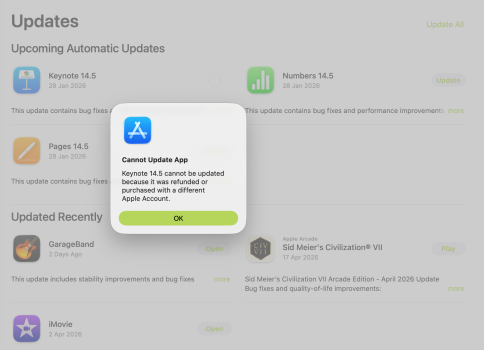
I have three Apple apps that cant update. These where included with macOS and just gives me and error when I try and update them in the App Store.
At first I thought this would be solved with some macOS update but it is still the same. I tried rebooting, I tried force quitting App Store and relaunching. I have only one AppleID and everything else seem to work with my phone, watch, ipad and so on but these three apps cannot be updated.
I have three Apple apps that cant update. These where included with macOS and just gives me and error when I try and update them in the App Store.
At first I thought this would be solved with some macOS update but it is still the same. I tried rebooting, I tried force quitting App Store and relaunching. I have only one AppleID and everything else seem to work with my phone, watch, ipad and so on but these three apps cannot be updated.