Hi 🙂
I'm wondering if I can change th keyboard shortcut in Safari from "cmd + shift +[ or ]" to something more easier to perform like "cmd + option + left or right arrow"
Thanks for any help 😱
I didn't even know about that shortcut. I've always used control+tab and control+shift+tab.
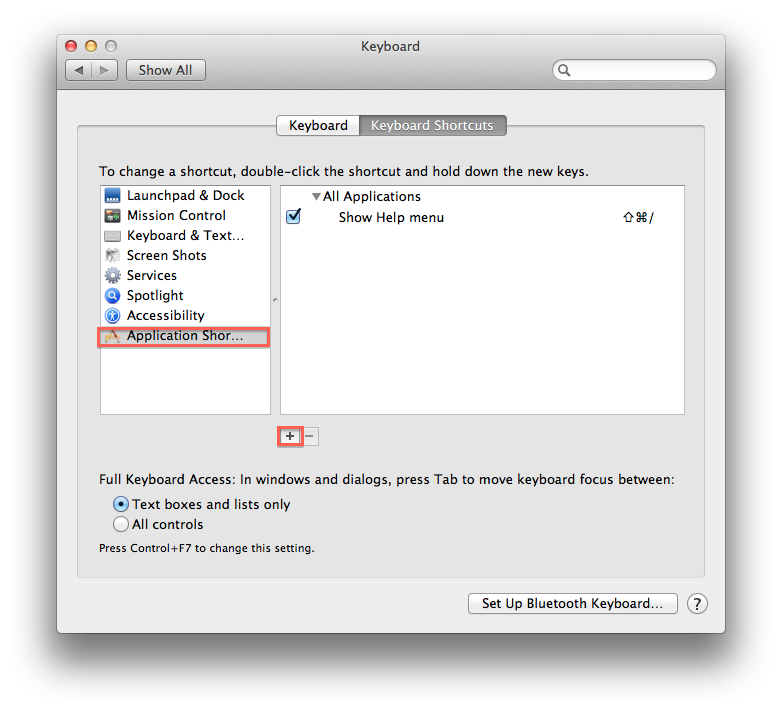
Go to System Preferences -> Keyboard -> Application Shortcuts
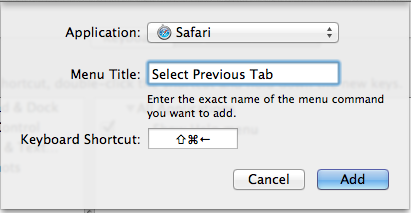
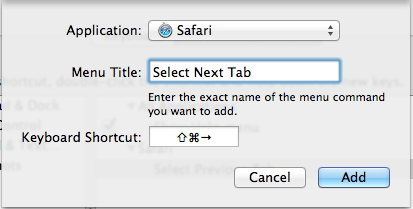
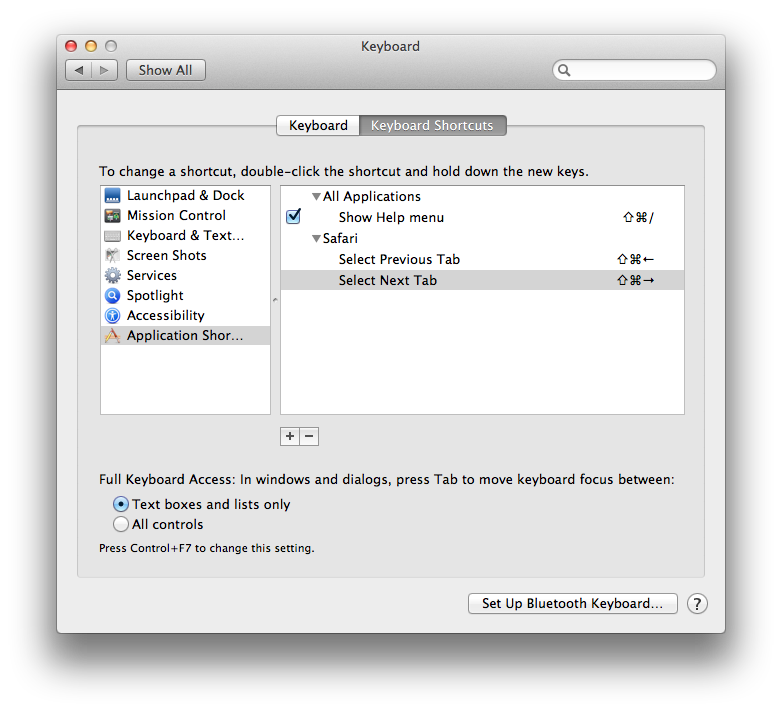
Then, click the "+" button. Select Safari as the Application on the Window that pops up. Type Select Previous Tab in the 'Menu Title' field. Then, press command+shift+left to set the shortcut and click 'Add' to save. Click the "+" again and repeat the process for command+shift+right (in this 'Menu Title' field, you will type Select Next Tab).
edit: Just saw you wanted 'option' instead of shift. It will work either way - just replace shift with option in my example.
Pics for reference:
Just raged to say thank you , It worked for me only when retyped "show" thank you very muchthis wasn't working for me and I realized the issue it is case sensitive
"show next tab" will not work.
it must be
"Show Next Tab"
Go to System Preferences -> Keyboard -> Application Shortcuts
Then, click the "+" button. Select Safari as the Application on the Window that pops up. Type Select Previous Tab in the 'Menu Title' field. Then, press command+shift+left to set the shortcut and click 'Add' to save. Click the "+" again and repeat the process for command+shift+right (in this 'Menu Title' field, you will type Select Next Tab).
edit: Just saw you wanted 'option' instead of shift. It will work either way - just replace shift with option in my example.
Pics for reference:
![]()
![]()
![]()
![]()