

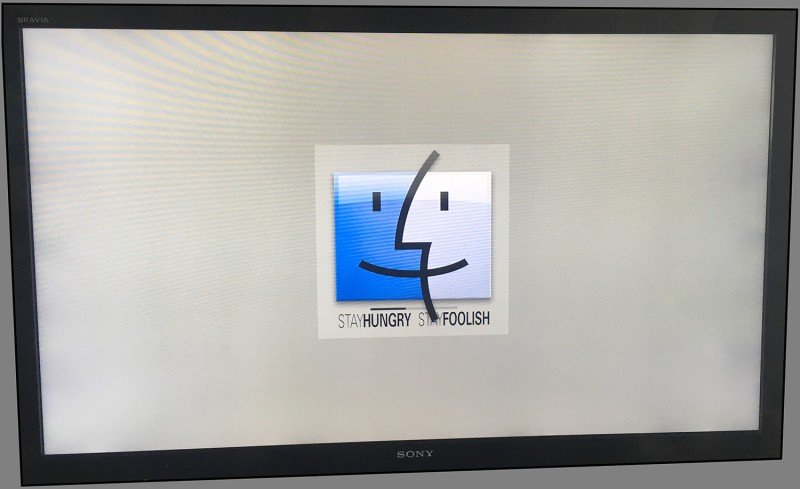
My 2012 MacMini booting OSX Sierra 10.12.1 on a 56" Sony Bravia - the default boot screen looks seriously lost on a 56" monitor! Besides Dark Boot lets me change the default black as noted!
To change my Sierra Boot Screen (donation ware) I use: Dark Boot:
http://w0lfschild.github.io/app_dBoot.html
You'll find several sample Boot Screen Images here:
https://github.com/w0lfschild/DarkBoot
I added the text (Stay Hungry...) to the dev's sample image. My Boot Screen PNG:
http://imageshack.com/a/img921/8800/3EMc15.png
Enjoy!
PS: You will need to disable SIP in Terminal using this command: csrutil disable
To change my Sierra Boot Screen (donation ware) I use: Dark Boot:
http://w0lfschild.github.io/app_dBoot.html
You'll find several sample Boot Screen Images here:
https://github.com/w0lfschild/DarkBoot
I added the text (Stay Hungry...) to the dev's sample image. My Boot Screen PNG:
http://imageshack.com/a/img921/8800/3EMc15.png
Enjoy!
PS: You will need to disable SIP in Terminal using this command: csrutil disable
Last edited:
