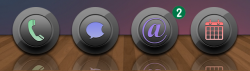
The weird shadow on the left is a bitesms issue which was already brought to there attention. Quick fix is to go into bite settings and change icon back to stock. Or disable classic dock...
The white boxes below icons are showing which apps are active/running. Classic dock now has settings in the settings app and you can disable that setting and other things.
Not a very good update. I know "dock" is in the title of the tweak, but if you don't use a dock the shadows aren't long enough to reach the bottom of the screen. I hesitated to update it...I wish I had hesitated more.
I found the deb for version 0.6-1 here. I uninstalled the current version, installed from the deb file, and all is good again. Then in Cydia I turned off upgrades for ClassicDock.
The weird shadow on the left is a bitesms issue which was already brought to there attention. Quick fix is to go into bite settings and change icon back to stock. Or disable classic dock...
The white boxes below icons are showing which apps are active/running. Classic dock now has settings in the settings app and you can disable that setting and other things.
Thank you - that did. I noticed that they only were the white squares when the app was active. I didn't realize that classicdock had settings now. I thought it was a pretty self explanatory tweak haha.
And using the old icon for messages in bite did the trick. Thank you 🙂